If you’re already using Easy Digital Downloads and feeling limited by your server, you might be wondering if you can sell Dropbox files through Easy Digital Downloads. In this blog, you’ll learn how to host your files in your Dropbox account while EDD handles payments and secure delivery. It’s simple and saves you both time and money.
Large files like videos, software, or design assets can quickly eat up server space and slow down your site. When you sell Dropbox files with EDD, your WordPress site stays fast and lightweight. You avoid expensive hosting upgrades and can focus on building and selling your digital products without the tech headaches.
Step-by-Step Guide: How to Sell Dropbox Files Through Easy Digital Downloads
Getting started is simple with the right setup. To sell your Dropbox files through Easy Digital Downloads, you’ll need the File Manager for Dropbox plugin by CodeConfig.
Step-1: Install and Activate the Plugin
- First, log in to your WordPress dashboard.
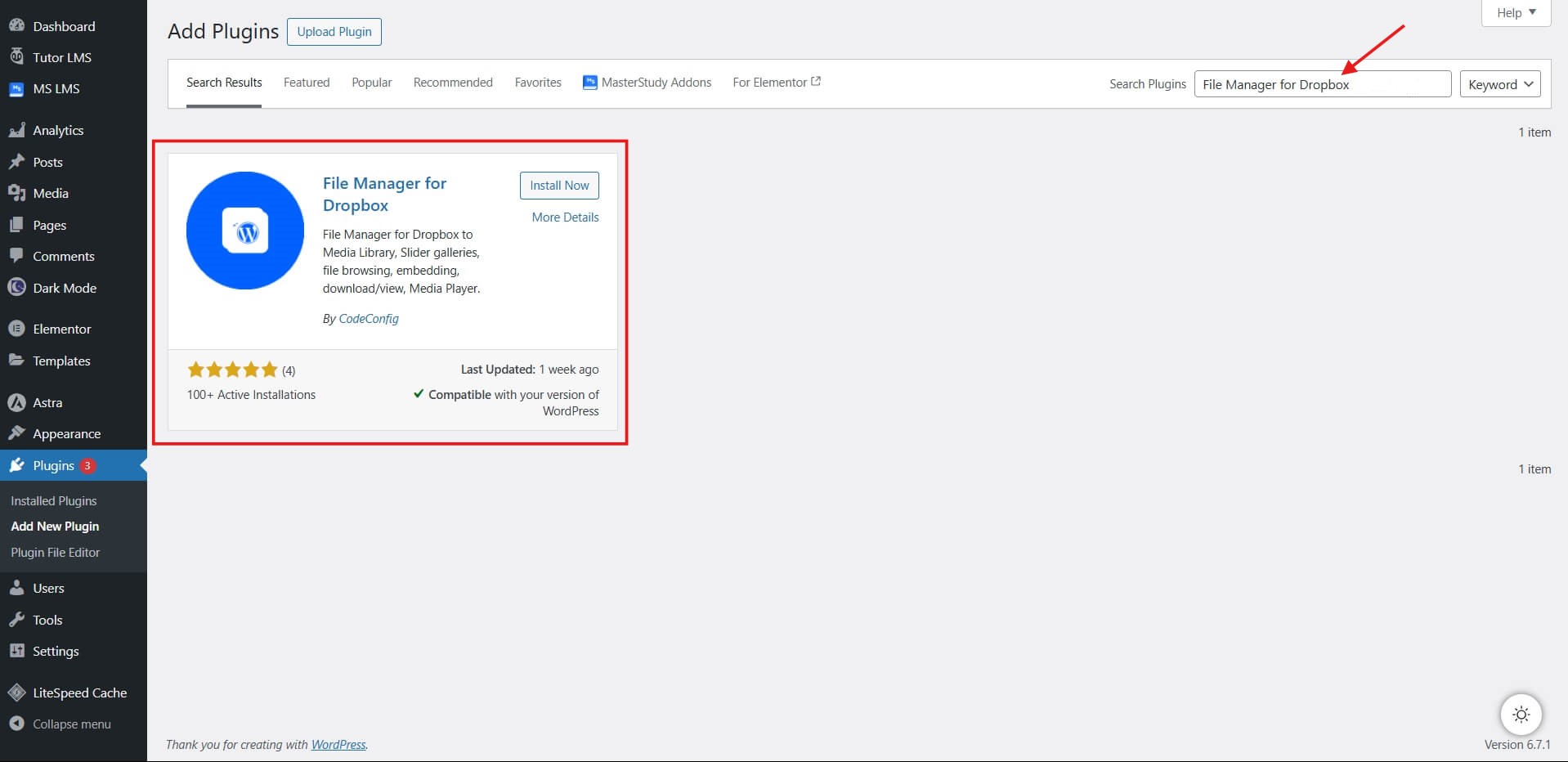
- Go to Plugins > Add New.
- Search for “
File Manager for Dropbox.”
- Click the “Install Now” button.
- Once installed, click the “Activate” button.
Step 02: Enable Easy Digital Download Integration
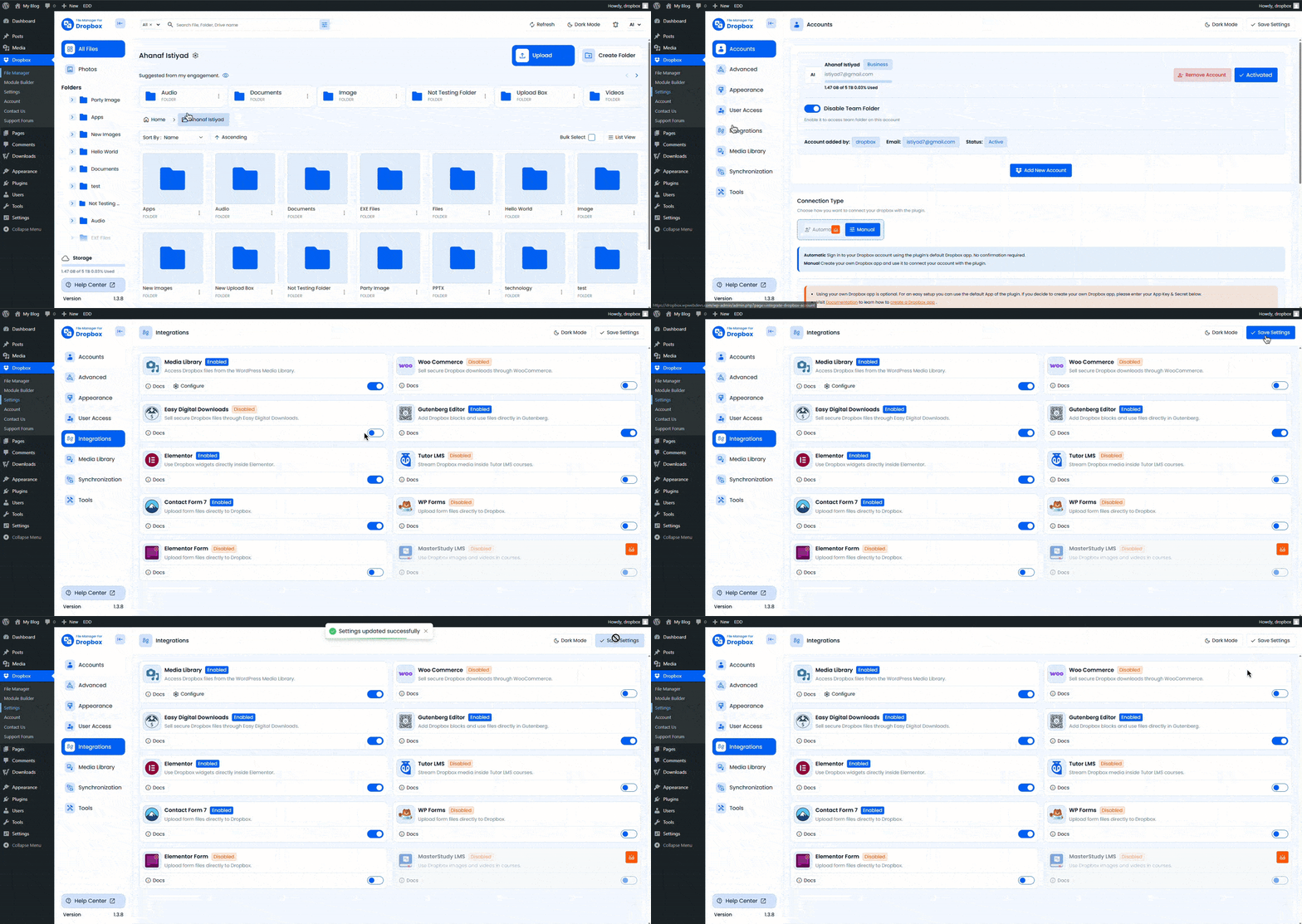
Go to your WordPress Dashboard and navigate to Dropbox
- Go to the plugin’s Settings tab.
- Open Integrations.
- Find Easy Digital Downloads, and turn on the toggle.
- Click Save Settings.
Step 03: Enable Media Library Integration
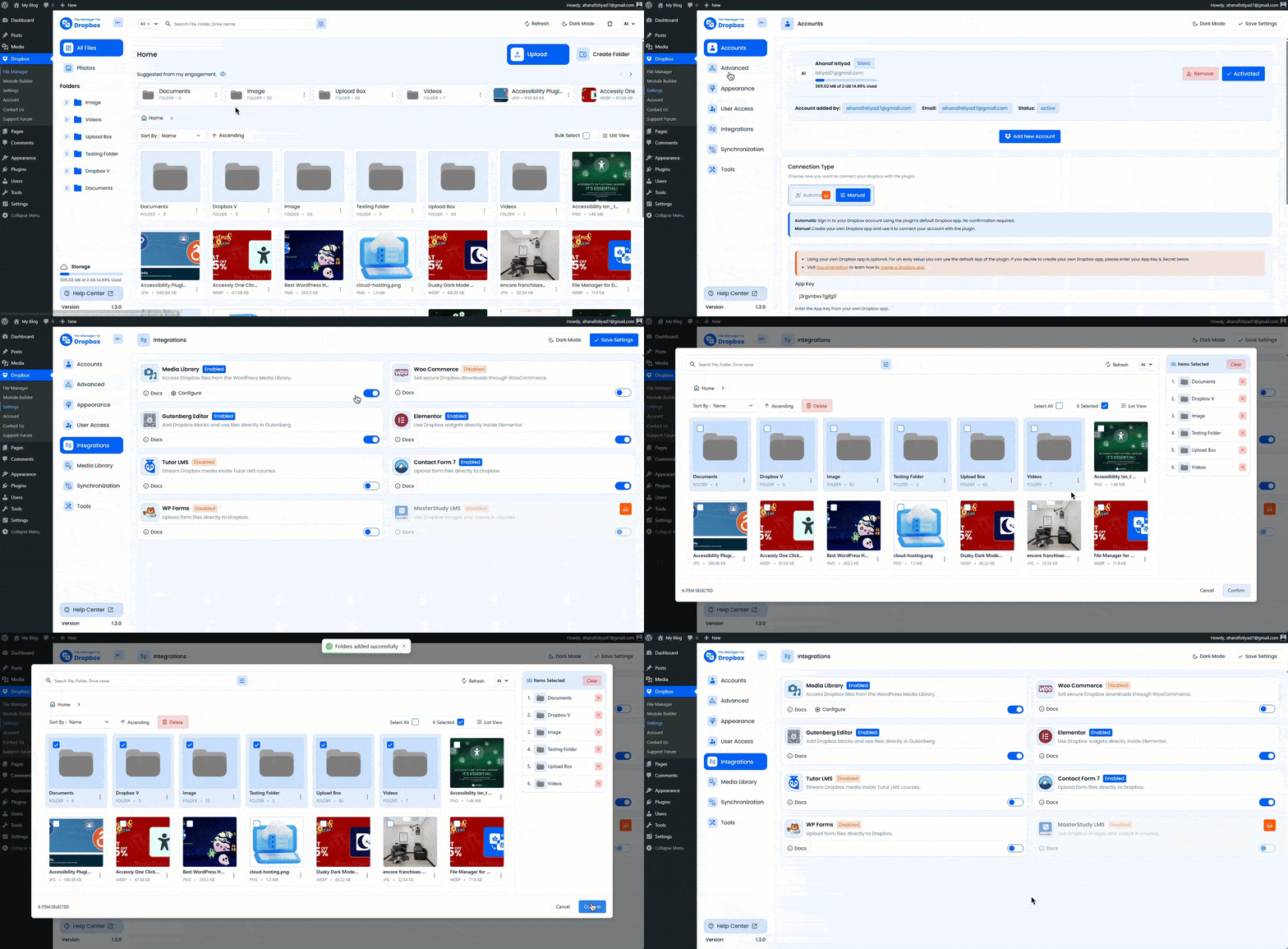
Go to your WordPress Dashboard and navigate to Dropbox
- From the Integrations > Enable Media Library, also by toggling,
- Now click Configure and select the folder, then confirm.
- Navigate to Media > Library, check your selected file
Step 04: Add Dropbox Files to the Easy Digital Download Product
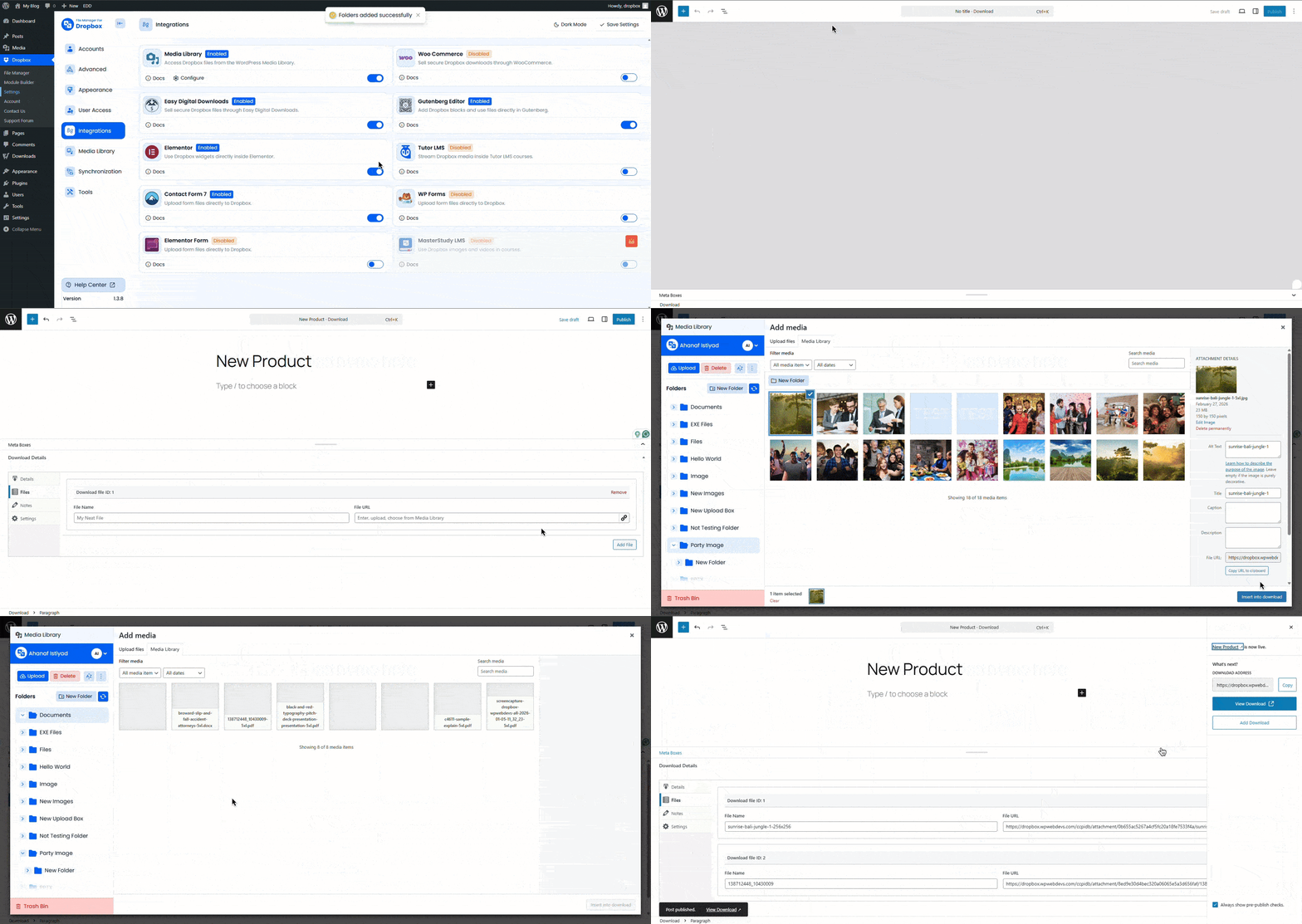
- Go to Downloads > Add Download or edit an existing one.
- Check Download Details > Navigate Files
- Click Insert, choose your file from Dropbox Media Library, then save.
- Set the price, description, and complete other details, then publish.
Key Benefits of Selling Dropbox Files With EDD
This setup offers clear advantages for your store.
- Reduce Server Storage Usage: Store files on Dropbox to free up space on your hosting plan.
- Secure File Delivery: EDD’s temporary links prevent unauthorized access and sharing.
- Scalability for Digital Products: Handle growing inventories and larger files without server upgrades.
- Improved Performance: Offload downloads to Dropbox for faster site speeds and better user experience.
These features help small businesses grow without tech barriers.
🎁GIFT: And here’s a gift for you. If you’re planning to buy this plugin, you can use the
ESPECIAL10 coupon to
get a 10% discount.
Conclusion: Get Started Selling Dropbox Files With EDD
Wrapping up, understanding how to sell Dropbox files through the Easy Digital Downloads simplifies your workflow, cuts costs, and enhances security. With the File Manager for Dropbox plugin and EDD, you can scale your digital sales effortlessly.
If you haven’t set it up yet, now’s a good time to get started. Visit CodeConfig for guides and documentation, and reach out if you need any help!










Written By
Ahanaf Istiyad
Hey, I'm Istiyad! As a UI/UX and product designer, I’m passionate about building sleek, user-friendly experiences that make navigating digital products feel effortless and fun!
Express Your Opinion