


- Release
- WordPress
File Manager for Dropbox 1.3.17 Released – New Features and Improvements
Tanin Ahmed7 min read
Loading page…
Loading page…
Loading page…
Finding Google Drive plugin? Here is all the Best Google Drive Plugins for WordPress #1 is The Integration For Google Drive by CodeConfig

Google Drive is one of the most popular cloud storage services, with over 2.5 billion+ users. And over 45,000 companies in the U.S. use Google Drive, which is why connecting Google Drive with WordPress has become so common. Plugins like Integration for Google Drive, WP Media Folder, and Use your Drive help you manage Drive files directly from your WordPress dashboard. We will wrap up the overview of those plugin features and management for WordPress CMS, and conclude with the best file management plugin. So let’s find the Best Google Drive Plugins for WordPress.

If you’re an online tutor, shop owner, or anyone who handles large files, you often need to update your WordPress site with new content. WordPress can upload files, but large uploads slow down your site and require more hosting space. Using Google Drive removes that pressure and gives you several advantages
Best Google Drive Plugins for WordPress can make your content management smoother and more reliable. Whether it’s a blog, business site, or online store, these benefits make Google Drive a strong choice for managing files.
Choosing the best and most compatible plugin for your website according to your business needs is the key to success or failure. By focusing on the points below, you can realize the correct one for your website.
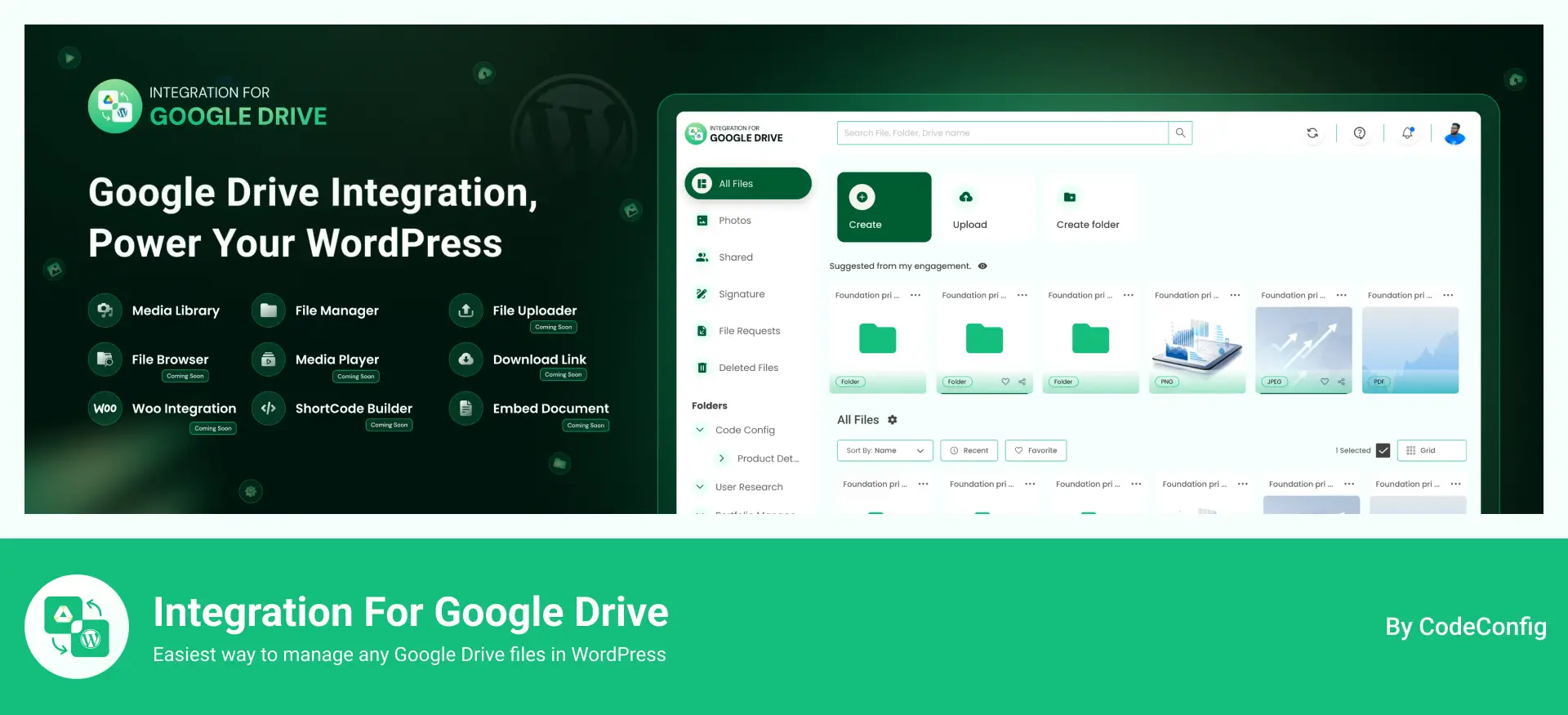
Easy Setup with common features including File management, Downloading & Upload Zip Files, Search Files and previewing with Popup, Create Shortcode with File browser, Gallery, Slider Carousel, Media Player, embedding documents with download and view links, Support multi-language for global users, Tooling by Export and Import features, etc.
Getting started is simple—no coding needed.
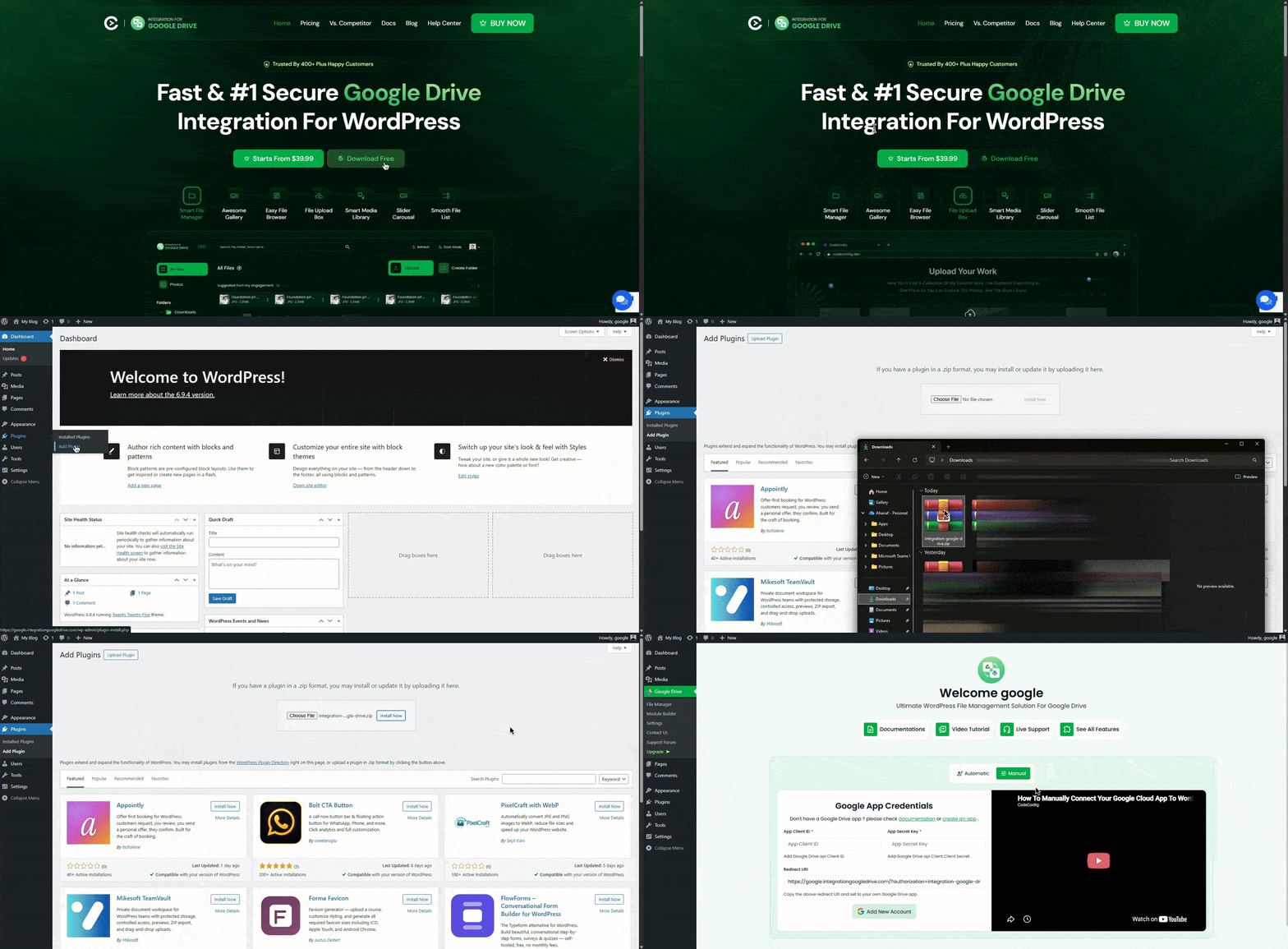
That’s it! You’ll now see a new menu item called Google Drive in your WordPress sidebar.
Now it’s time to link your Google account securely using OAuth.
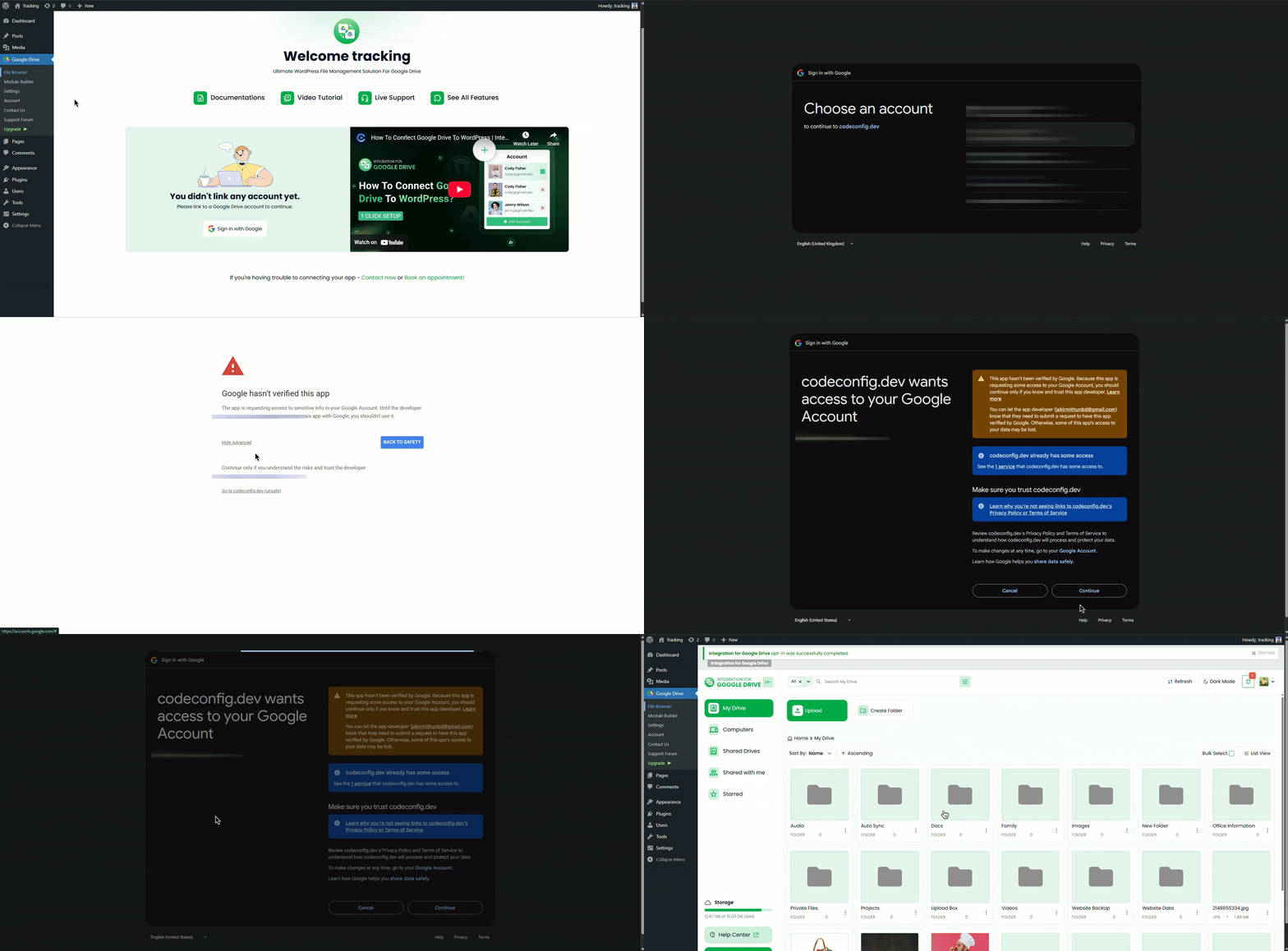
Recommended: For advanced users, you can create your own Google App in the Google Cloud Console and enter your Client ID and Secret in the plugin settings for more control.
Once connected, open the Admin File Browser from Google Drive > File Browser to explore your Drive folders. Try browsing or uploading a sample file to confirm everything’s working.
With your Drive linked, you can manage files directly from WordPress.
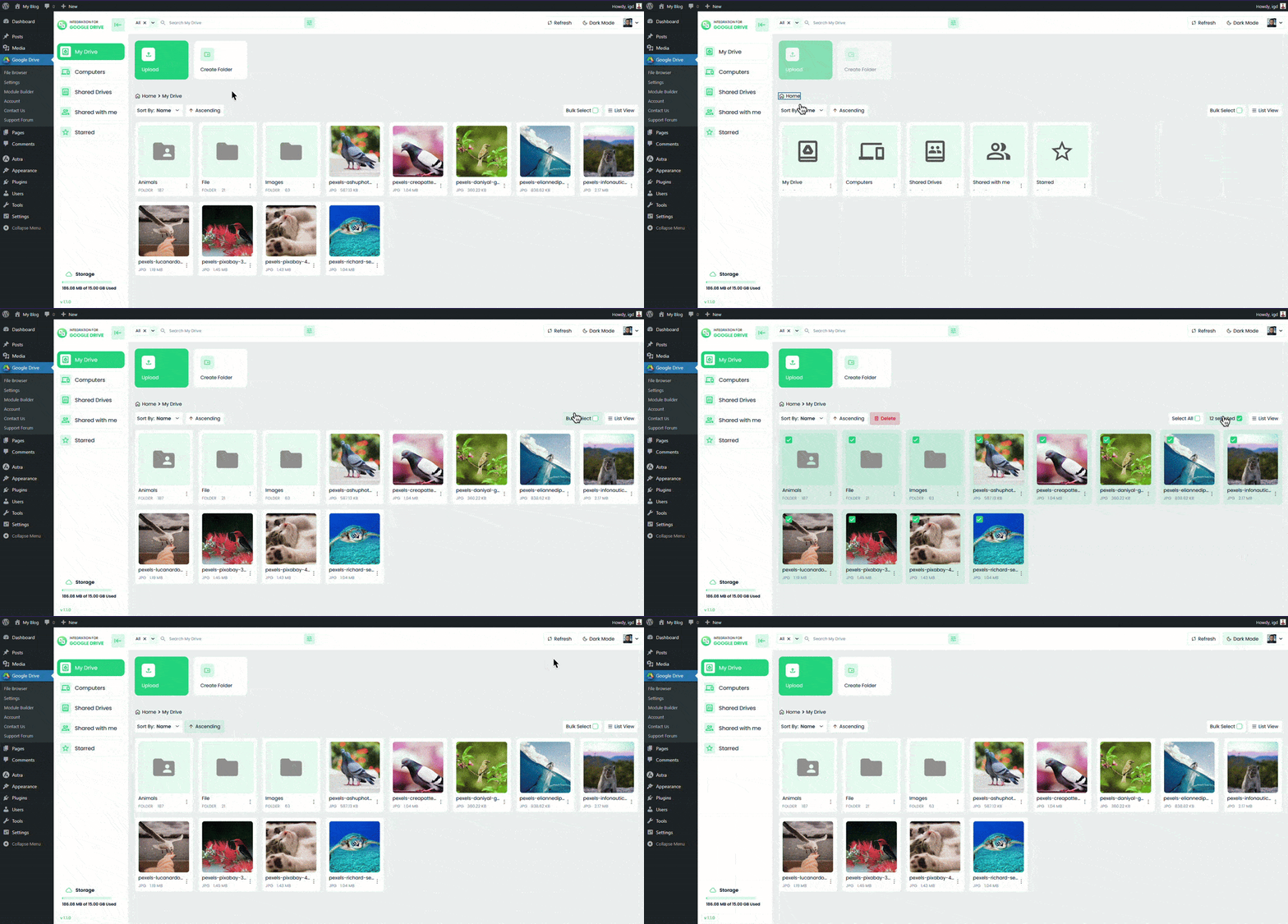
This setup helps you keep WordPress lightweight while giving full access to your Drive storage.
Now you can start displaying files and folders on your site. Use the plugin’s Module Builder to create custom layouts.
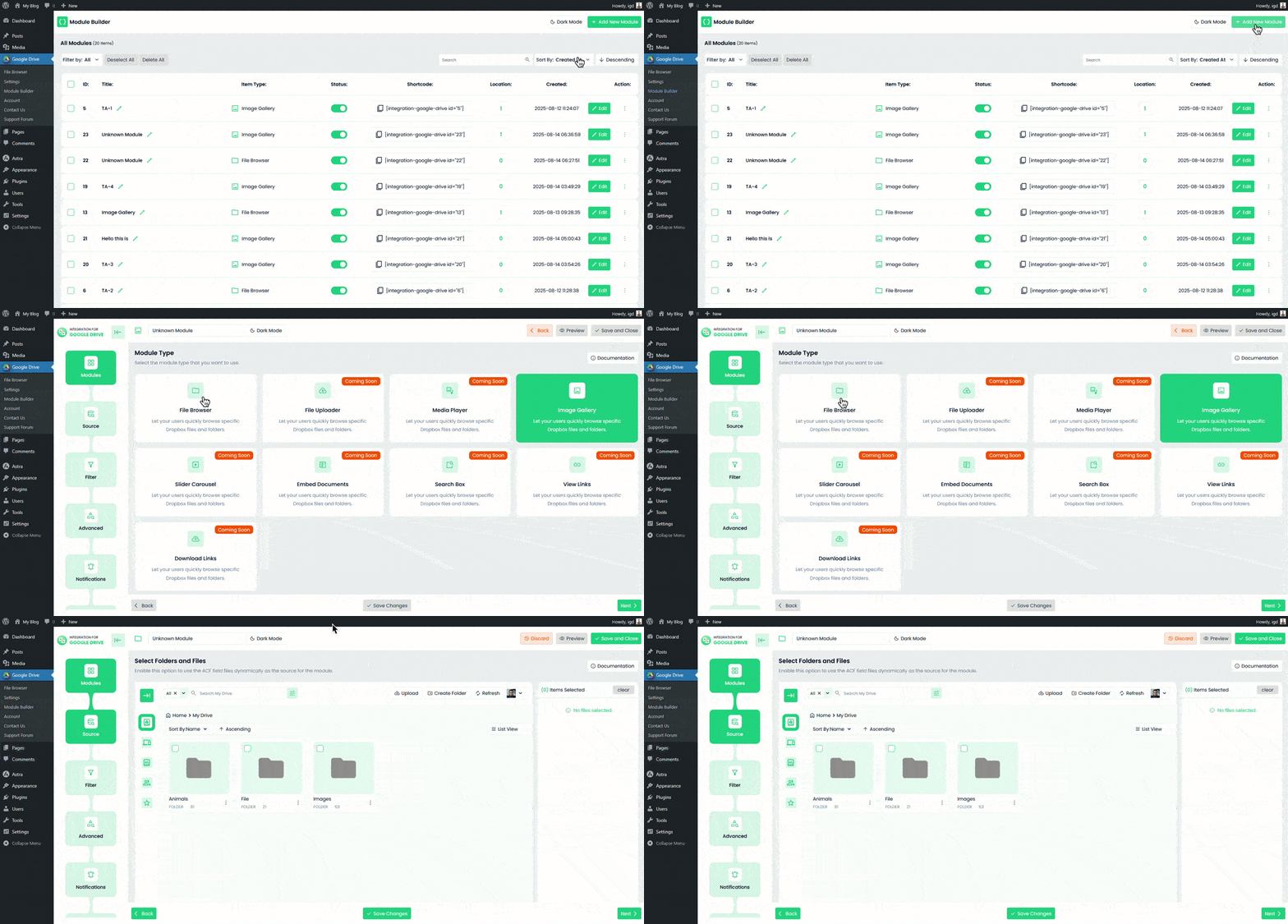
For visual builders:
Your visitors can now preview documents, play videos, or download files without leaving your site. Everything is fully responsive, so it looks great on any device.

The Embed Any Document WordPress plugin lets you embed your PDF, Word, PowerPoint, and Excel documents easily in your WordPress website. The plugin integrates Google Docs Viewer and Microsoft Office Online to display your documents on your website.
Embed Any Document works perfectly with both Gutenberg and the classic editor. Support for more site builders is on its way! It also lets you add a Download link below your embed, optionally.
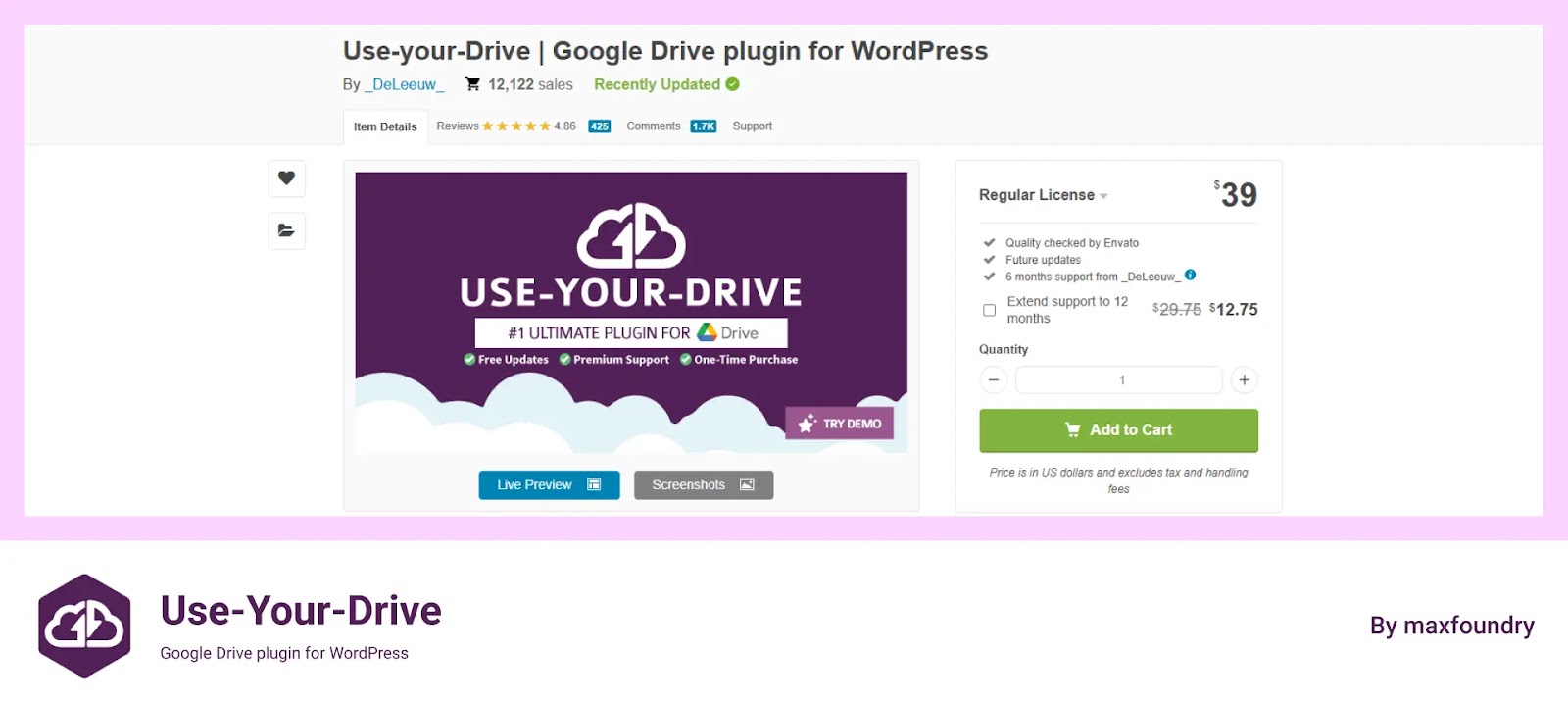
Use-your-Drive is a user-friendly, highly customizable, innovative Google Drive plugin for WordPress that displays your documents, images, and media files in a beautiful way directly on your posts and pages. No coding skills are required!
This plugin is not available for testing or trial on WordPress.org. It’s only available to paid users from https://codecanyon.net
The Image and Video Gallery plugin for WordPress connects to Google Drive, enabling fast-loading galleries from Drive folders or shared drives. It offers easy content management, granular permissions, and works with both WordPress 5+ and older versions.
This plugin is completely free and use it on your website with authorization.

Media Library Folders for WordPress creates actual folders in your WordPress Media Library.
The Media Library Folders plugin allows easy file management in WordPress media folders with SEO optimization options and smooth syncing
Let’s choose the best Google Drive plugin. Here are five plugins, each with unique features and pricing. Integration for Google Drive is a free plugin with a Pro plan and is listed on WordPress.org, making it more secure. The second plugin, Use Your Drive, is a third-party premium plugin on CodeCanyon. It has fewer features than Integration for Google Drive, but comes with full premium support.
Integration for Google Drive offers free support for all users and priority support for Pro users. Considering UI, features, optimization, support, and code quality, I recommend Integration for Google Drive as the better choice over Use Your Drive.
This post is by Jakir, a member of the CodeConfig team who is always working to find solutions for our users and improve our services.
Thank you for reading and for your kind words and good wishes for us. We truly appreciate your support! ❤️


Whether you're just getting started or scaling fast, we've got you covered. Access helpful guidance.

