


- Release
- WordPress
File Manager for Dropbox 1.3.17 Released – New Features and Improvements
Tanin Ahmed7 min read
Loading page…
Loading page…
Loading page…
How to Connect Google Drive to WordPress: A Step-by-Step Guide Using Integration for Google Drive The Best Solution
In today’s digital world, managing files efficiently is crucial for bloggers, businesses, and content creators. Imagine having seamless access to your entire Google Drive library right from your WordPress dashboard—uploading, embedding, sharing, and even selling files without cluttering your server’s storage. That’s exactly what the Integration for Google Drive plugin delivers. This powerful tool seamlessly integrates Google Drive and WordPress, enabling you to manage documents, images, videos, and more with ease.
Whether you’re tired of manual uploads or want to create dynamic galleries and file browsers, this guide will walk you through everything. By the end, you’ll be connected and ready to supercharge your site. Let’s dive in!
Before we get technical, here’s why connect Google Drive to WordPress:
If you’re dealing with media-heavy sites, client proofs, or course materials, this plugin is your new best friend.
Developed by CodeConfig, Integration for Google Drive is a free WordPress plugin with robust PRO upgrades. It lets you manage Google Drive files directly from your dashboard, create custom modules like file browsers and galleries, and integrate with popular builders like Elementor and Gutenberg.
PRO unlocks gems like user private folders, analytics, and form integrations (e.g., WooCommerce, Tutor LMS). It’s compatible with WooCommerce, Tutor LMS, and more, making it versatile for any setup.
Getting started is straightforward—no coding required.
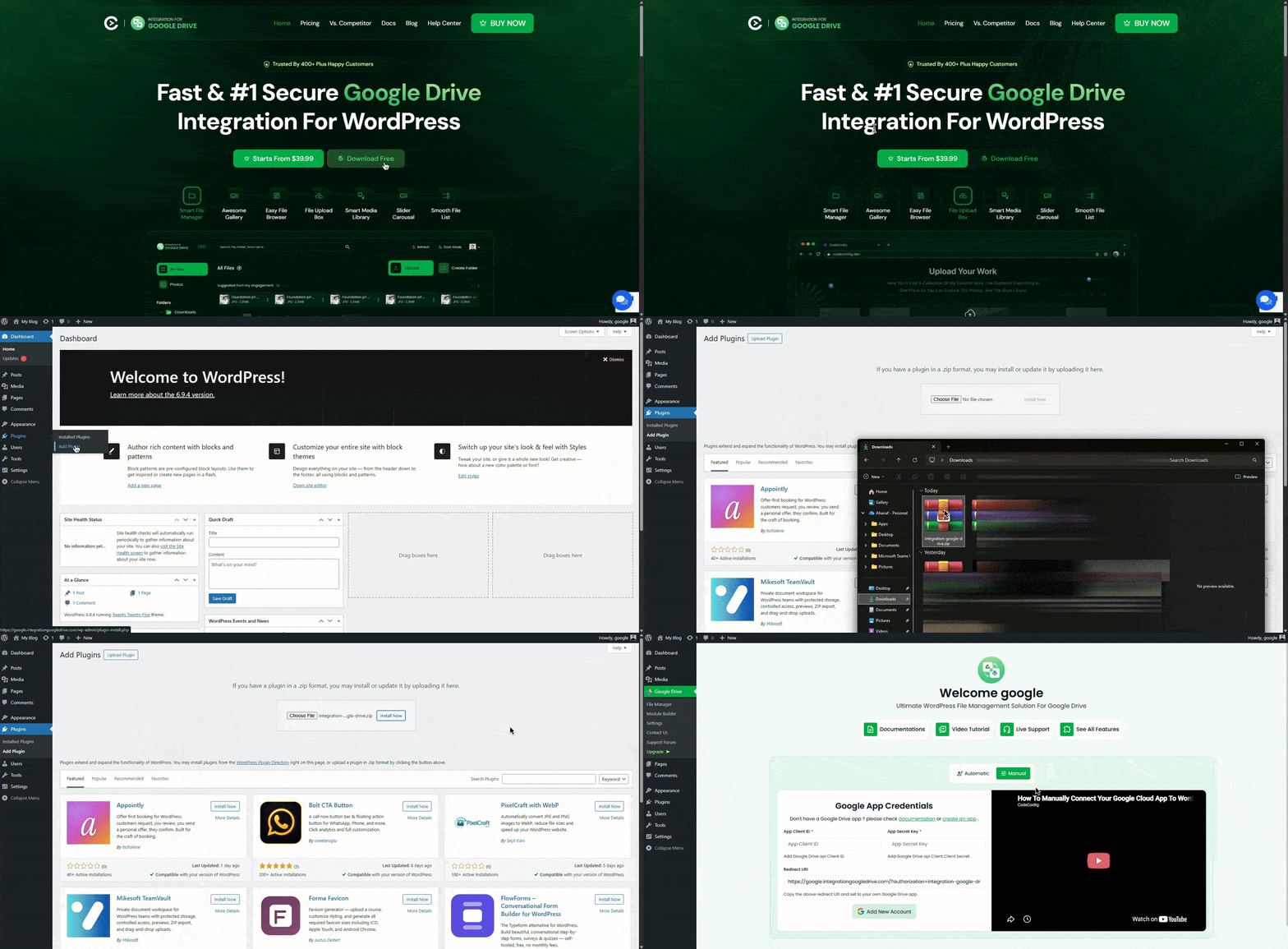
That’s it! The plugin will add a new menu item: Google Drive to your sidebar.
Now, the magic happens—linking your Google account securely via OAuth.
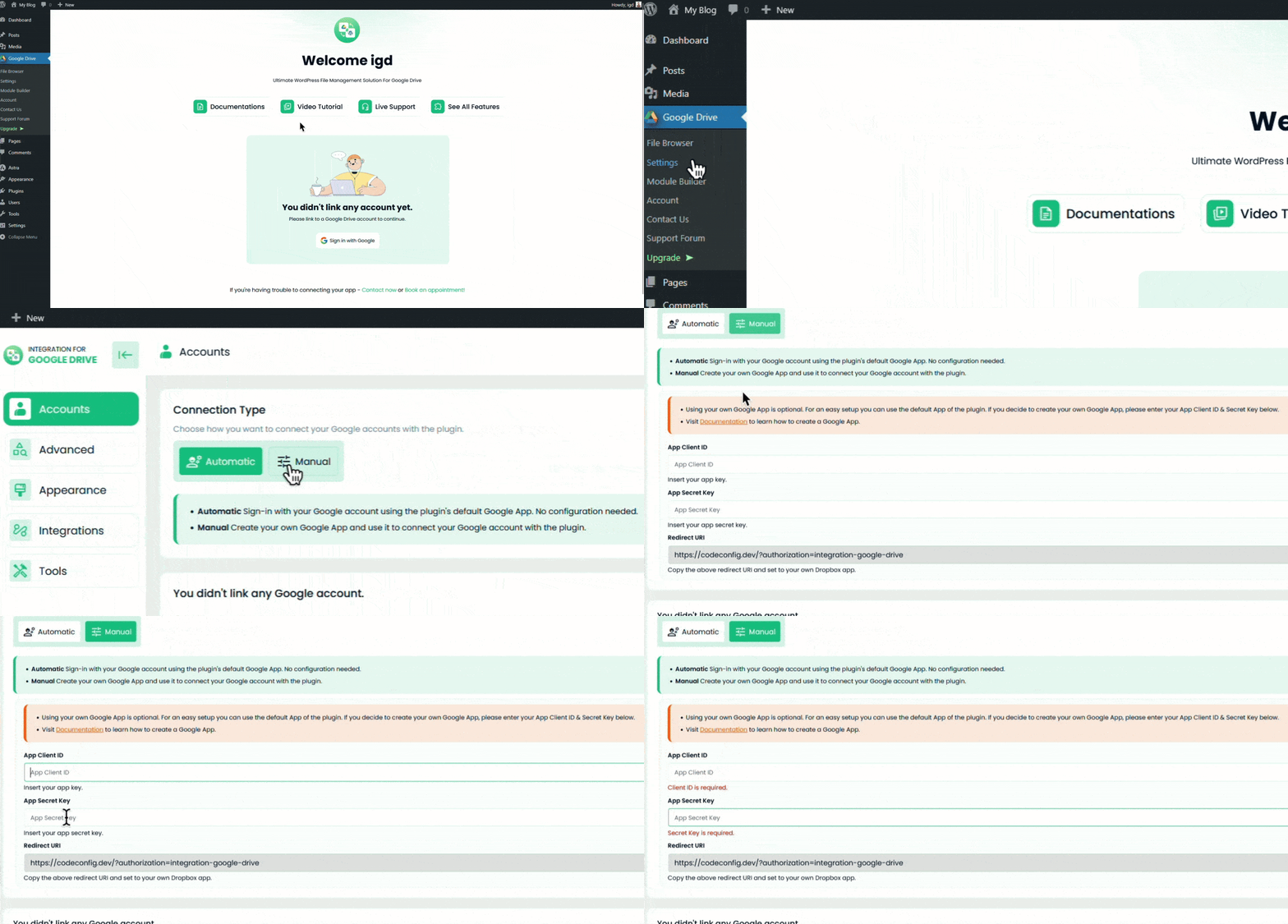
Once connected, you’ll see your Drive folders in the Admin File Browser under Google Drive > File Browser. Test it by browsing a folder or uploading a sample file.
With the connection live, treat Google Drive like an extension of WordPress.
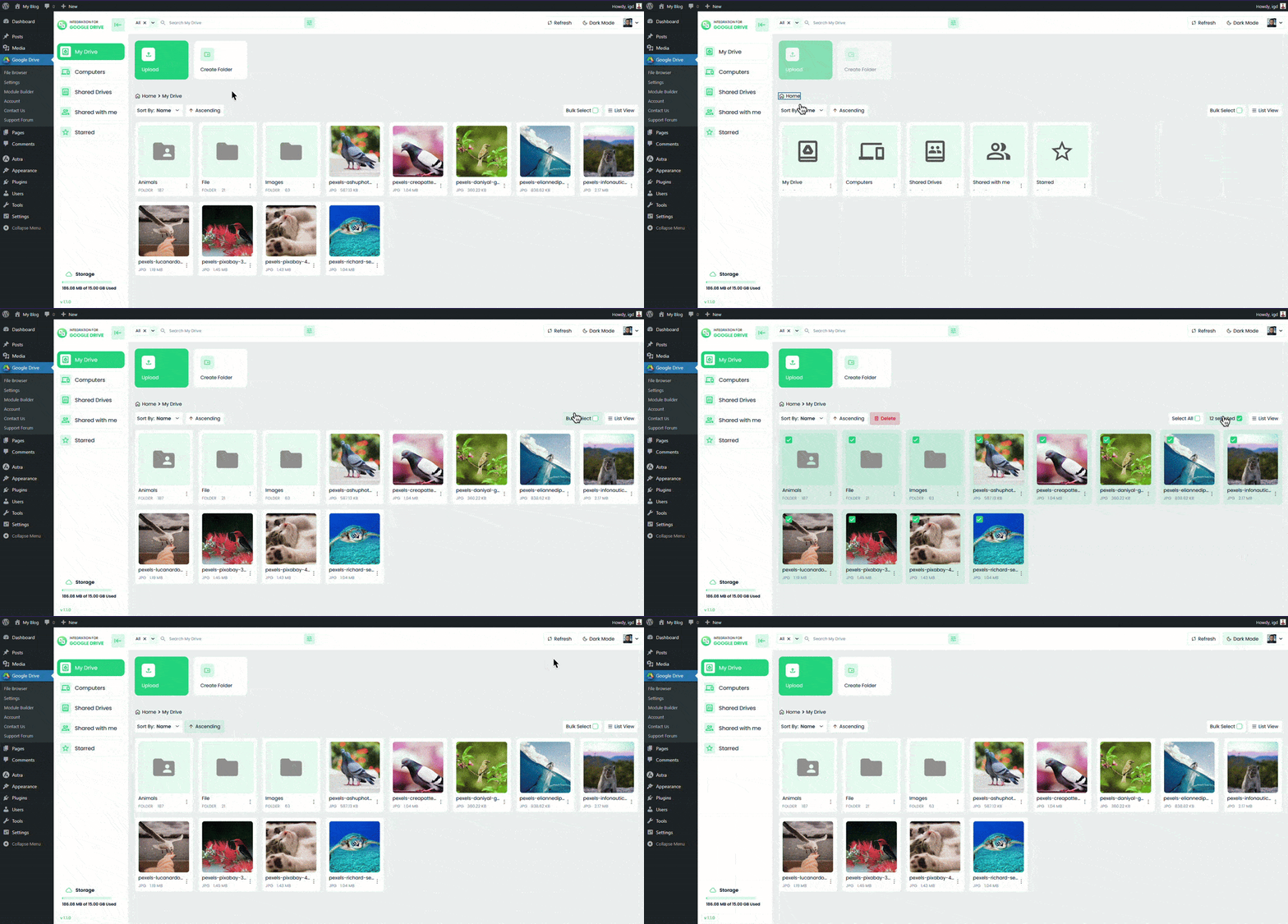
This setup keeps your WordPress site lightweight while giving you full control.
Time to showcase your content. The plugin’s Module Builder lets you create reusable elements.
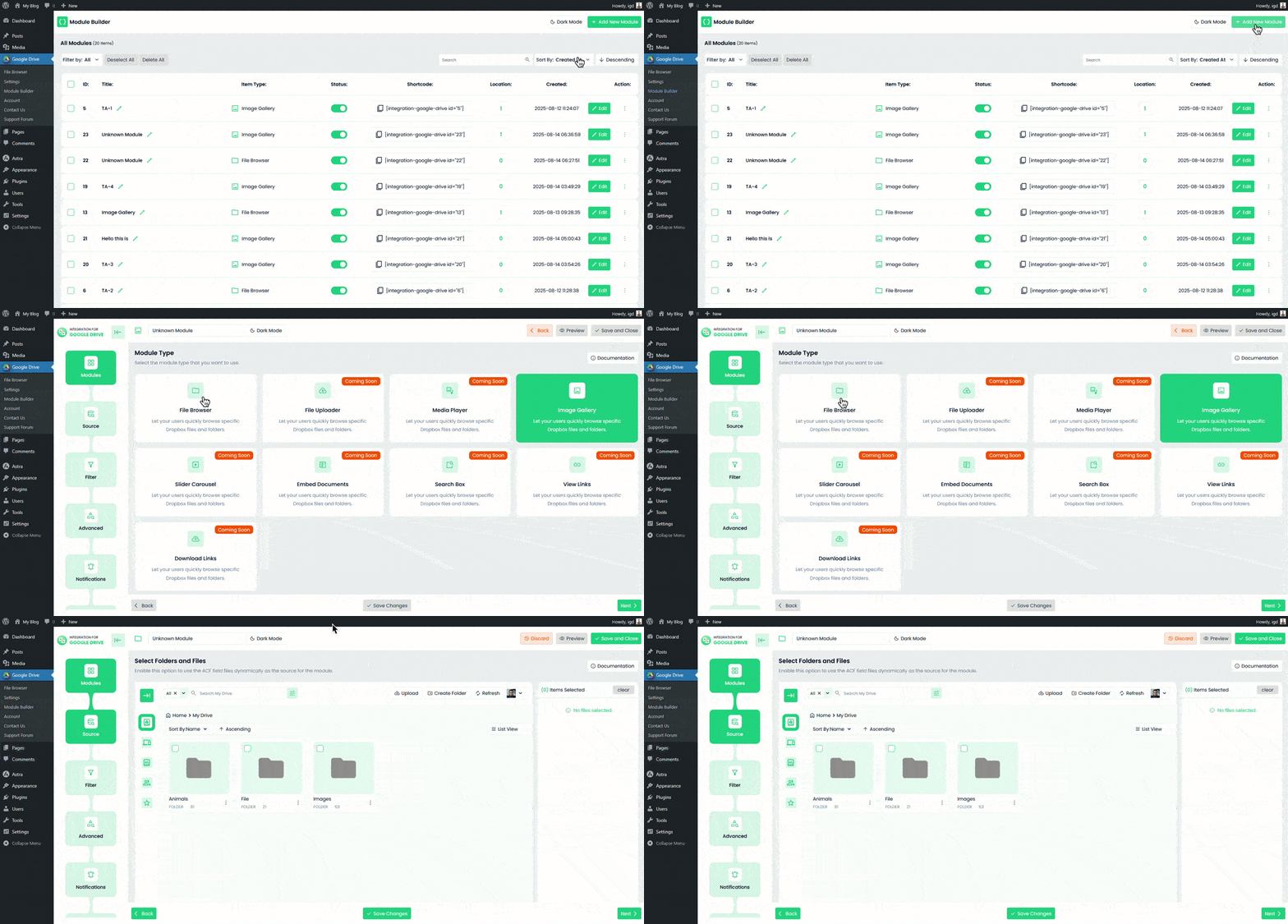
For visual builders: (Coming Soon)
Visitors can now preview files in lightboxes, play media, or download without leaving your site. Responsive design ensures it looks great on mobile.
The free version is solid, but PRO (starting at a one-time fee) adds powerhouse tools:
For additional assistance, refer to the official documentation or support forums.
Connecting Google Drive to WordPress with Integration for Google Drive isn’t just an integration—it’s a productivity boost. From effortless file management to stunning embeds, this plugin empowers you to focus on content, not logistics.
Ready to try it? Install the free version now and connect your Drive in minutes. Share your experiences in the comments below—what files will you embed first?
[*integration-google-drive id="#"*] to display content, as explained in Step 4.This post is by Jakir, a member of the CodeConfig team who is always working to find solutions for our users and improve our services.
Thank you for reading and for your kind words and good wishes for us. We truly appreciate your support! ❤️


Whether you're just getting started or scaling fast, we've got you covered. Access helpful guidance.

