


- Release
- WordPress
File Manager for Dropbox 1.3.17 Released – New Features and Improvements
Tanin Ahmed7 min read
Loading page…
Loading page…
Loading page…
Cloud storage and content management systems need to work well together for efficient workflows. WordPress Dropbox plugin is vital its allows users to add.
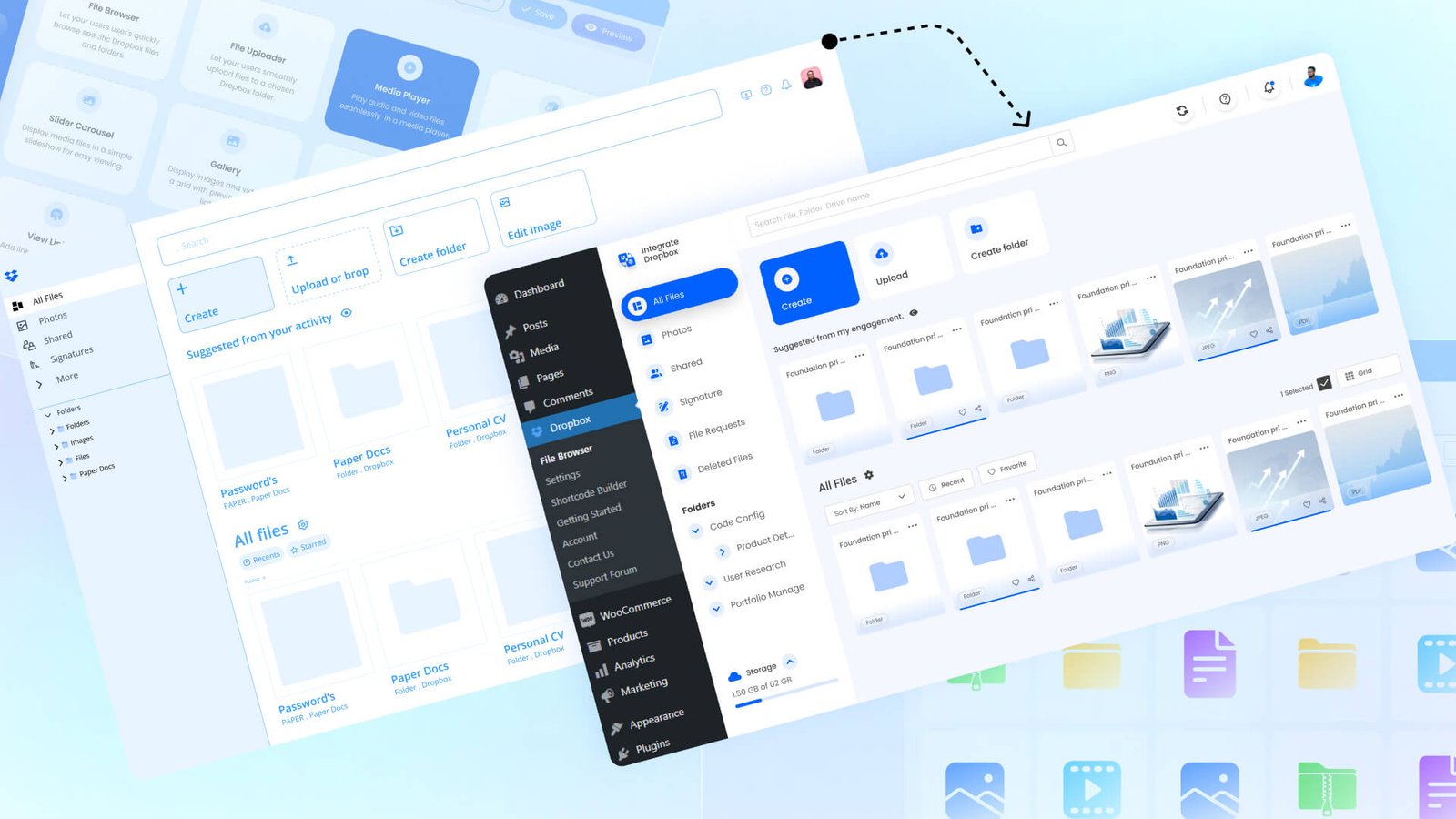
Cloud storage and content management systems need to work well together for efficient workflows. WordPress Dropbox plugin is vital its allows users to add Dropbox media, folders to websites, upload files, and connect media libraries easily. Dropbox plugin effectively links WordPress to Dropbox, offering features from simple document sharing and easy backup solutions.
Users of the WordPress Dropbox plugin enjoy various features can add Dropbox images and videos to WordPress websites. Shortcode builders make integration easy. Search modules enhance content discovery elementor widgets and Gutenberg for smooth media manage to another level. Dropbox plugins focus on WordPress robust security and smooth file sharing.
Dropbox plugin for WordPress will enhance security they ensure safe file sharing and syncing. Also, they improve the content management experience.
Integrate Dropbox plugin For WordPress enhances collaboration between WordPress and Dropbox users. It allows easy access to Dropbox files directly from the WordPress dashboard. Designed for those who need to store, organize, and share files, it doesn’t require additional storage on the WordPress server. Integrate Dropbox makes file management the most efficient way when you need to manage Dropbox large files from within your WordPress dashboard, you don’t have to leave WordPress. You can upload, organize, and manage those Dropbox files right from your WordPress dashboard with Integrate Dropbox plugin.
Best Dropbox plugin for WordPress lets you embed, link, or download media files, documents, and other assets with no extra steps. This is perfect for e-commerce, LMS, and media-rich blogs who has serious work with large file. It makes file handling simple and keeps your website load fast, it offers secure file sharing, media players, and more from Dropbox. It prevents your WordPress server from overloading and supports growth for businesses or large sites with many files.
Also Read: 7 Best Dropbox Plugins for WordPress for 2024
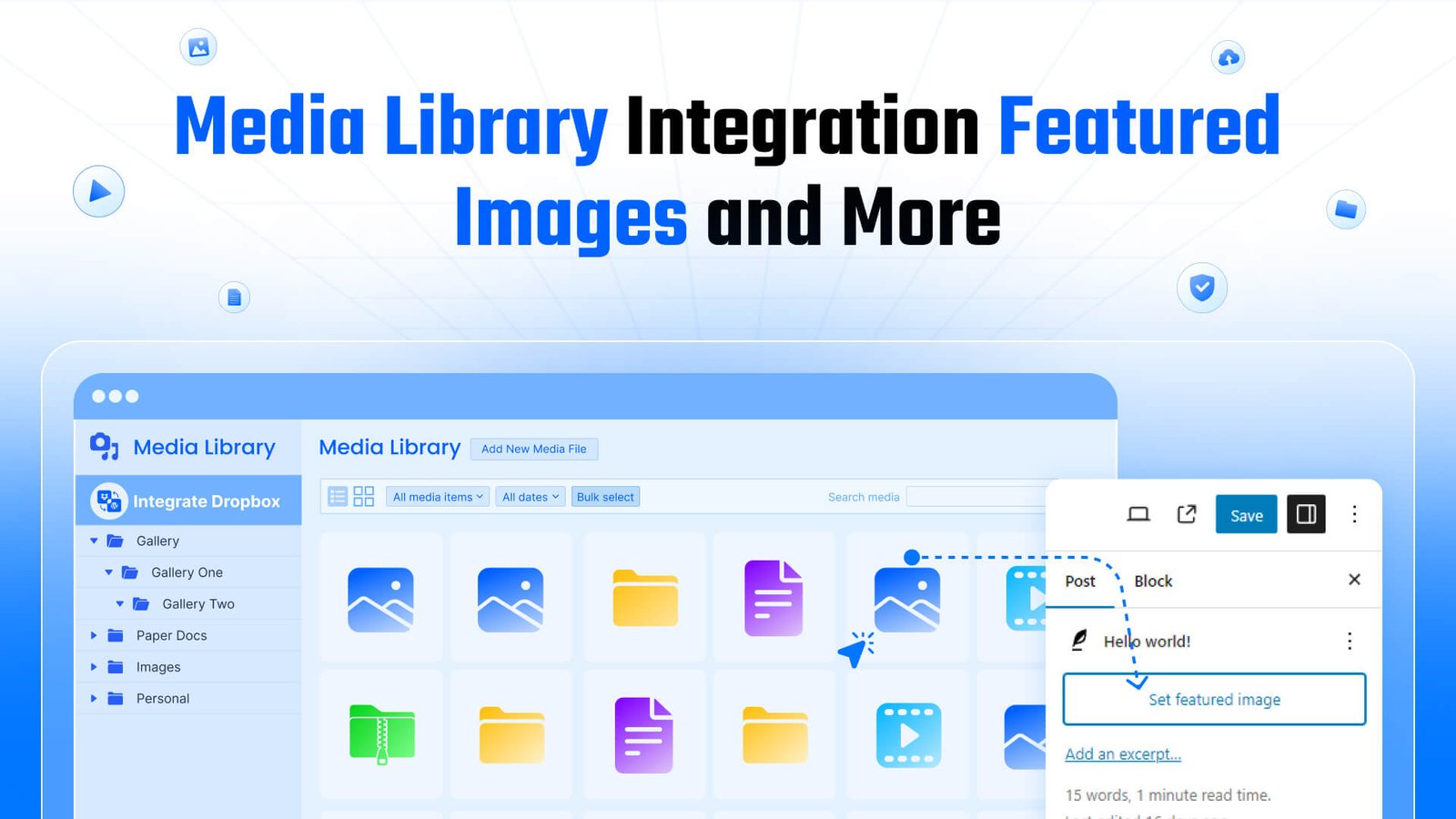
This plugin provides full integration with the WordPress media library, allowing you to select featured images directly from Dropbox. This is especially useful when you need high-quality, optimized images without burdening your site’s hosting storage. Whether you’re adding images to blog posts, pages, or galleries, the process is seamless.
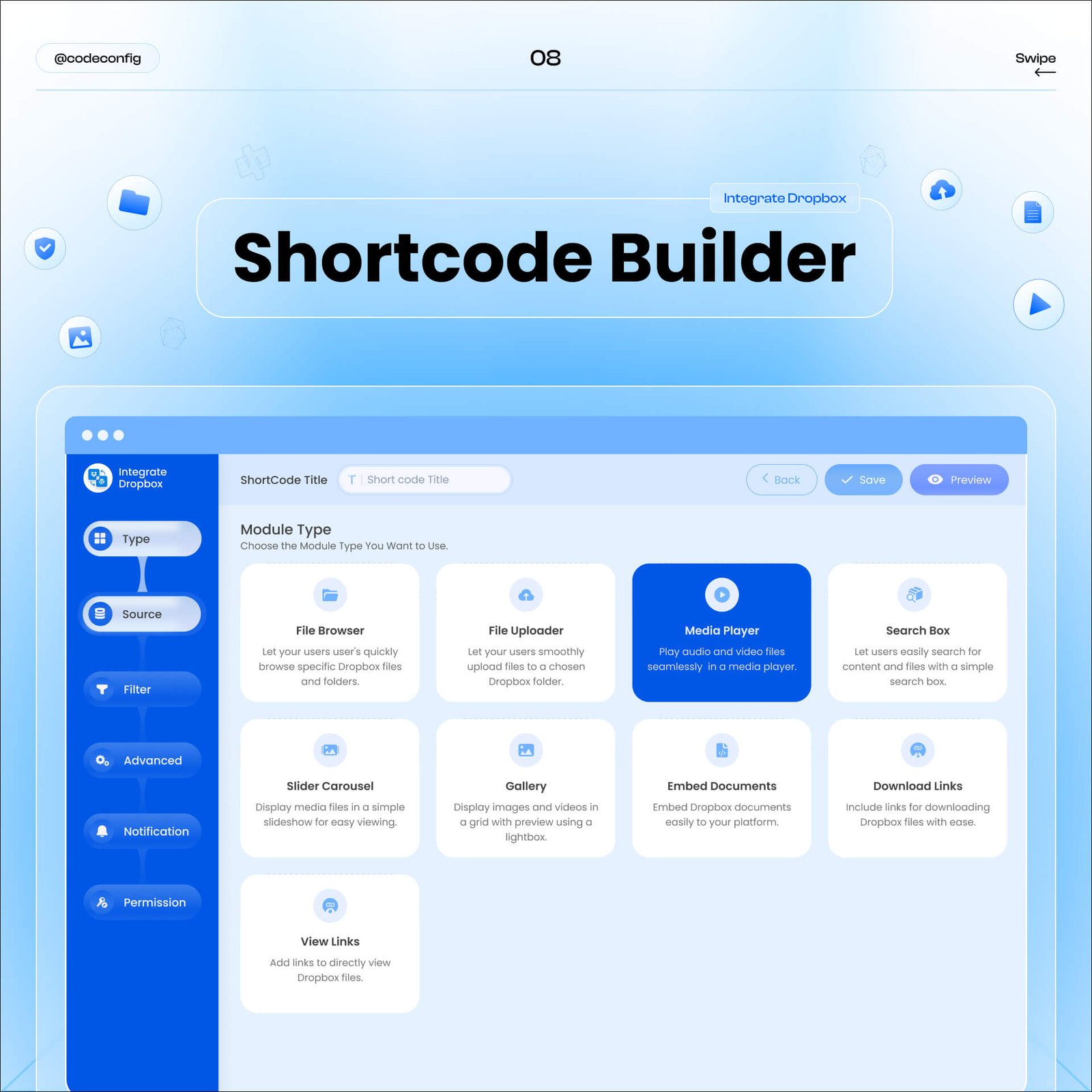
Shortcode Builder feature allows users to create custom shortcodes that can be easily inserted into posts or pages. This includes options for embedding media players, galleries, and file download links directly from Dropbox. Shortcode Module provides a dropdown menu from which users can select built-in shortcodes. This simplifies the process of adding custom features to a website by allowing users to choose options rather than manually coding them.
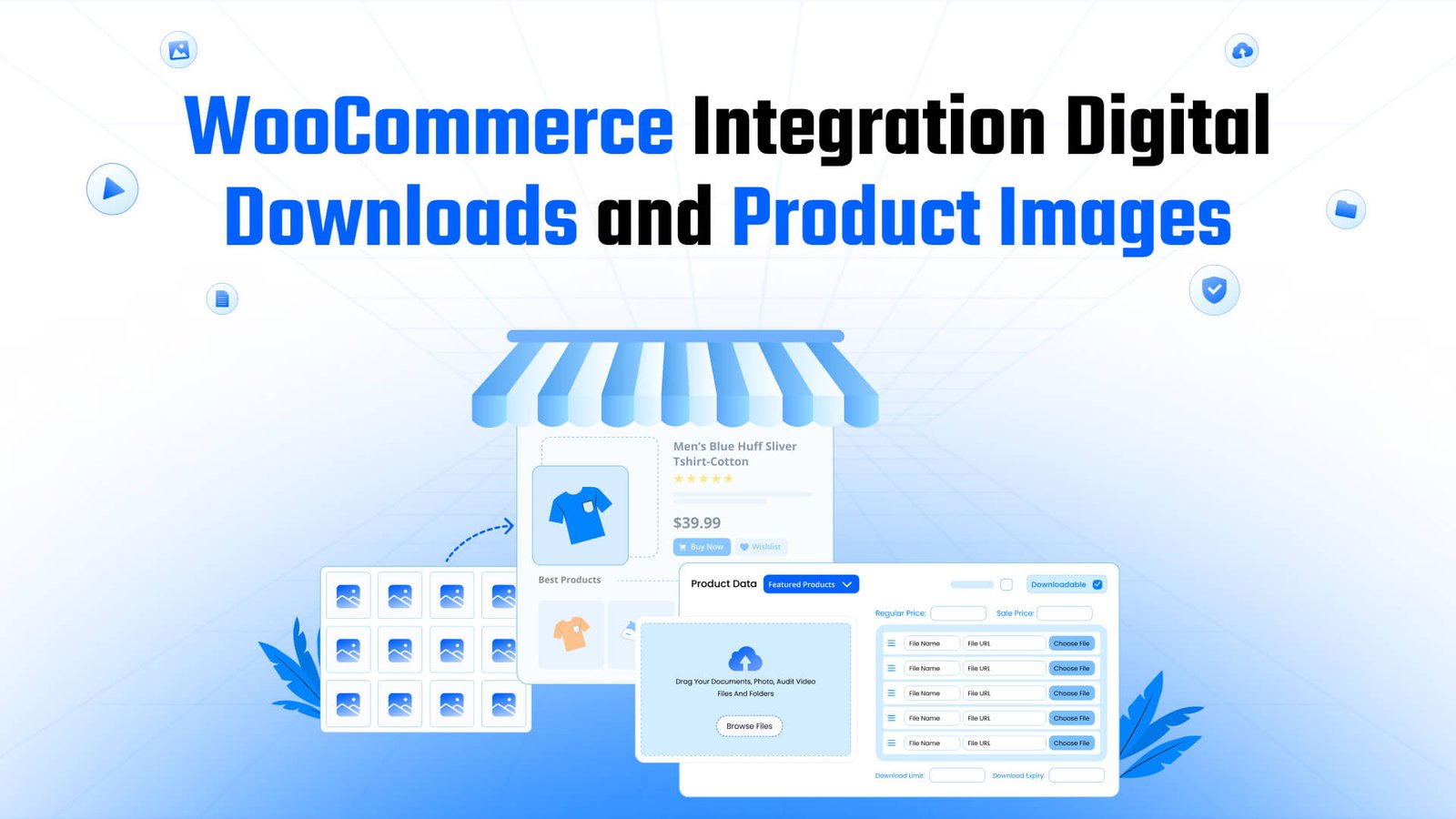
For e-commerce businesses, the Integrate Dropbox plugin offers robust support for WooCommerce. It allows you to manage digital downloads and product images directly from Dropbox.

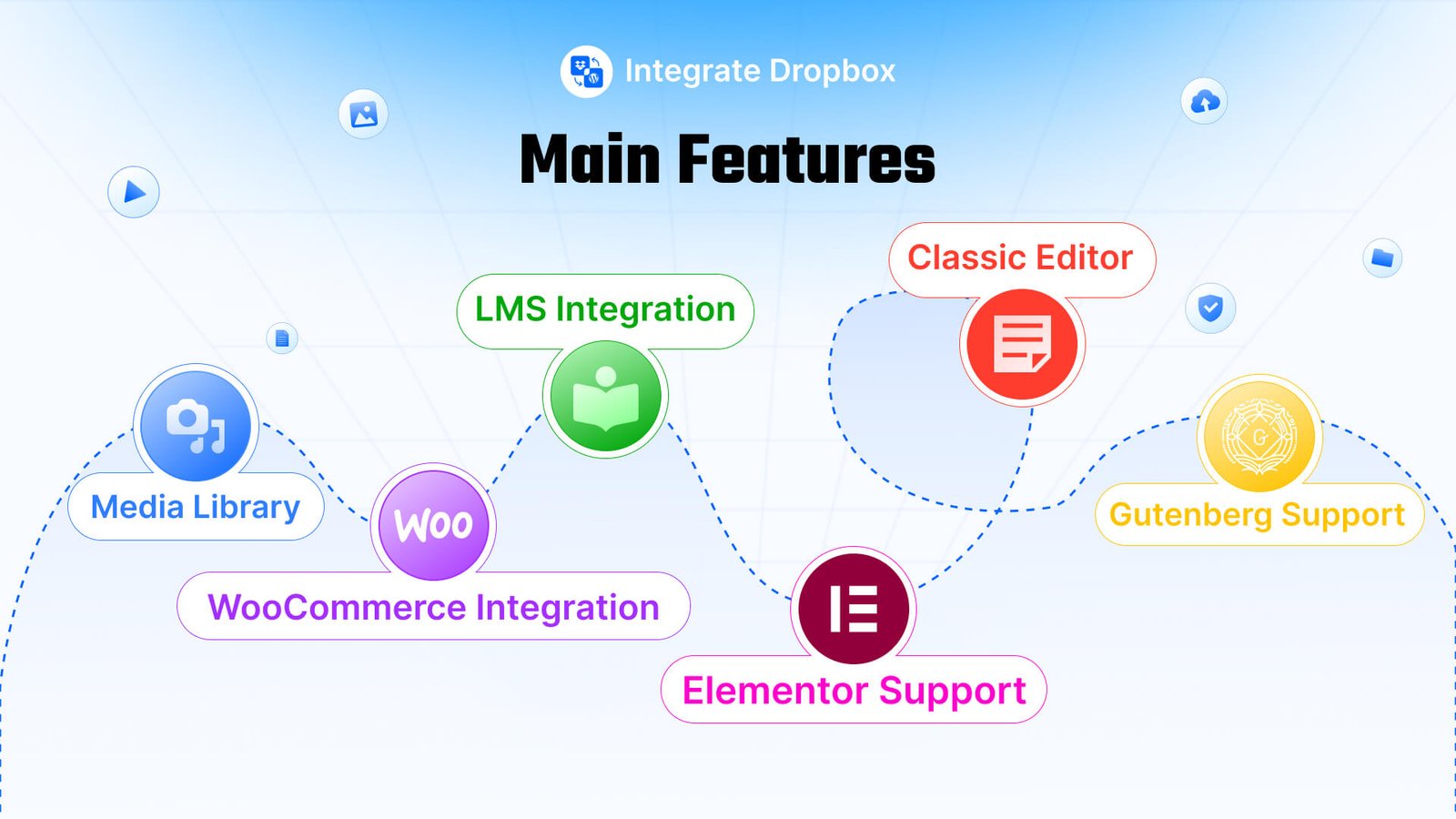
With the growing demand for online education, Integrate Dropbox is designed to work seamlessly with major Learning Management Systems (LMS) like Tutor LMS and MasterStudy LMS. From managing embedding LMS course materials, Integrate Dropbox simplifies file management for both e-commerce businesses and lms websites.
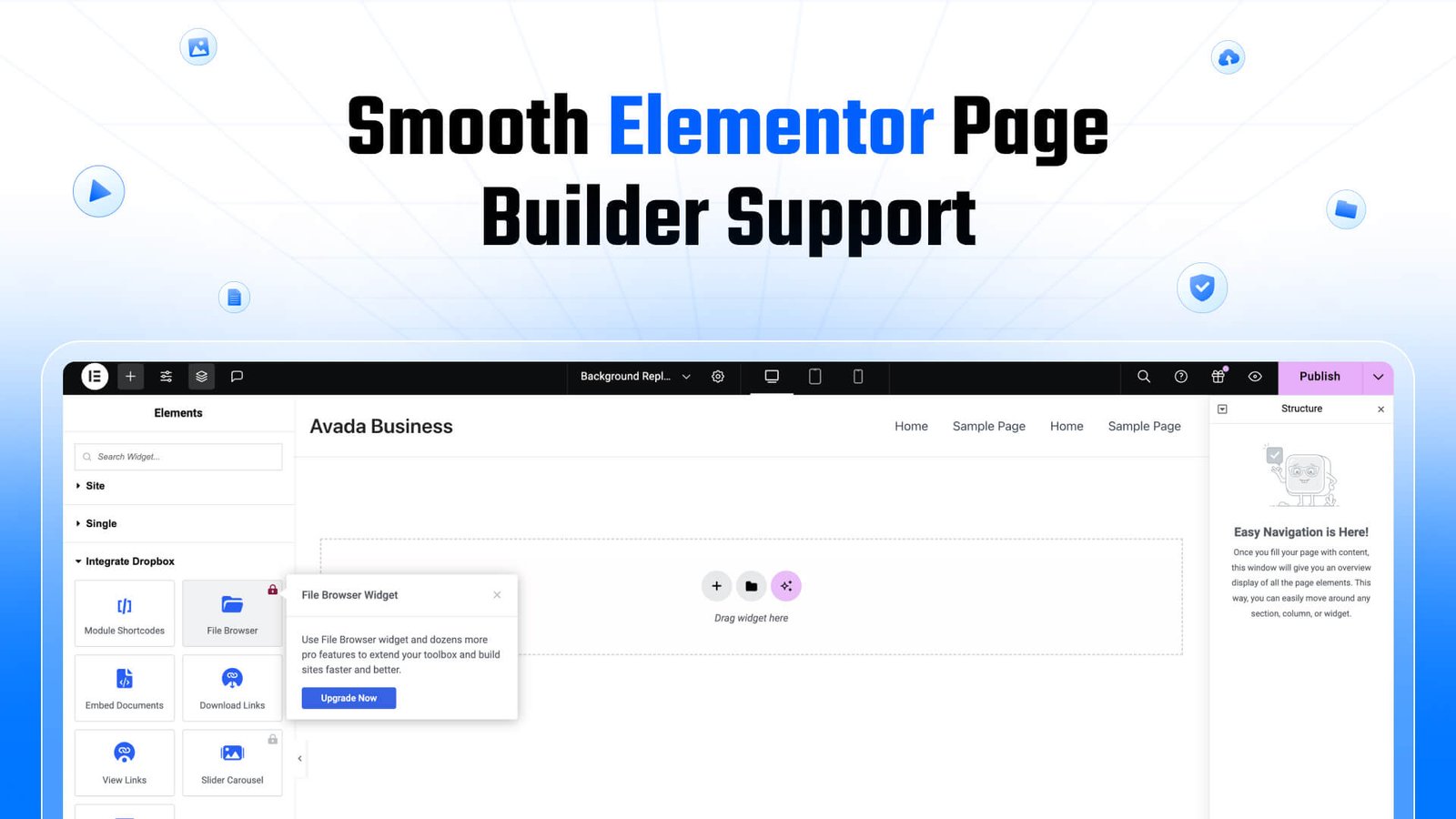
If you’re building your site using Elementor, the Integrate Dropbox plugin provides easy-to-use widgets for embedding files, galleries, and media players into your pages. This gives you full creative control over how Dropbox content is displayed.
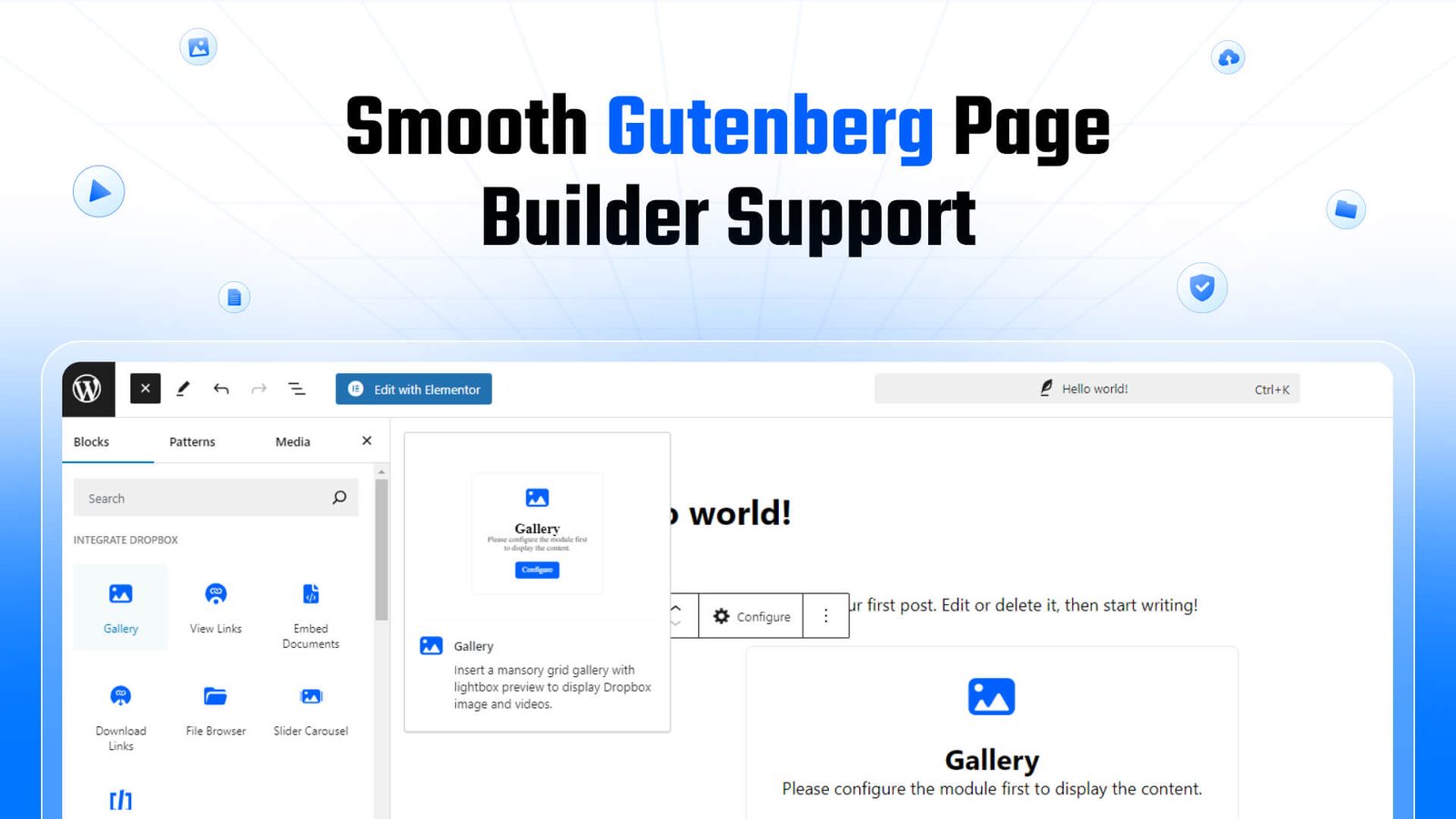
For users who prefer the Gutenberg editor, the Integrate Dropbox plugin offers blocks tailored to Dropbox content.
Even if you’re using the Classic Editor, this plugin ensures you’re not missing out on Dropbox integration:
Gallery Module- Enhance your website with interactive galleries using Dropbox-stored media. This feature enables you to showcase videos and images in a way that captivates your audience. With fast-loading content, seamless media playback, and engaging content presentations like sliders and galleries.
Media Player Module- Media Player lets you play Dropbox-stored audio and video files directly on your site, while giving you the option to customize the player’s appearance to fit your design.
Slider Carousel Module– lets you create dynamic sliders using Dropbox content. Perfect for showcasing product images, blog posts, or portfolio projects.
Document Embedding- Easily embed Dropbox documents such as PDFs, PowerPoint presentations, and more into your WordPress site. Visitors can view these files directly on the page without downloading.
Shortcode Builder- Shortcode builder to generate custom shortcodes for embedding Dropbox content. This gives you flexibility in content placement, whether you’re adding a media player, gallery, or download link.
File Browser- File Browser feature allows you to display seamless, organized way to access Dropbox-hosted content on your WordPress website. Users can browse, view, and interact with files and folders stored in your Dropbox account without leaving your site.
Embed & Download & View Links- Embed large video, Download, and View Links enable you to easily share Dropbox content, allowing users to interact with files such as documents and media directly on your website. Visitors can view documents without downloading them or opt to download files if needed.
Search Files and Folders- Search Files and Folders feature allows both you and your users to quickly locate specific files or folders in your Dropbox account, ensuring an efficient and smooth browsing experience for large content libraries.
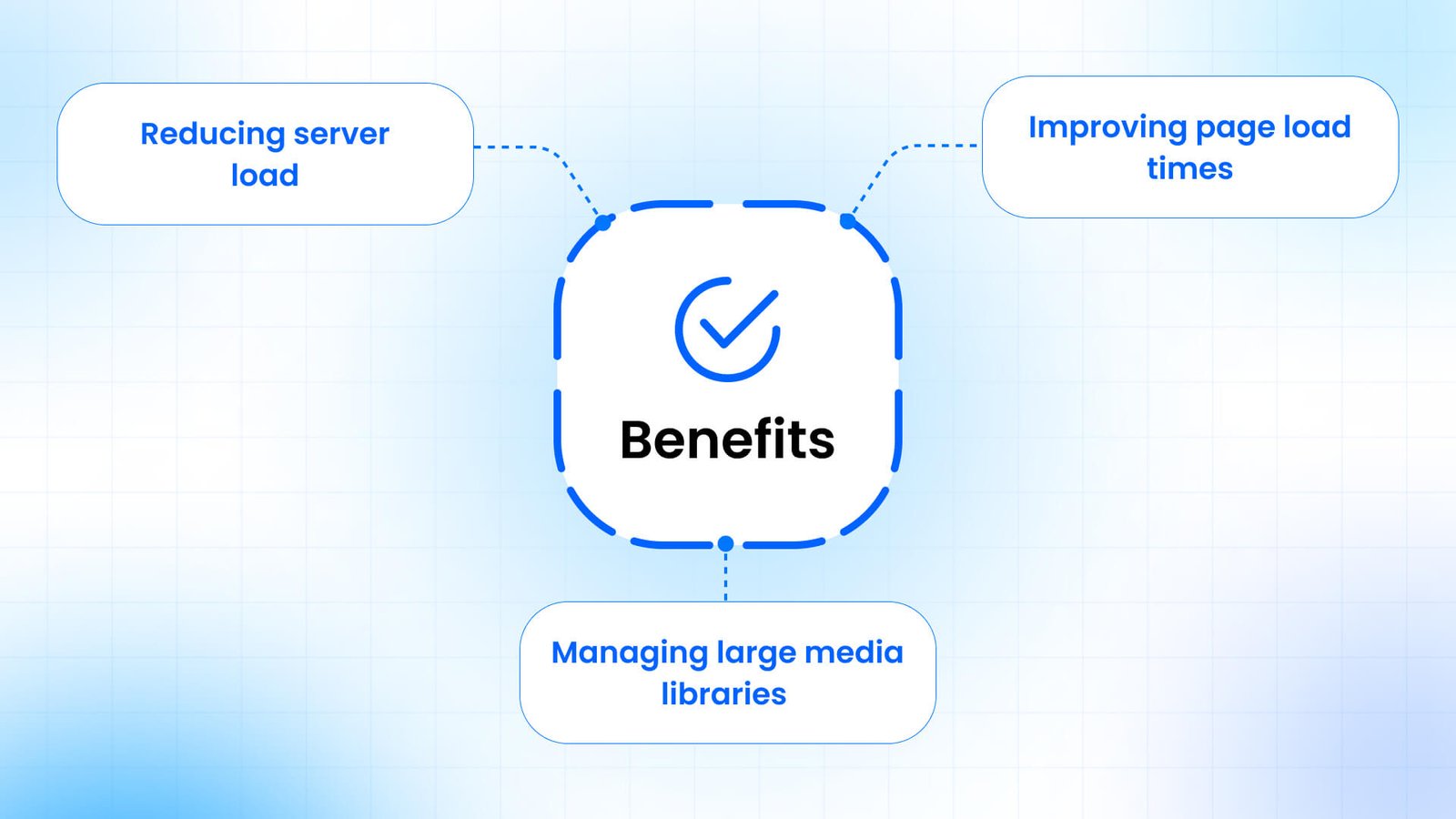
Primary benefits of using a WordPress Dropbox plugin is the reduction in server load. By offloading large media files to Dropbox, websites can free up valuable hosting space. Its beneficial for sites with extensive media libraries or those hosting resource-intensive content like high-resolution images or videos. Reduce server load these strategies, websites can significantly reduce the demand on their hosting servers, leading to improved overall performance and potentially lower hosting costs.
Page load speed is crucial for user experience and search engine optimization. Integrating Dropbox with WordPress can contribute to faster-loading pages in several ways. To maximize these benefits, choose WordPress Dropbox plugins that offer performance optimization features like lazy loading and caching. These ensure that your site remains fast and responsive, even when handling large amounts of media content.
For websites with extensive media libraries, Dropbox integration can provide an efficient solution for management and organization. Use Dropbox as a centralized platform to organize and manage media files, making it easier to update, move, or delete files. Overcome WordPress storage limitations by leveraging Dropbox’s cloud storage, useful for sites with numerous large files. Store and embed large files from Dropbox to improve content delivery without losing website performance.
This documentation provides easy guide to link your Dropbox app with a WordPress plugin to Integrate Dropbox features into your site.
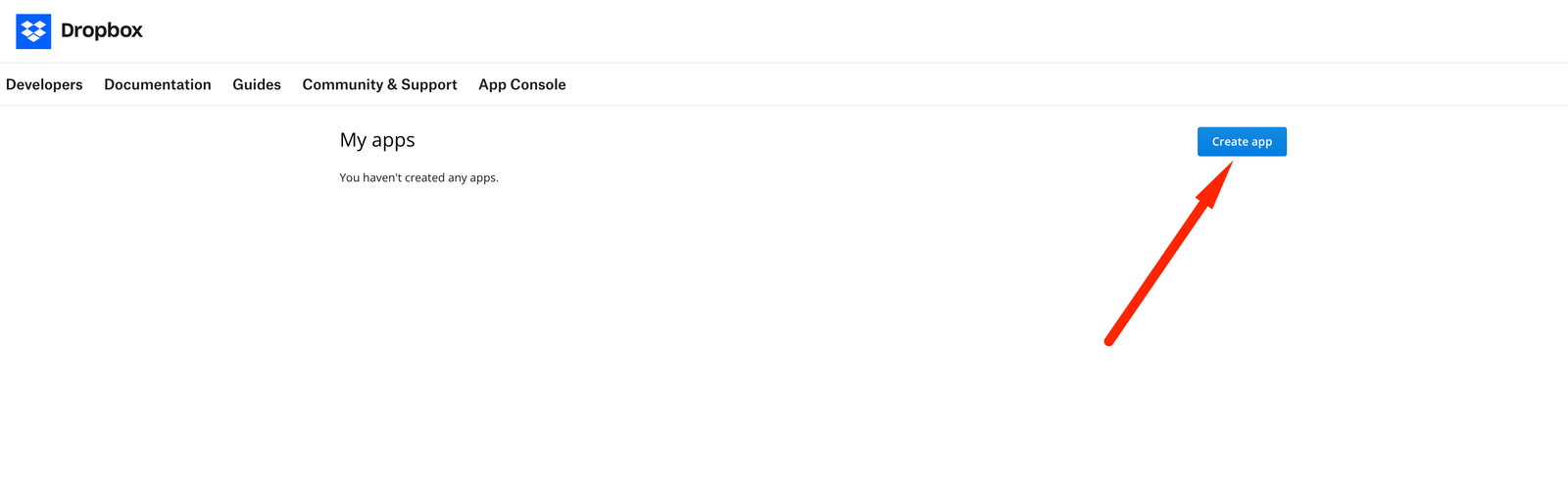
Log in to Dropbox Developer Console: Go to the Dropbox App Console by logging Dropbox account.
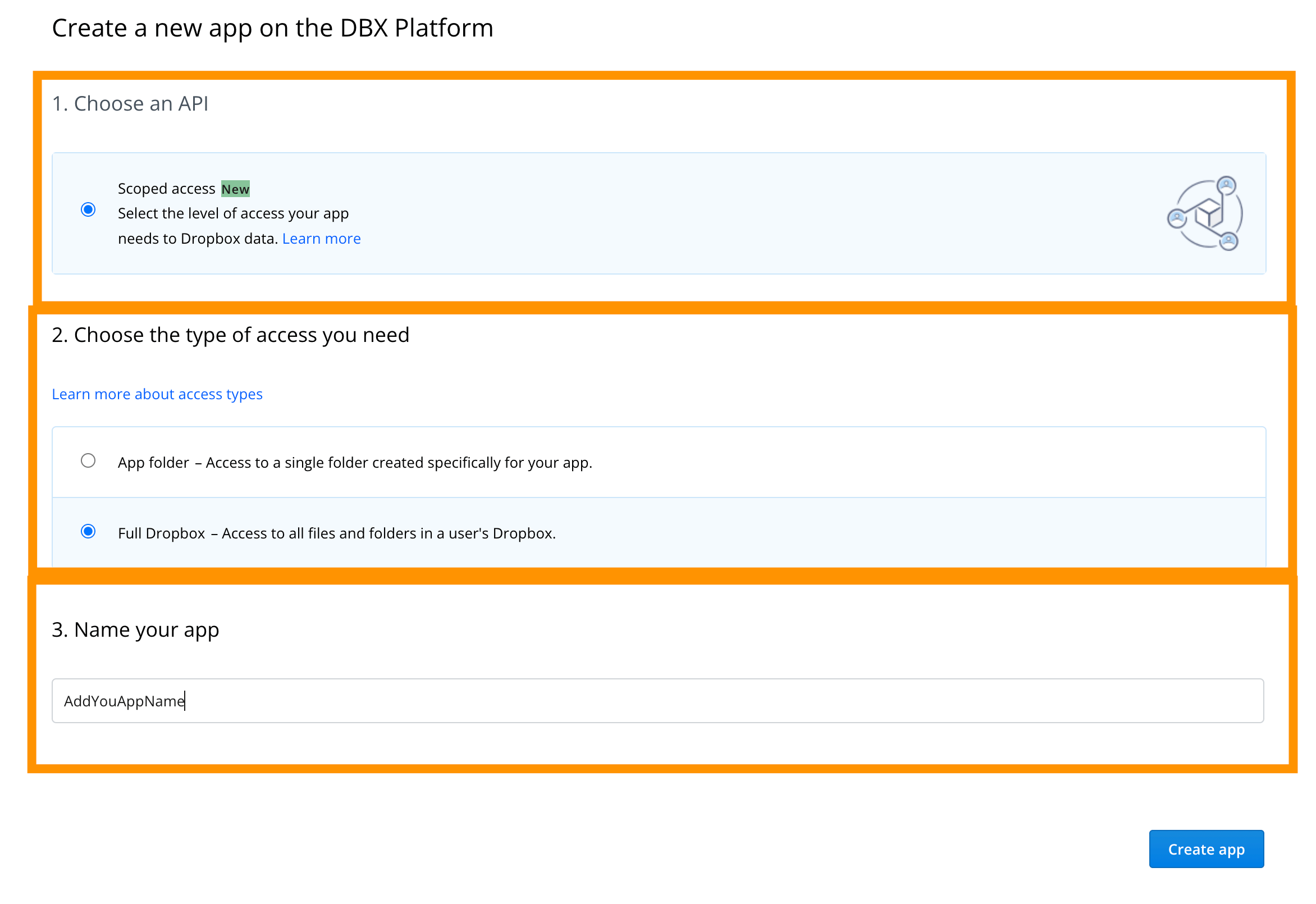
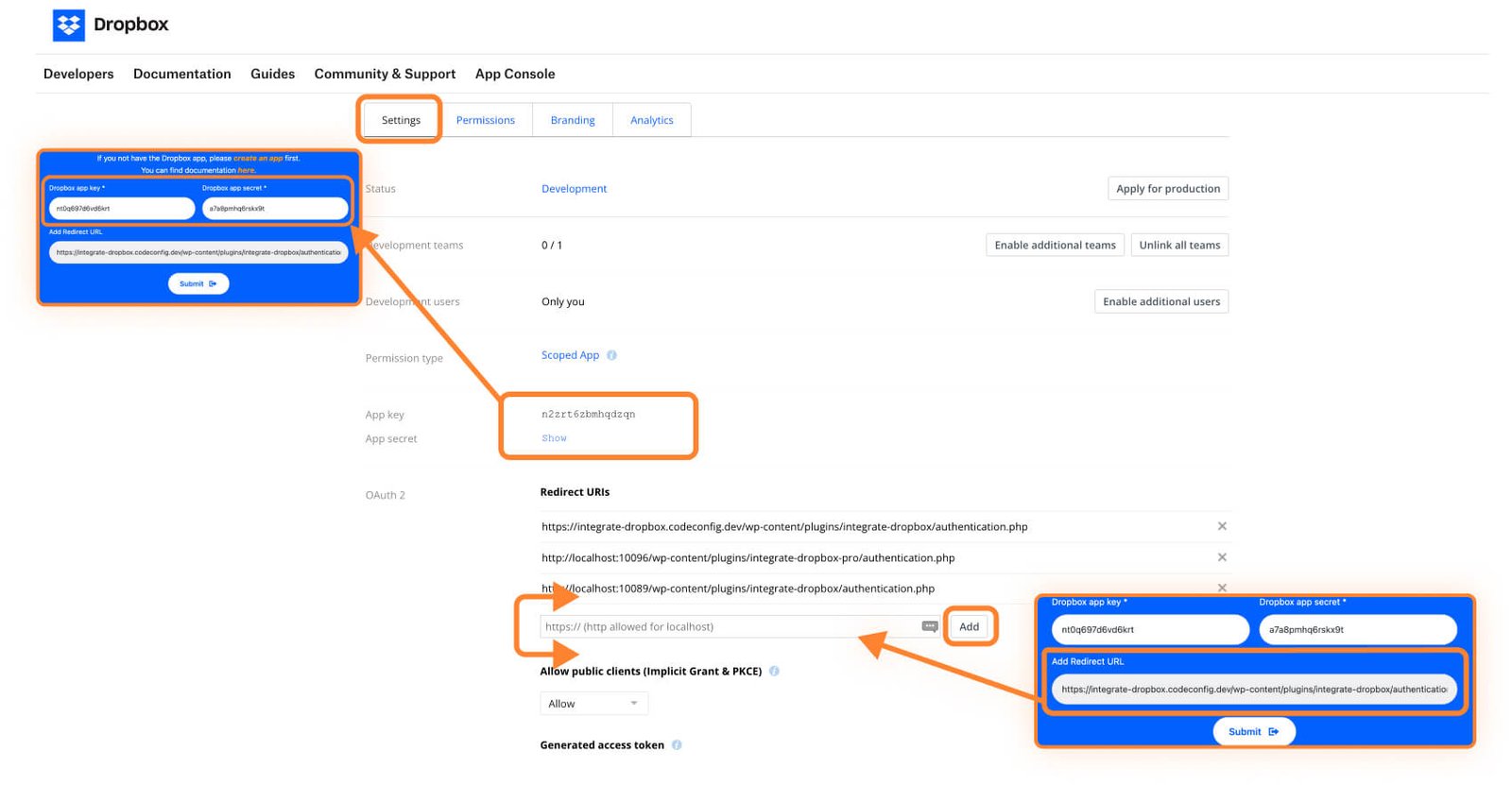
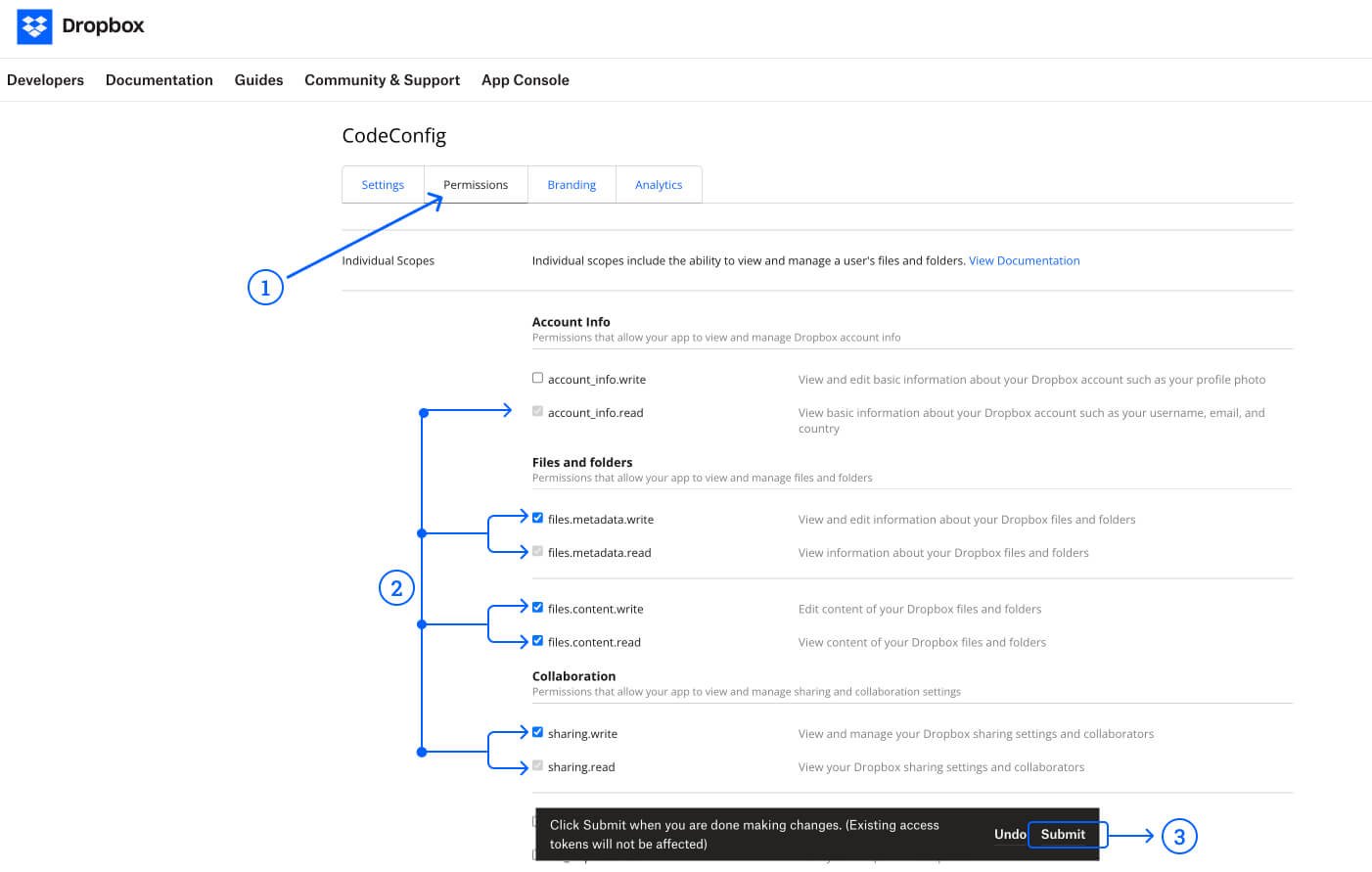
To access the files in the WordPress dashboard, please follow these steps to grant the necessary permissions:
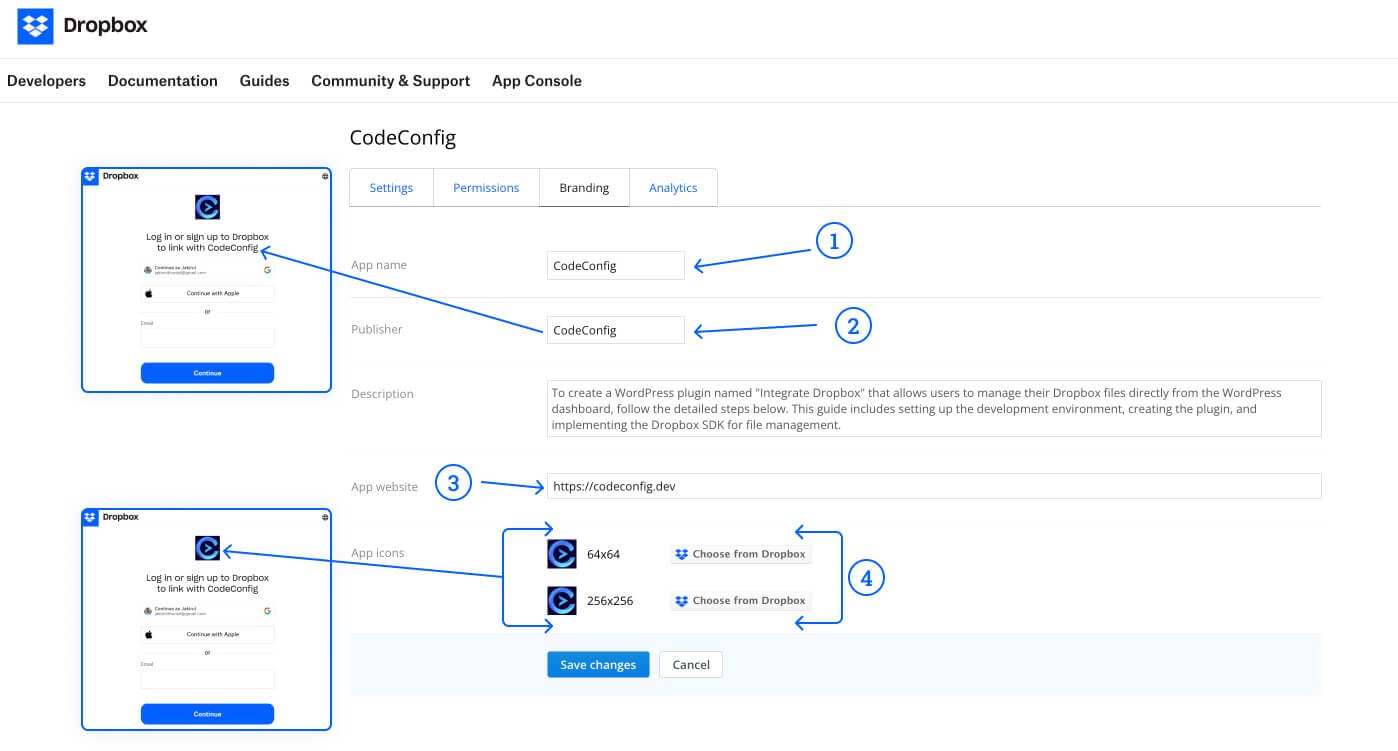
Branding information is displayed in the authorization window. Please see the image below.
Enter API Credentials
Set Redirect URI
Authorize the App
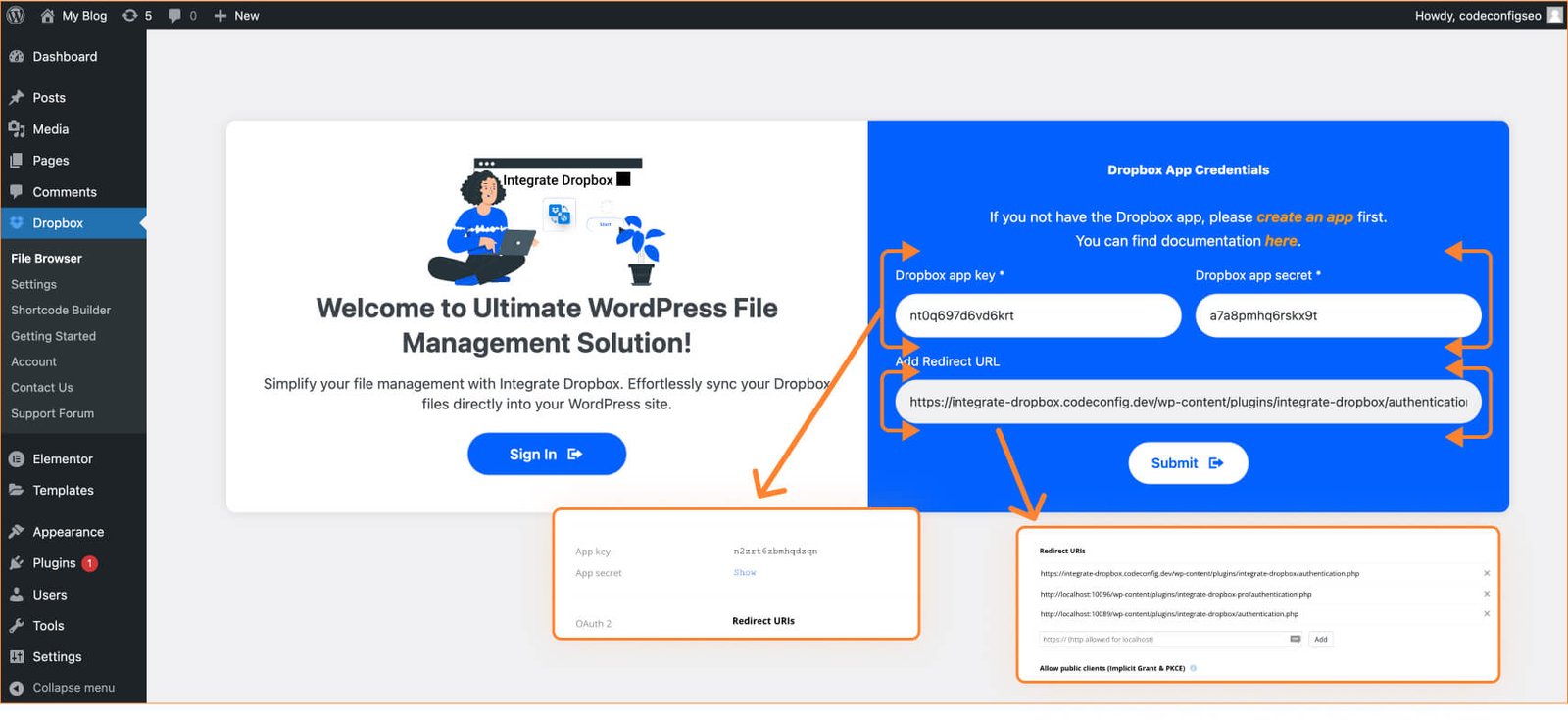
Dropbox works with WordPress and has undergone quite a bit of changes. WordPress Dropbox Plugin helped content management and file storage practices in WordPress. Dropbox has gotten better with integration into WordPress. Today, it’s better integrated for content management and storage. Adding Dropbox to WordPress wasn’t easy before.
There was no easy way and users had to use manual methods or limited third party tools. Previously, WordPress users would upload files to Dropbox and add links to their content. Especially for people in charge of maintaining many files. The combination was key. This caused developers to create some simple plugins to sync Dropbox with WordPress.
Linking Dropbox to WordPress can enhance your website’s performance. It helps solve common issues and speeds up loading times. The Integrate Dropbox plugin is perfect for WordPress. It ensures smooth operation, even with large media libraries.
This post is by Jakir, a member of the CodeConfig team who is always working to find solutions for our users and improve our services.
Thank you for reading and for your kind words and good wishes for us. We truly appreciate your support! ❤️


Whether you're just getting started or scaling fast, we've got you covered. Access helpful guidance.

