


- Release
- WordPress
File Manager for Dropbox 1.3.17 Released – New Features and Improvements
Tanin Ahmed7 min read
Loading page…
Loading page…
Loading page…
Learn how to sell Dropbox files through WooCommerce using File Manager For Dropbox. Save space, boost sales with secure downloads.
The demand for digital products like eBooks, music, and software keeps growing. If you store files in Dropbox, you may be wondering how to sell Dropbox files through WooCommerce without uploading them to your server. The good news is you don’t have to. With the File Manager for Dropbox plugin, downloads are delivered directly from Dropbox, saving server space and bandwidth. Pair it with Integrate Dropbox to connect your Dropbox account to WordPress, manage files easily, secure downloads, and sell digital products without slowing down your site.
How to Sell Dropbox Files Through WooCommerce is simple when you use the right integration plugin. With the free version of File Manager for Dropbox, you can connect your account, manage files, and deliver digital products securely through WooCommerce. Follow the steps below to set everything up quickly.
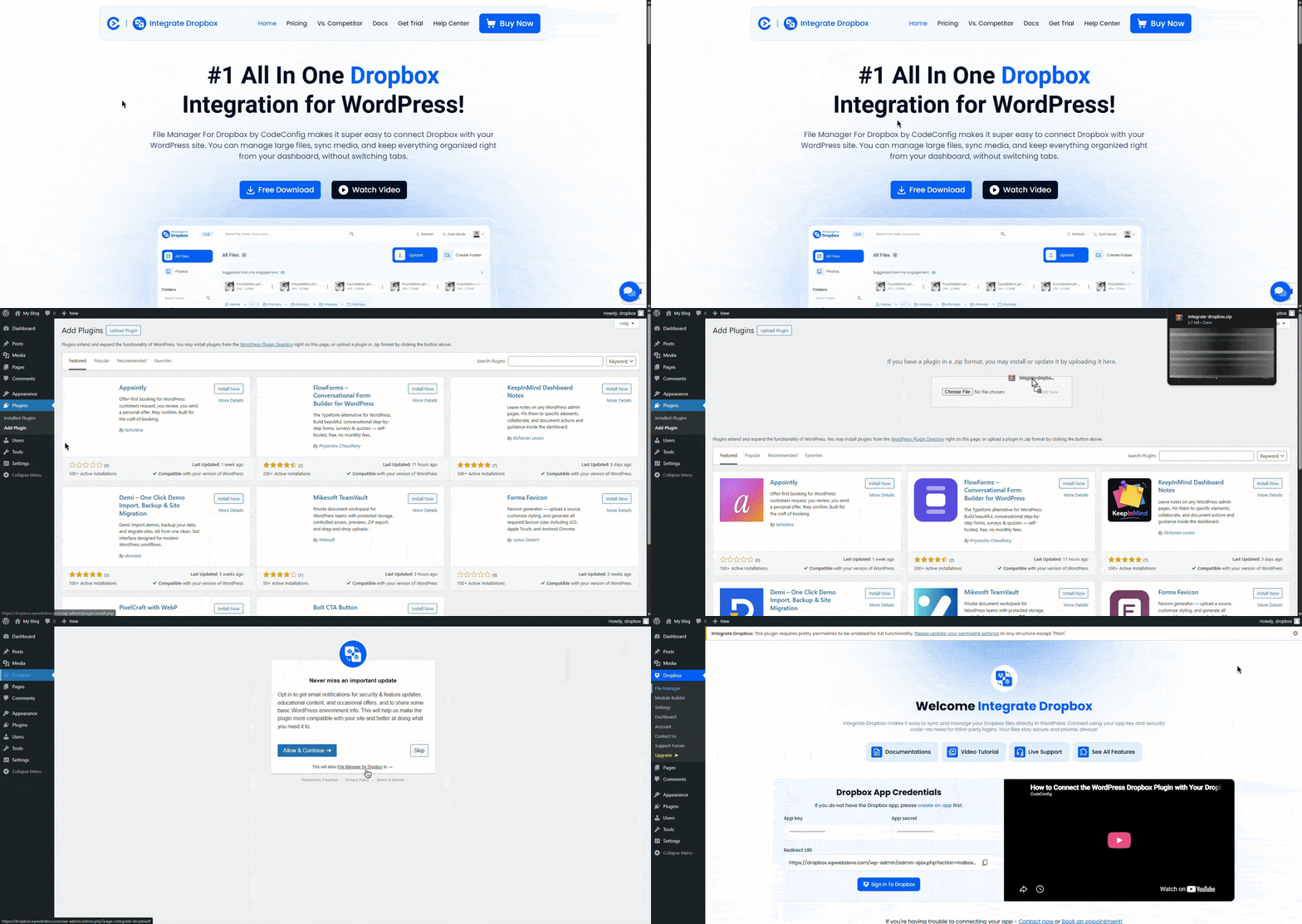
It’s easy to get started. No coding required.
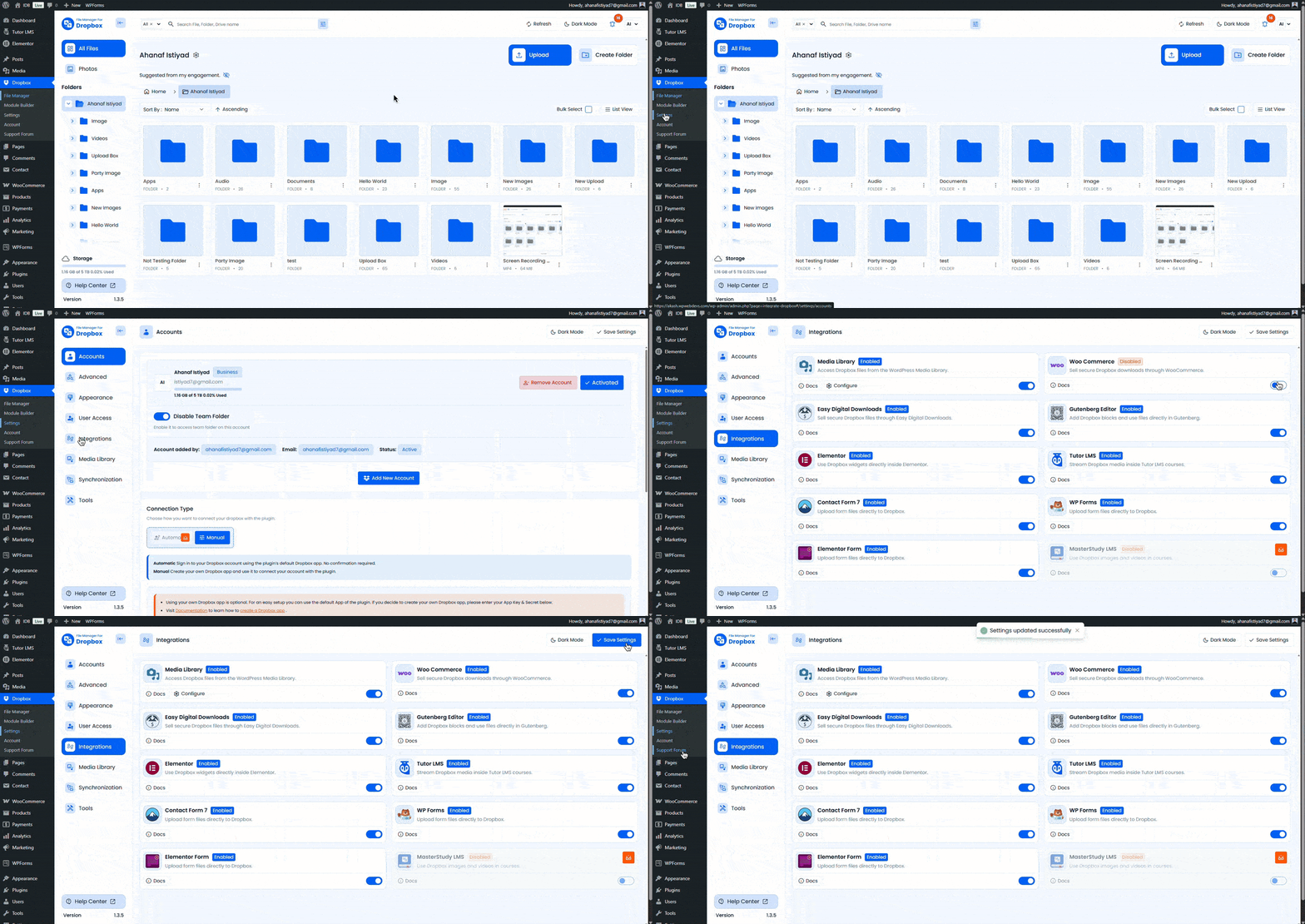
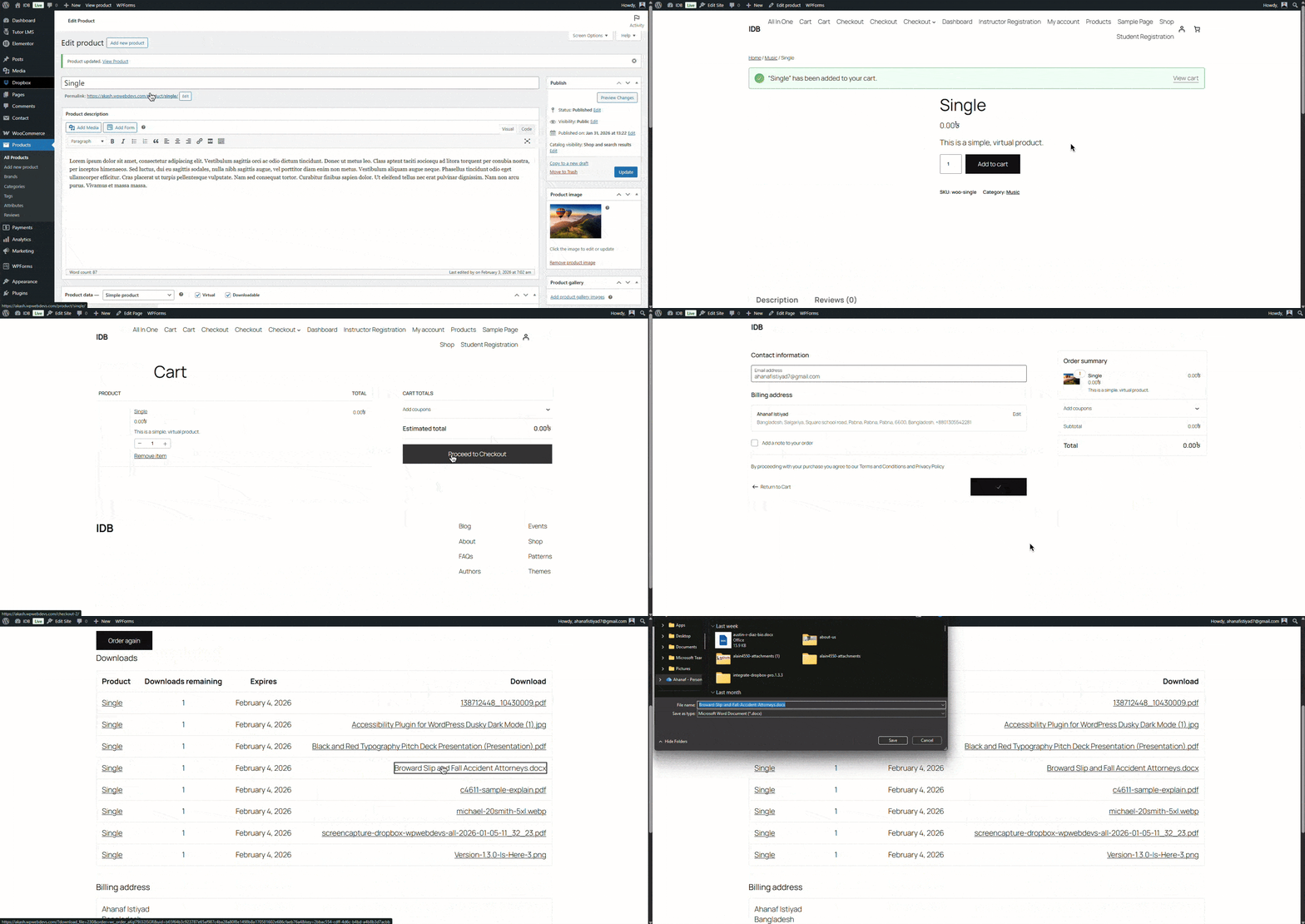
Follow these steps to use Dropbox files as downloadable products in WooCommerce:
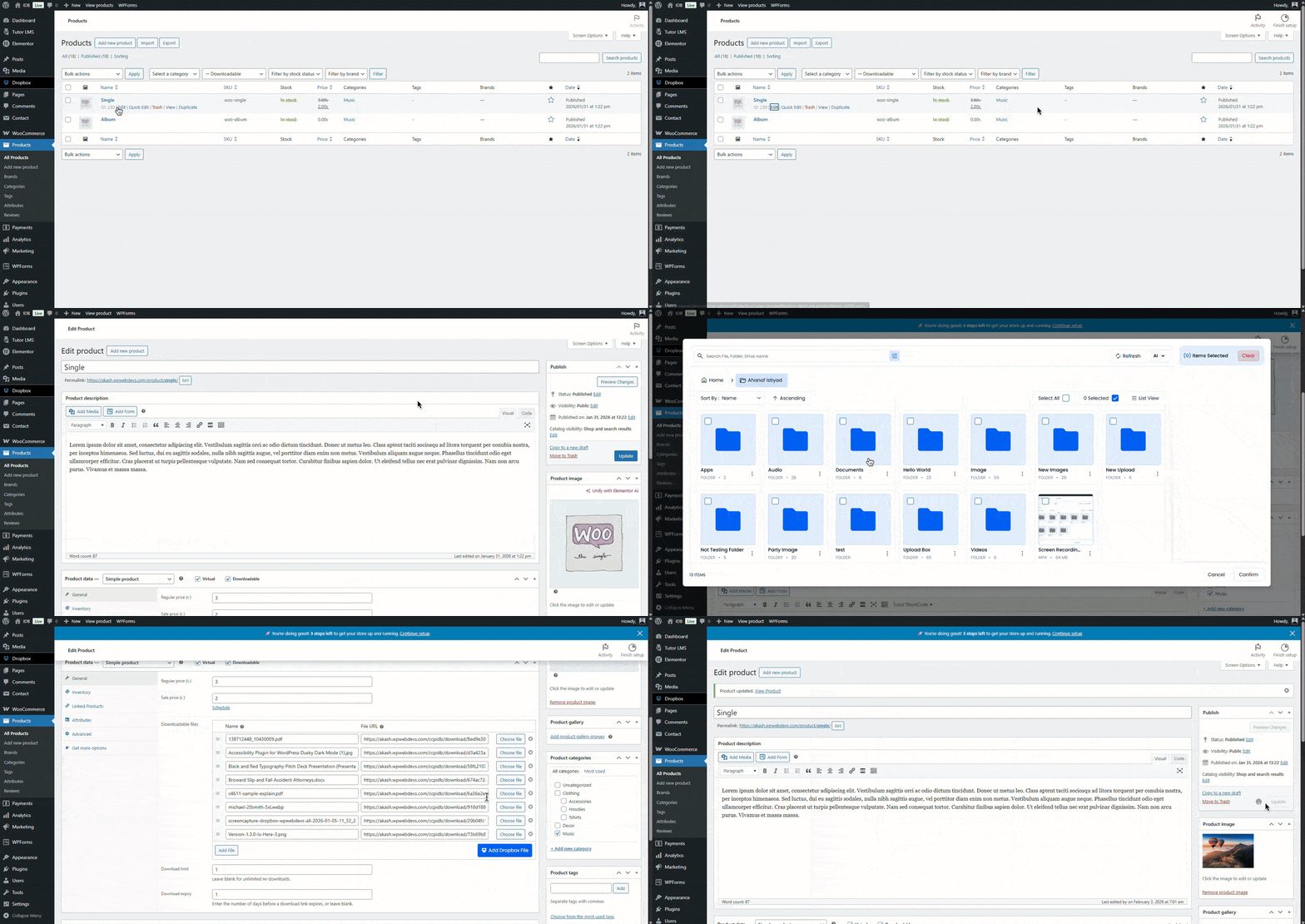
Your product is now live and linked to Dropbox, completing a key step in selling Dropbox files through WooCommerce.
Always verify your setup. This ensures reliability when selling Dropbox files through WooCommerce.
ESPECIAL10 coupon to get a 10% discount.These best practices make selling Dropbox files through WooCommerce scalable and professional.
File Manager for Dropbox stands out as the top WooCommerce integration plugin because it:
Many store owners already use it to master how to sell Dropbox files through WooCommerce without hassle.
If you’re wondering how to sell Dropbox Files Through WooCommerce, the File Manager for Dropbox integration plugin makes it simple. Connect your Dropbox account, attach files to WooCommerce products, and deliver downloads securely without using your server space. This setup saves hosting resources, streamlines file management, and ensures smooth digital delivery. Try it to simplify and scale your online store.
This post is by Jakir, a member of the CodeConfig team who is always working to find solutions for our users and improve our services.
Thank you for reading and for your kind words and good wishes for us. We truly appreciate your support! ❤️


Whether you're just getting started or scaling fast, we've got you covered. Access helpful guidance.

