


- Release
- WordPress
File Manager for Dropbox 1.3.17 Released – New Features and Improvements
Tanin Ahmed7 min read
Loading page…
Loading page…
Loading page…
Learn how to sell Google Drive files through WooCommerce using a WordPress plugin for fast, secure, and easy digital product delivery.
Selling digital products is booming. If you store eBooks, music, courses, or software in Google Drive, knowing how to sell Google Drive Files Through WooCommerce lets you offer them without moving large files to your hosting server. This reduces costs, speeds up your site, and removes the hassle of uploads.
A WordPress Plugin like Integration for Google Drive by CodeConfig makes syncing files simple, secures downloads, and manages access directly from your dashboard. Your files stay protected, customers get instant delivery, and your store can grow smoothly without server strain.
Let’s take a look at how to sell Google Drive files through WooCommerce by setting everything up so you can start. We will use the “Integration for Google Drive by CodeConfig” plugin, which is available for free on the CodeConfig website. This plugin makes integration easy and effective.
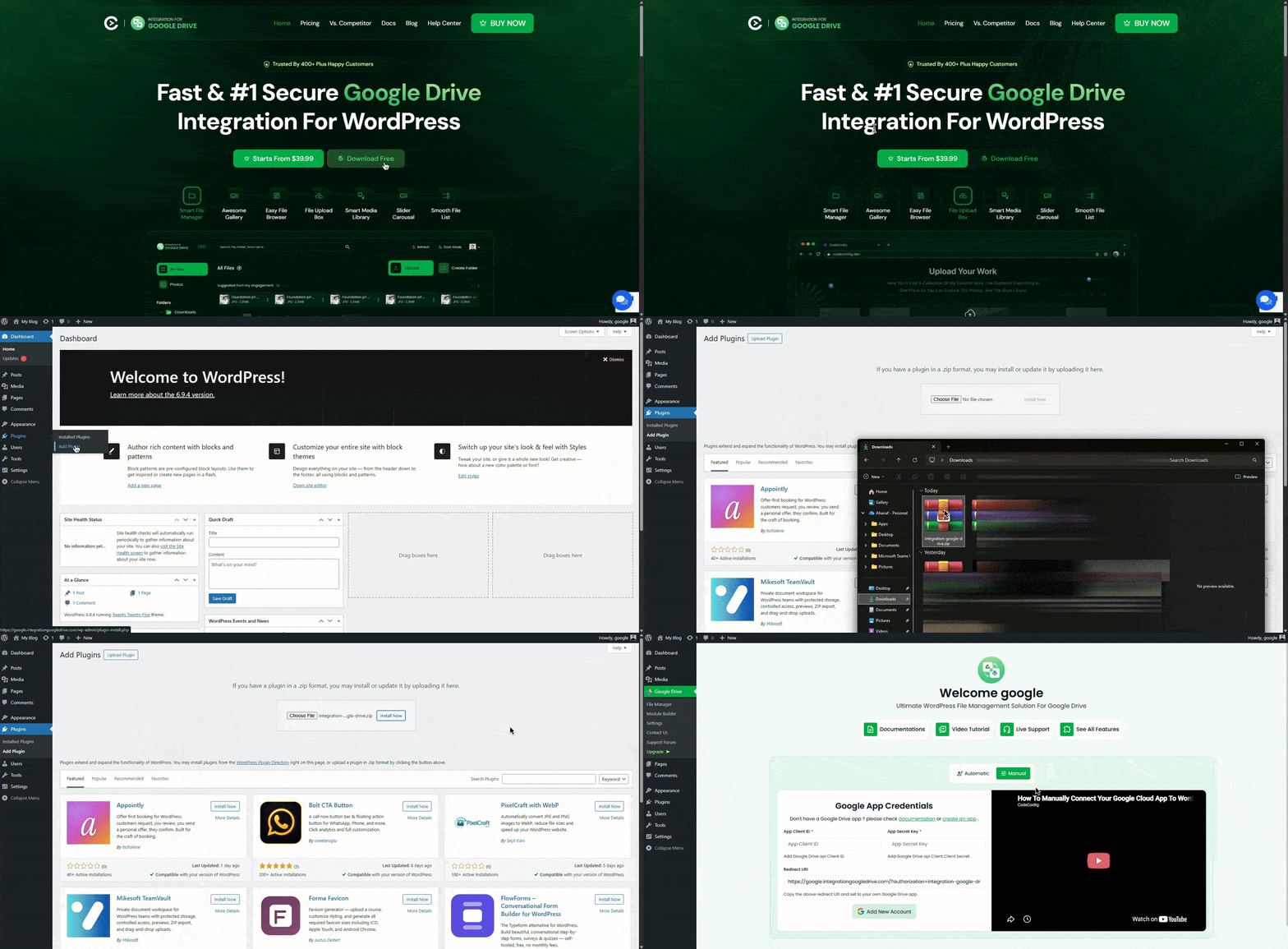
It’s easy to get started. No coding required.
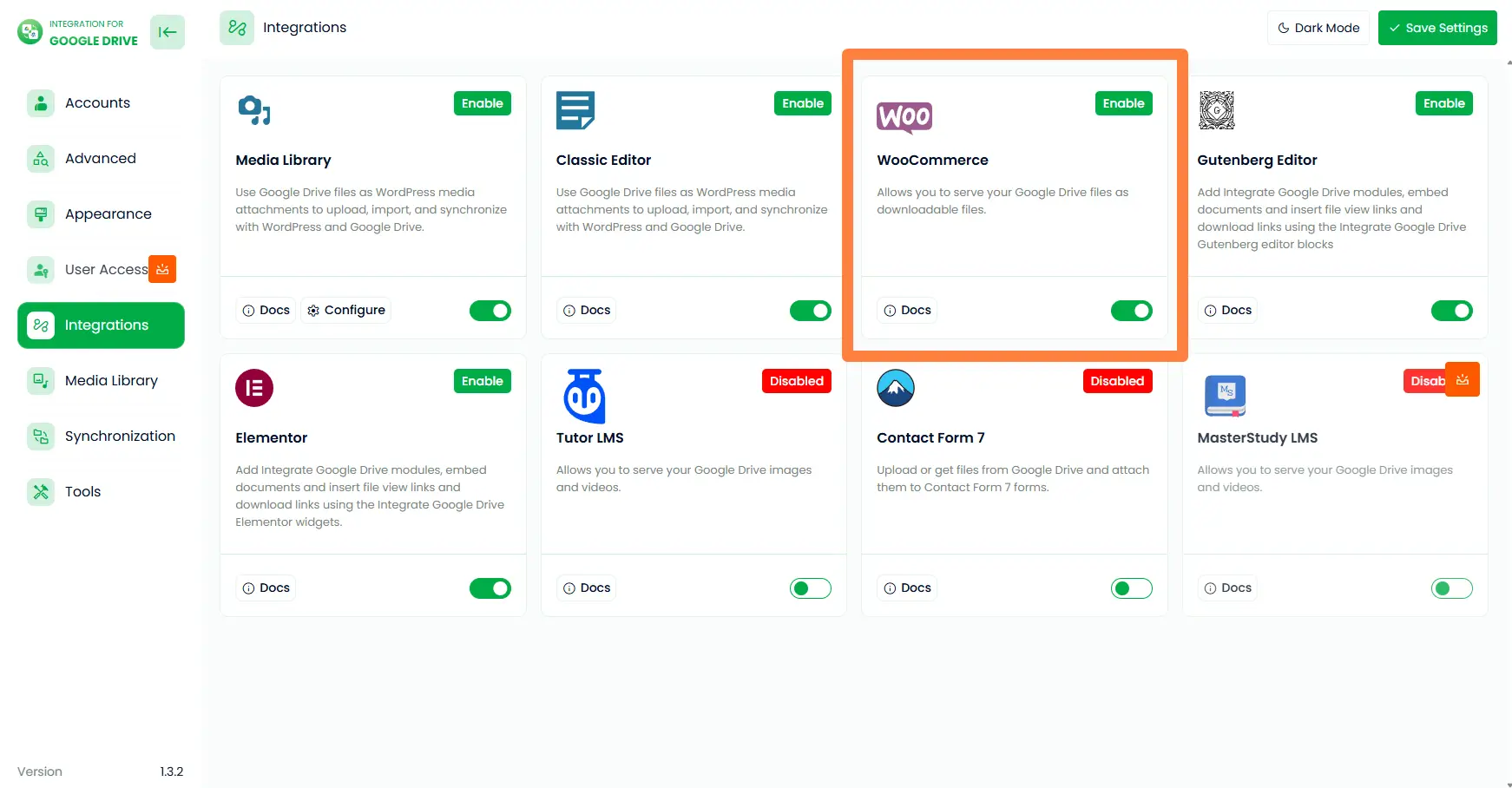
Your WooCommerce store is now connected to Google Drive. You can start using Drive files in your WooCommerce store as part of how to sell Google Drive files through WooCommerce.
To enable the integration, navigate to Google Drive > Settings > Integrations and toggle the switch to enable the Media Library Integration. And select your desired folders. 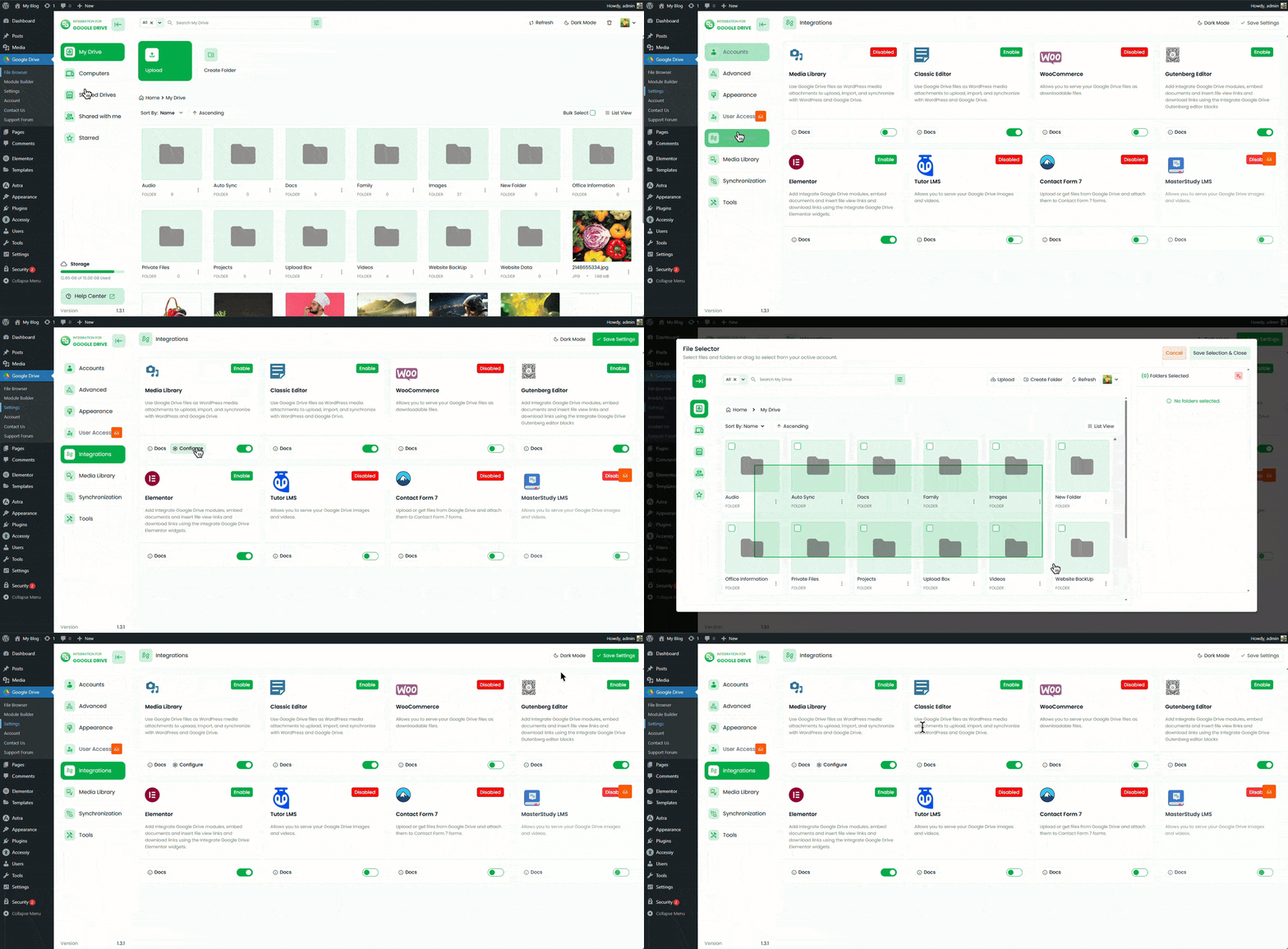
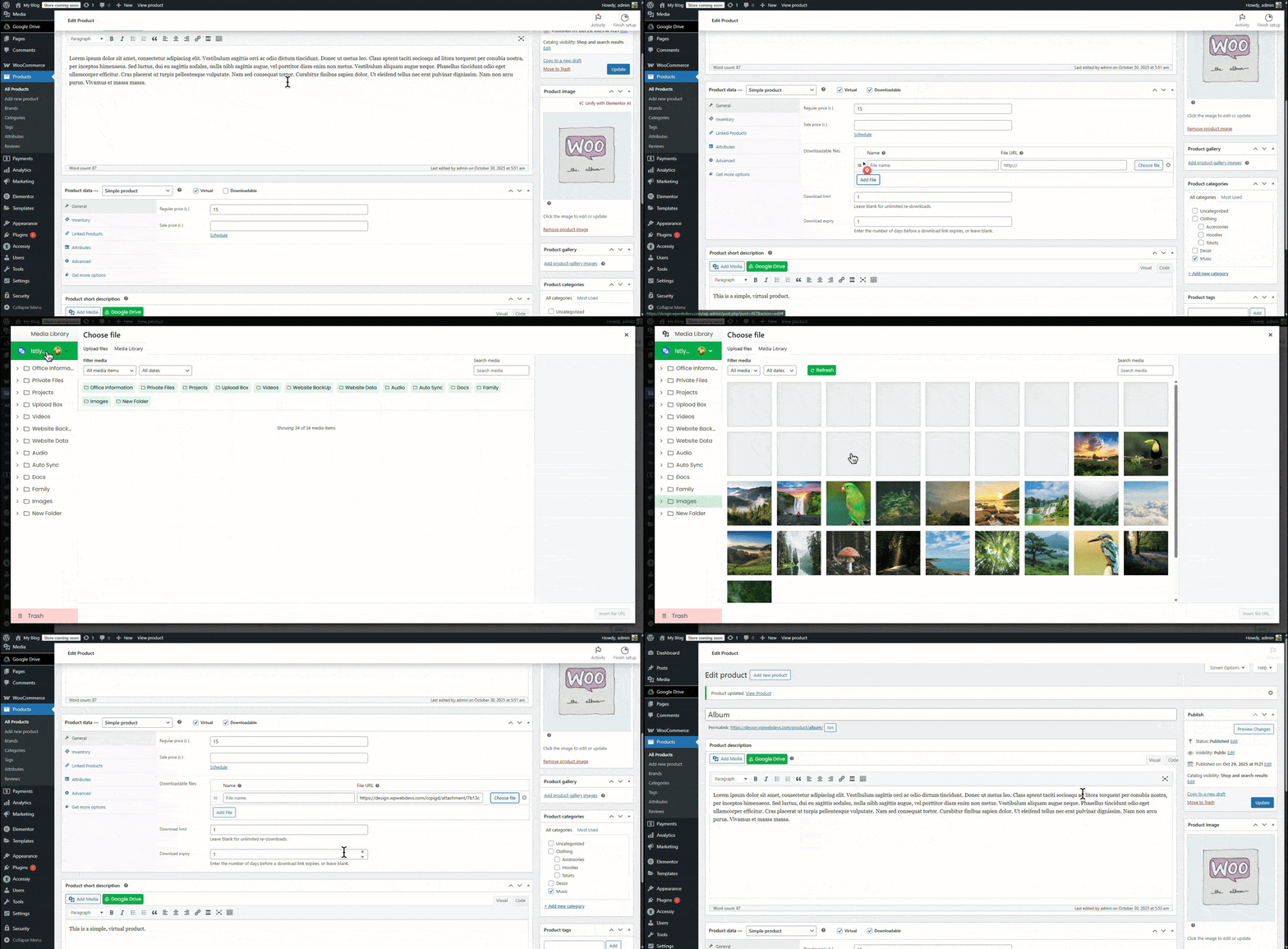
Your product is now live and linked to Google Drive, completing a key step in selling Google Drive files through WooCommerce.
EARLY20OFF coupon to get a 20% discount.How to Sell Google Drive Files Through WooCommerce is simple when you choose the right WordPress plugin. You get secure cloud storage, smooth file delivery, and WooCommerce’s built-in eCommerce tools without slowing down your server. Just install the plugin, connect to Google Drive, and publish your products. Keep files organized, review permissions, and update everything regularly. Follow this approach, and you can scale your digital store with confidence and reliable performance.
This post is by Jakir, a member of the CodeConfig team who is always working to find solutions for our users and improve our services.
Thank you for reading and for your kind words and good wishes for us. We truly appreciate your support! ❤️


Whether you're just getting started or scaling fast, we've got you covered. Access helpful guidance.

