


- Release
- WordPress
File Manager for Dropbox 1.3.17 Released – New Features and Improvements
Tanin Ahmed7 min read
Loading page…
Loading page…
Loading page…
Discover how to share files with multiple users in LMS, including tools, security tips, and cloud integrations to enhance your course sharing!

Sharing and managing files in a Learning Management System (LMS) sometimes feel tricky, especially with many users, big files, and constant updates. Teachers and students need simple ways to share materials, work together, and make sure students can easily access what they need. Thankfully, there are tools that make this process smooth and stress-free.
In this article, we show how to share files with multiple users in LMS, enabling teachers to quickly distribute updated materials to students. So students can work together on projects, access files from anywhere and enjoy great learning experience that’s simple and hassle-free. With cloud storage integrated into your LMS, educators and students can enjoy easy access to files anytime, anywhere.

Cloud storage is so good for LMS file sharing. It helps file sharing, accessibility, and management within LMS environments which is really helpful. Using solutions like Google Drive, OneDrive, or Dropbox can help educators and instructors can find easy collaboration and resource distribution within LMS.
Accessibility: Platforms that are based in the cloud let users reach their files at any time, from any place, and on any device that has an internet connection. This guarantees a certain kind of elusory flexibility that exists for both learners and educators.
Real-Time Collaboration: Cloud services allow for real-time teamwork. They let many people work on a single document at the same time. This is especially nice for projects where you need a group to help you. It also works well for when you need the kind of partnership that makes a thesis possible.
Enhanced Security: Most of cloud storage platforms come equipped with advanced encryption and strict access controls to keep your sensitive educational materials and learner data safe.
Simplified Updates: Updating shared files is simple when using cloud-based tools. If a document needs changing, it’s a matter of updating it in the cloud. Users with permission to the document see the changes immediately.

Integrating an LMS with cloud storage boosts workflow and user satisfaction. It helps teachers to share files quickly and easily. If a document is updated, all users with permission see the changes immediately. Students can store files and documents in the cloud, making it simple to share with instructors. Here are some key benefits of using Cloud Storage:
Easily Manage Large Files: Educational content often includes large files like video lectures, high-resolution images, or detailed presentations. Managing these files within your LMS can be challenging. Cloud storage provides a seamless solution, allowing you to upload, organize, and share large files without clogging your LMS Hosting Space and slowing it down.
Real-Time Collaboration: Cloud storage platforms like Dropbox allow multiple users to work on the same file at the same time. For group projects, this feature is invaluable. Students can collaborate on documents, presentations, or spreadsheets without worrying about version conflicts.
User-Friendly Interface: One of the biggest advantages of cloud storage is its simplicity. Platforms like Dropbox are designed to be easy to use, even for those who aren’t tech-savvy. Navigating and managing files in the cloud is straightforward and stress-free.
Seamless Integration with LMS Plugins: Many cloud storage platforms, like Dropbox, offer plugins that integrate directly with your LMS. This makes managing files even more convenient. You can:

Not all LMS platforms have robust file-sharing capabilities, making it essential to choose the right tools for seamless collaboration. Some LMSs offer built-in file management, while others require integrations with external cloud storage providers. Here are some of the top file management options:
File manager for Dropbox is a WordPress plugin that allows users to manage their Dropbox files directly from their WordPress dashboard. Integrating the File Manager for Dropbox plugin with a Learning Management System (LMS) can enhance course materials and improve the overall learning experience. This plugin supports automatic synchronization, ensuring that users always access the latest files without manual uploads.
With the File Manager for Dropbox plugin, setting permissions is effortless. Admins can:
Also Read: How to Embed Dropbox Video in WordPress
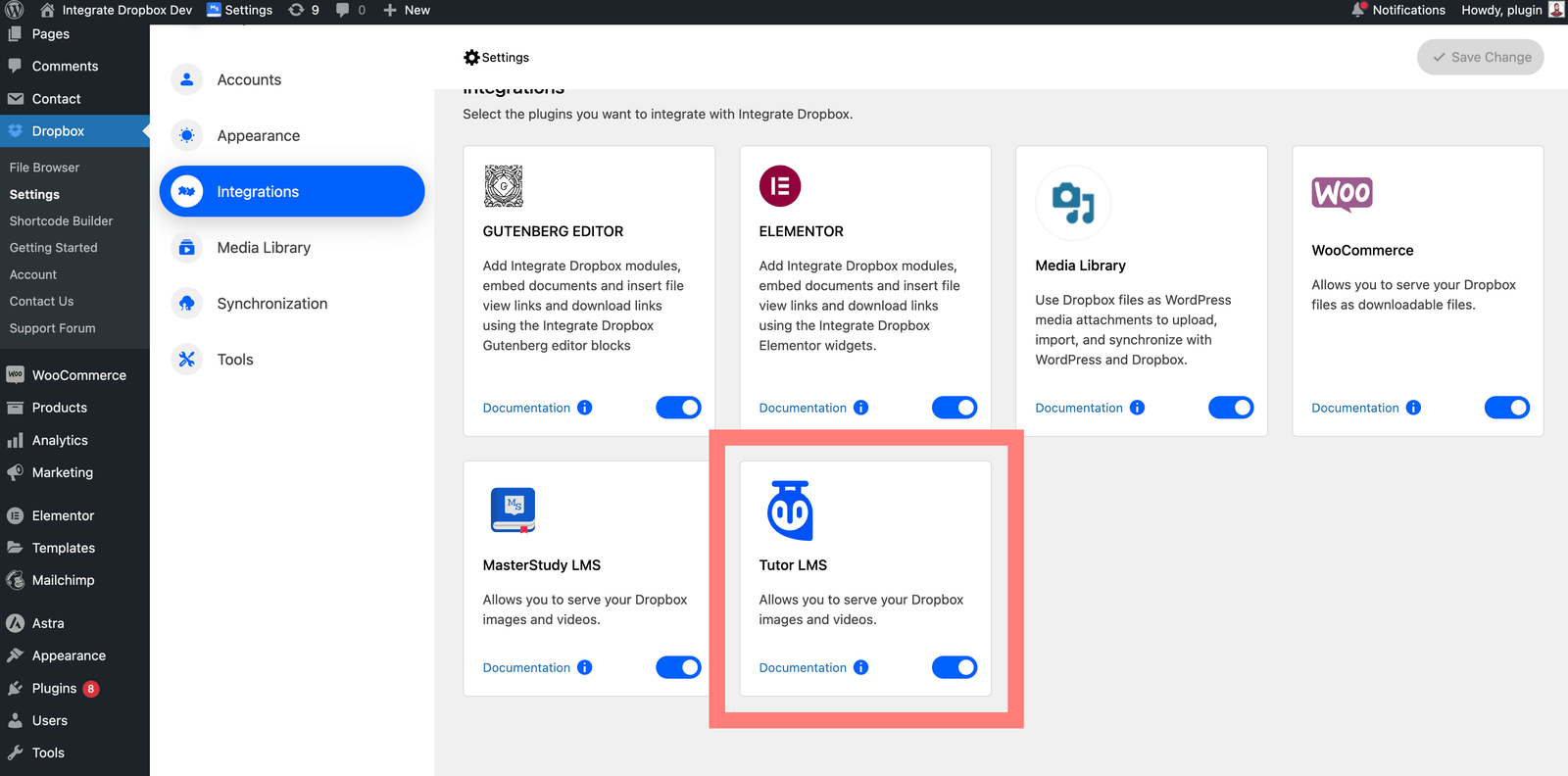
Navigate to the Tutor LMS Dashboard.
View existing courses or click “Add New” to create a new course.
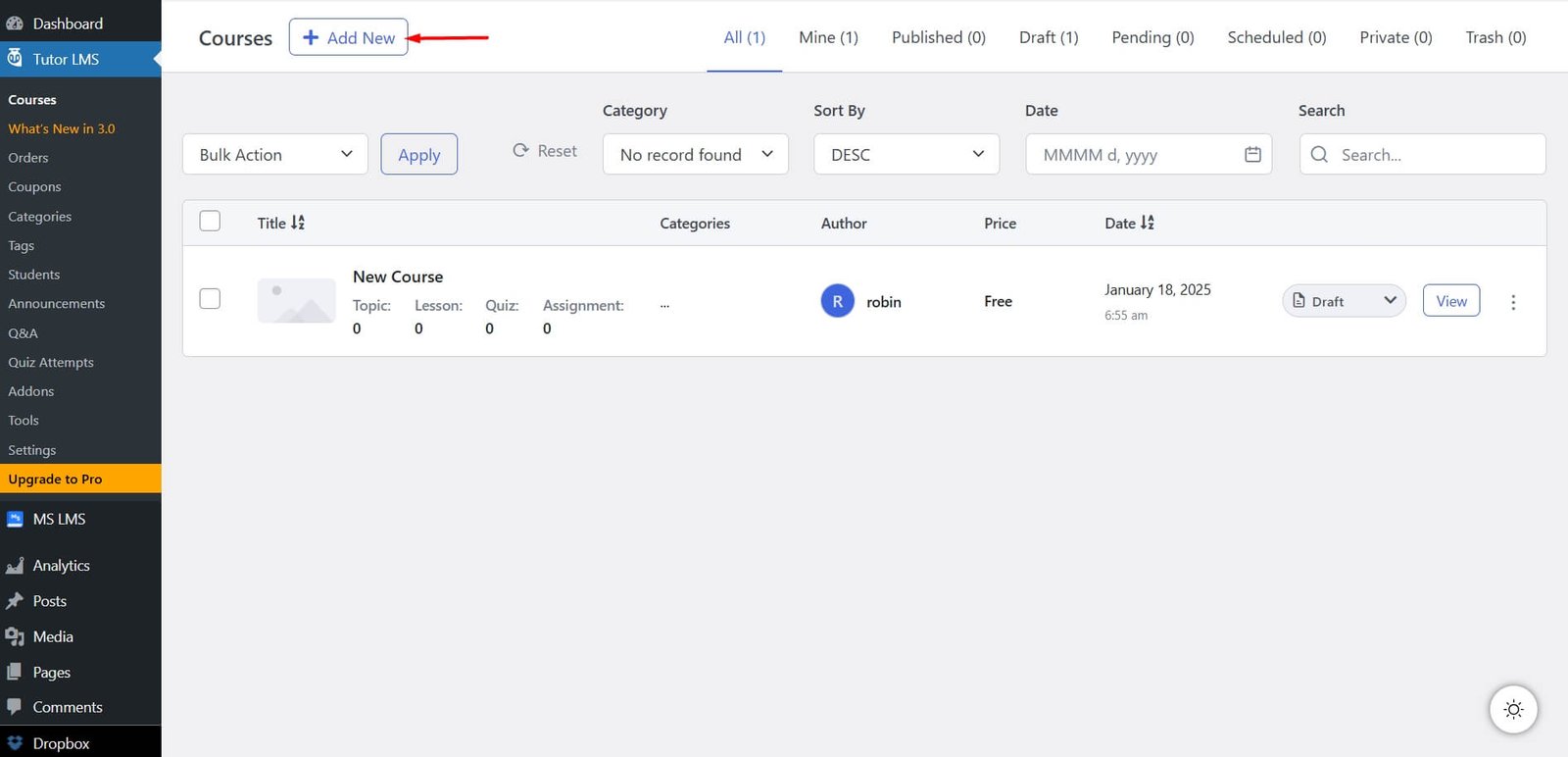
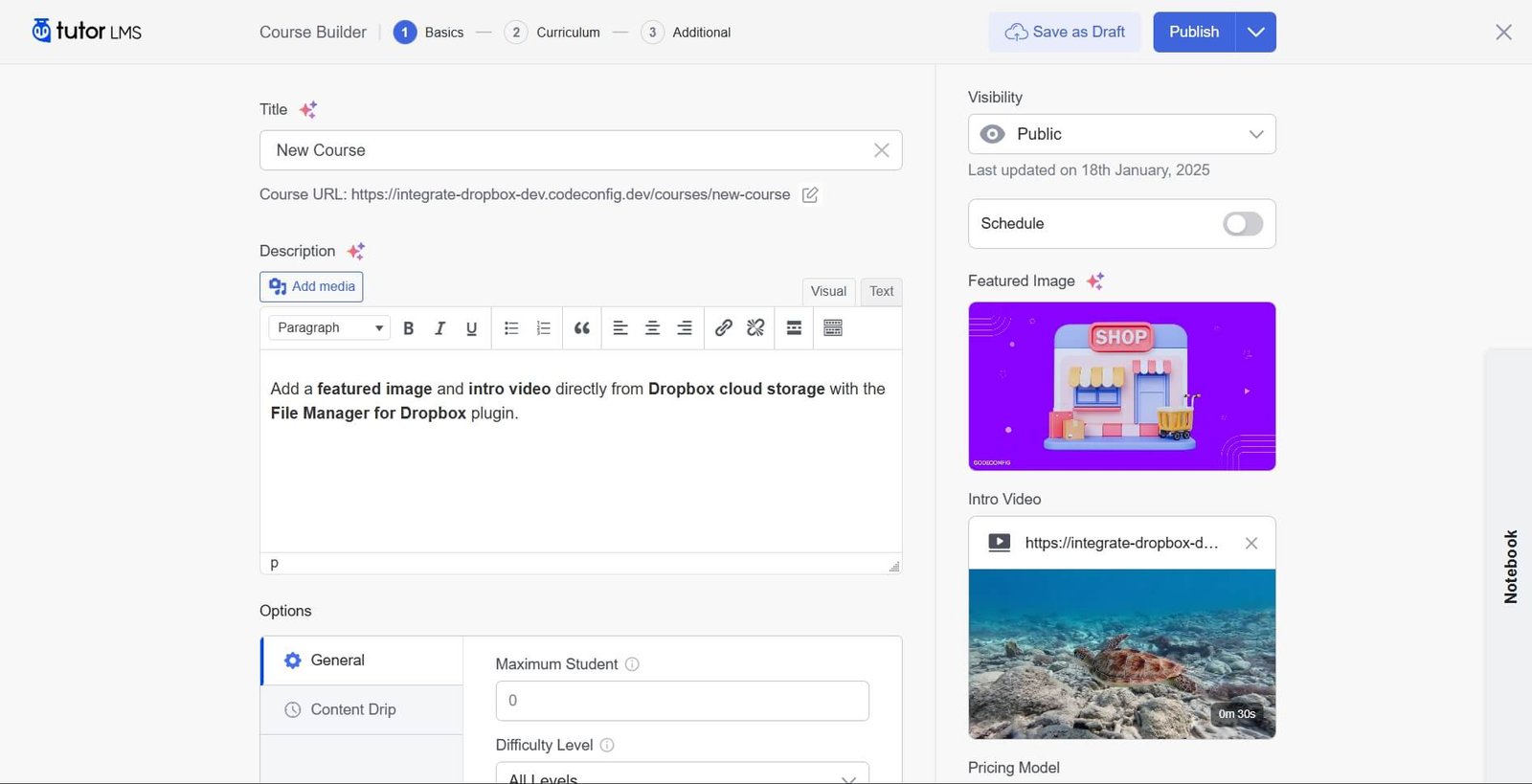
Enter the course title “New Course”).
Add a description explaining what the course is about.
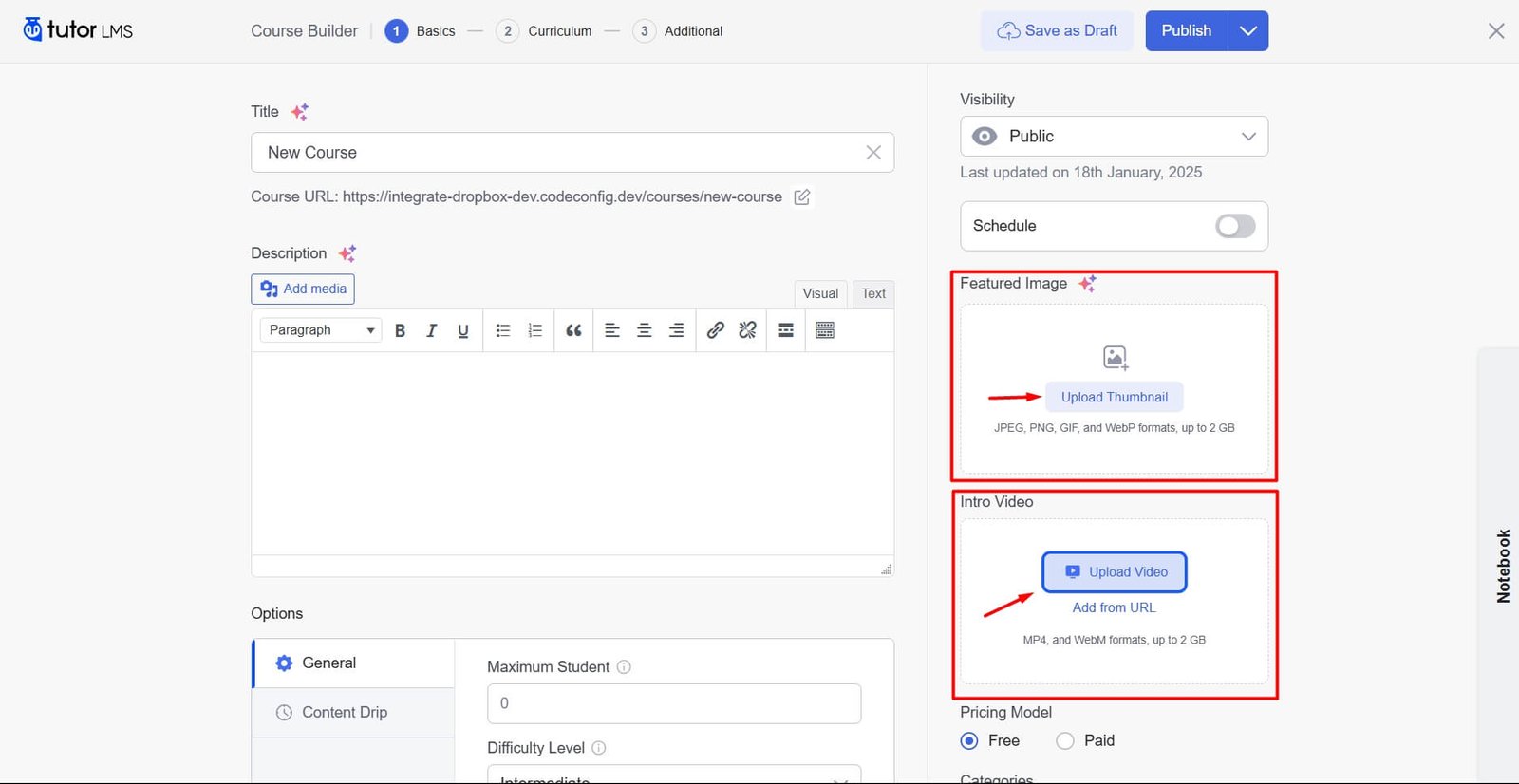
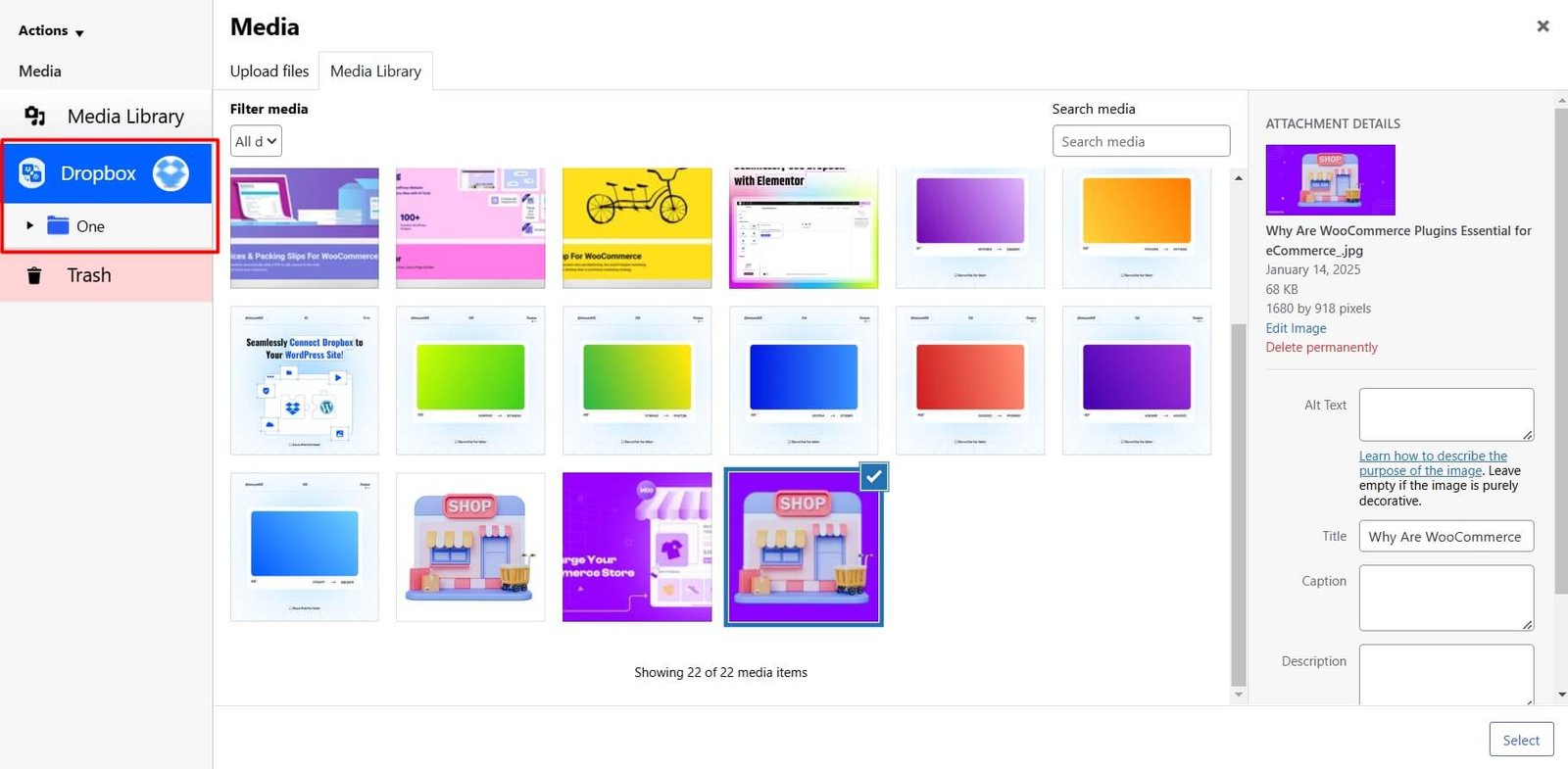
Open the Media Library under Tutor LMS.
Add a featured image
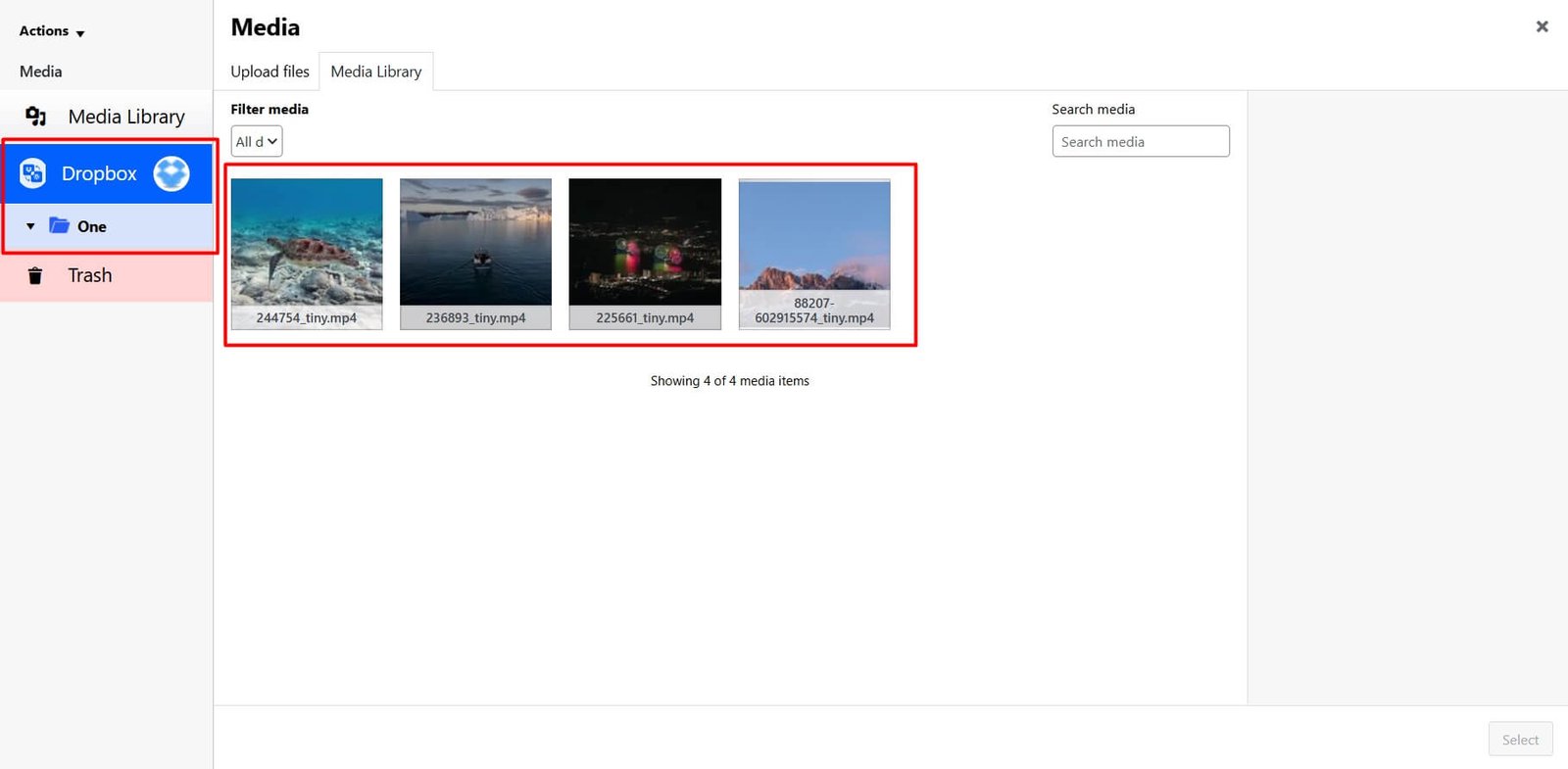
An intro video from Dropbox using the File Manager for Dropbox plugin.
Click “Publish” to make the course live.
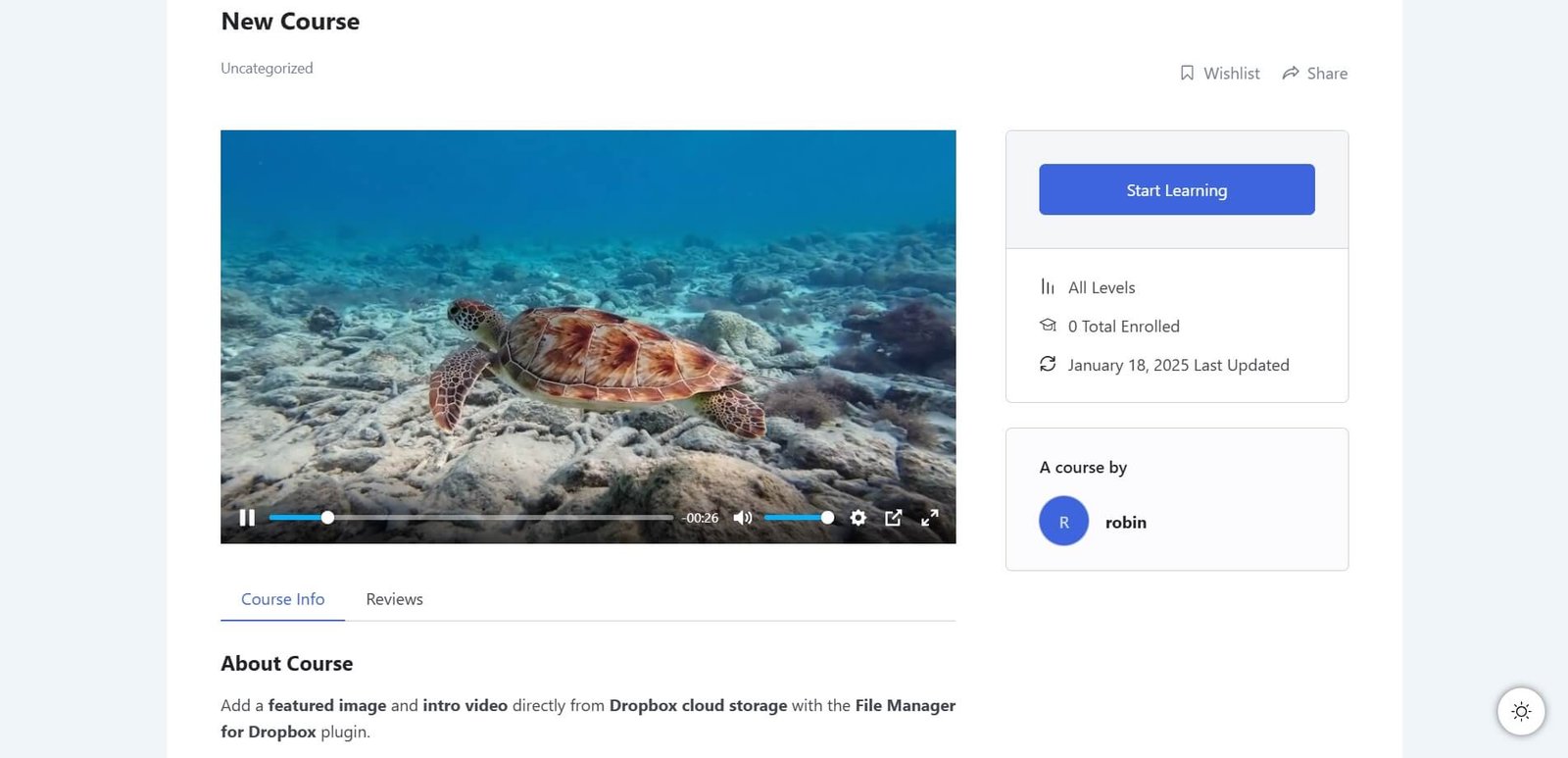
Hoorah! With just a few clicks, you’ve successfully published your course directly from dropbox.
Bring your Tutor LMS lessons to life with Dropbox-hosted videos! With the Integrate Dropbox plugin for WordPress, adding engaging video content to your courses is effortless. Enhance your students’ learning experience in just a few simple steps.
Integrate Dropbox support Master LMS for adding video as an external video for course lessons. With the Dropbox Plugin integrated into WordPress, you can easily add Dropbox-hosted videos to your MasterStudy LMS lessons.
File Manager for Dropbox plugin makes it simple to Assign User-Specific Folders with Integrate Dropbox to different users or roles on your WordPress site. This feature is perfect for sites with multiple users who need their dedicated folder for managing and sharing files.
With this plugin, administrators can easily configure folder access based on individual users or user roles. Here’s how it works:
Additionally, the plugin allows fine-tuning access permissions, ensuring each user or group has the right level of access. Whether it’s uploading, managing, or collaborating, the Integrate Dropbox plugin gives you complete control over file management in WordPress.
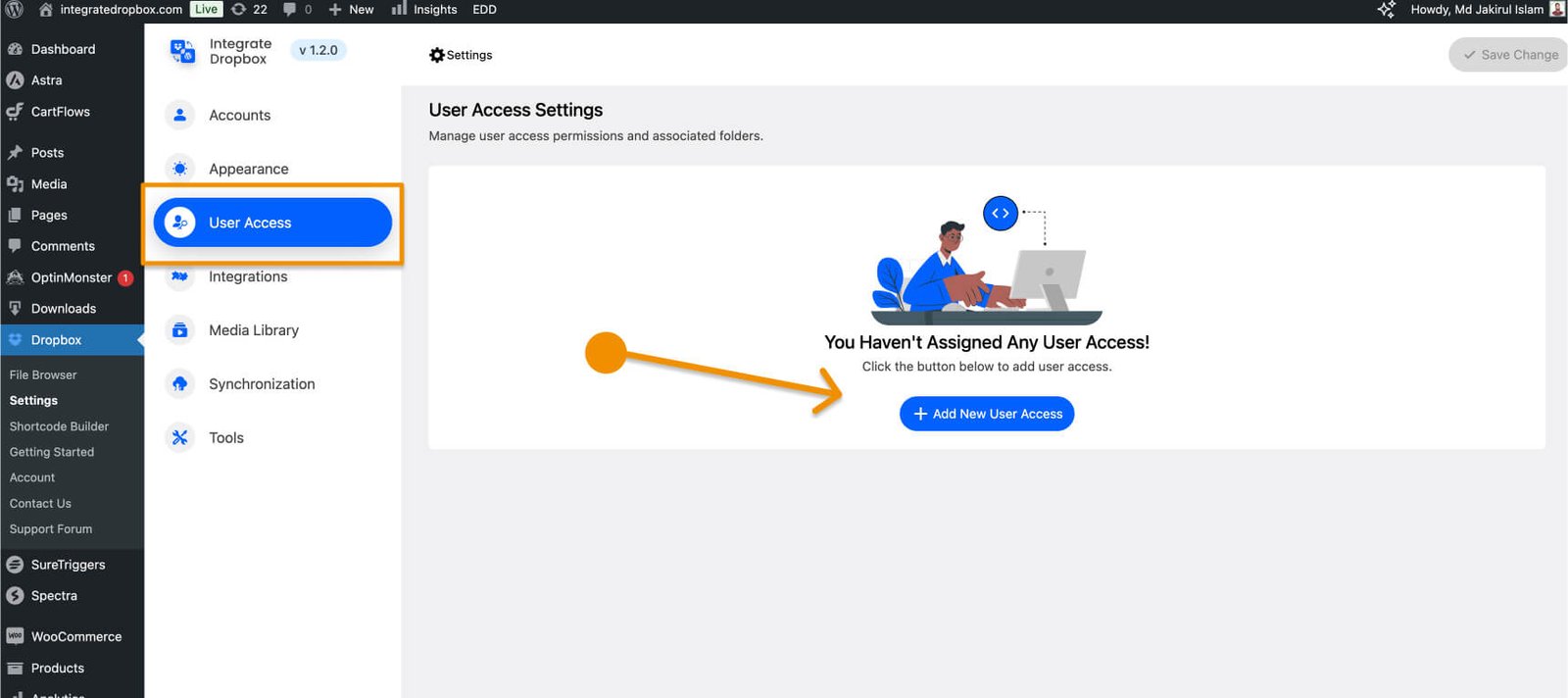
Go to Settings and open User Access to manage user or role permissions. Click Add New to create an assignment. Choose a user or role, then select a folder from your Dropbox account.
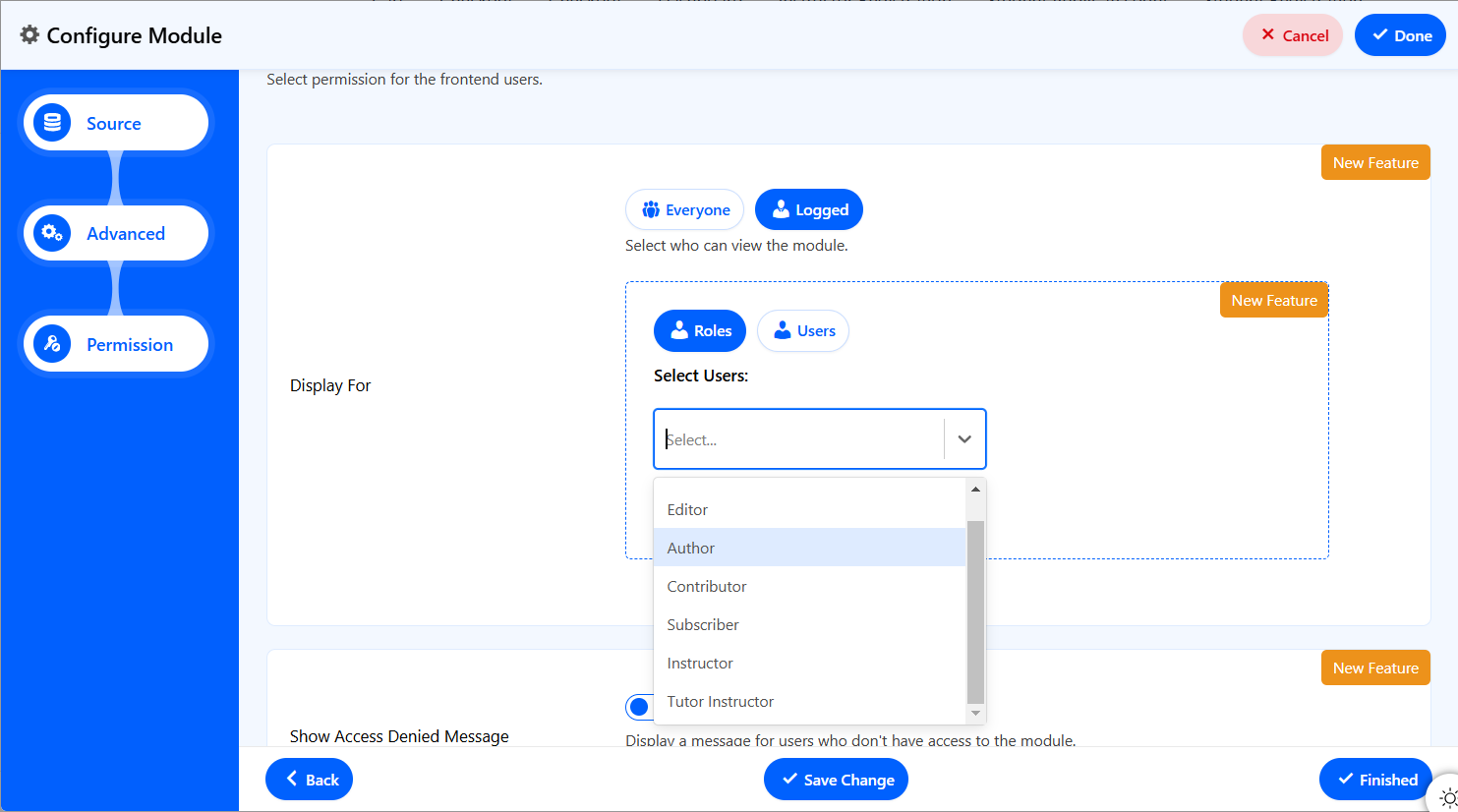
Save your changes to complete the setup. The assigned user or role now has access to their specific folder.
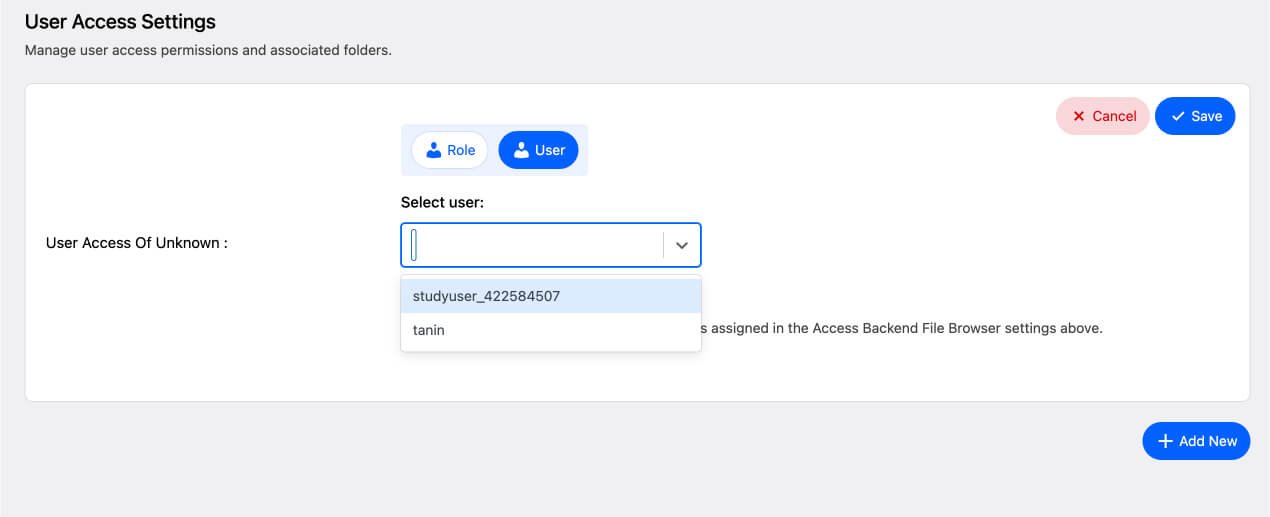
Once these steps are complete, users can log in and access their assigned folders directly from the WordPress dashboard, making file management simple and efficient!
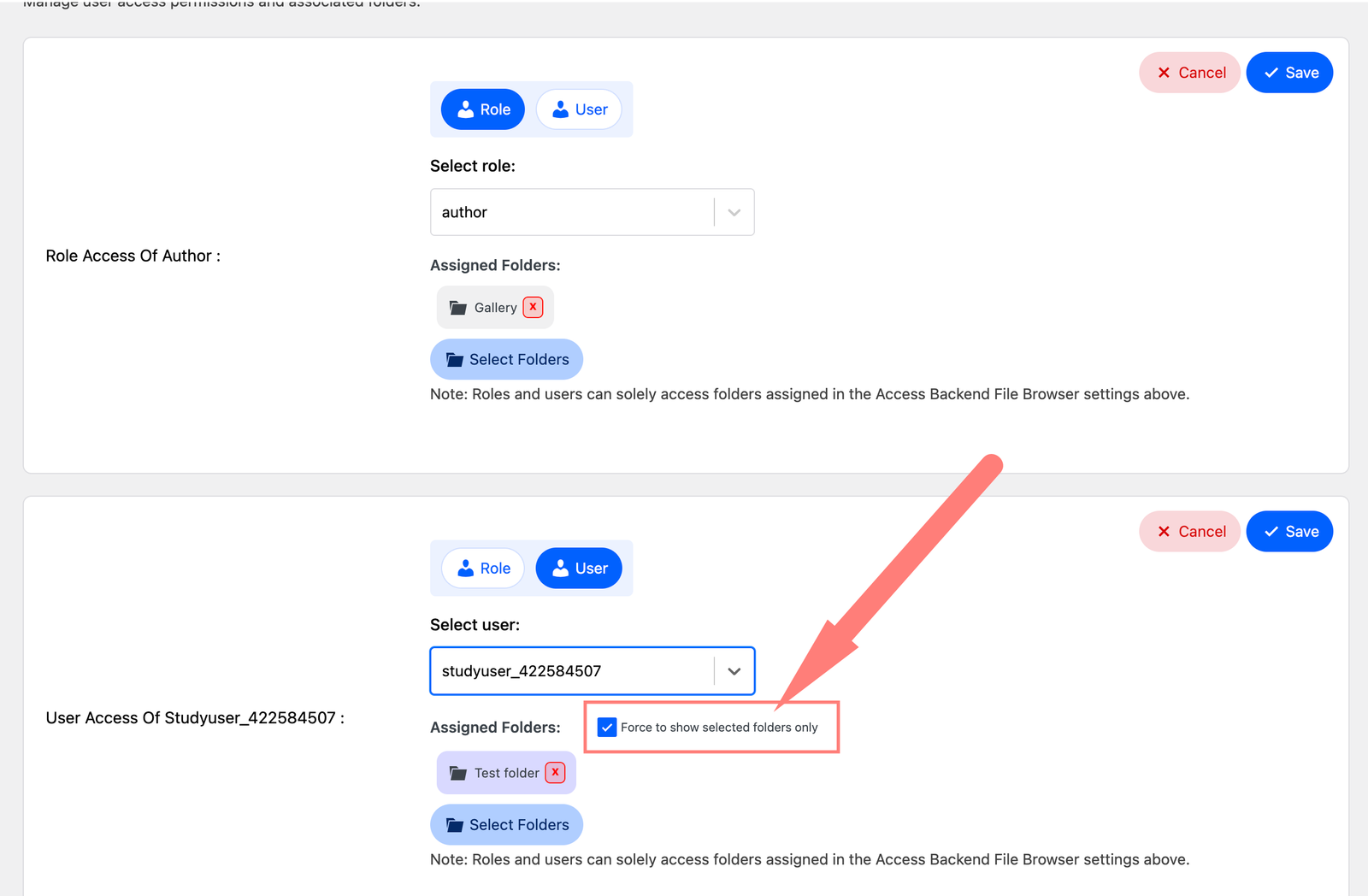
When a user has both individual and group folder assignments, the Integrate Dropbox plugin lets you prioritize folders
Enable the Force Option to restrict the user to their individual folder, overriding group access. Leave it disabled if the user needs access to both folders. Choose based on your setup and access needs.
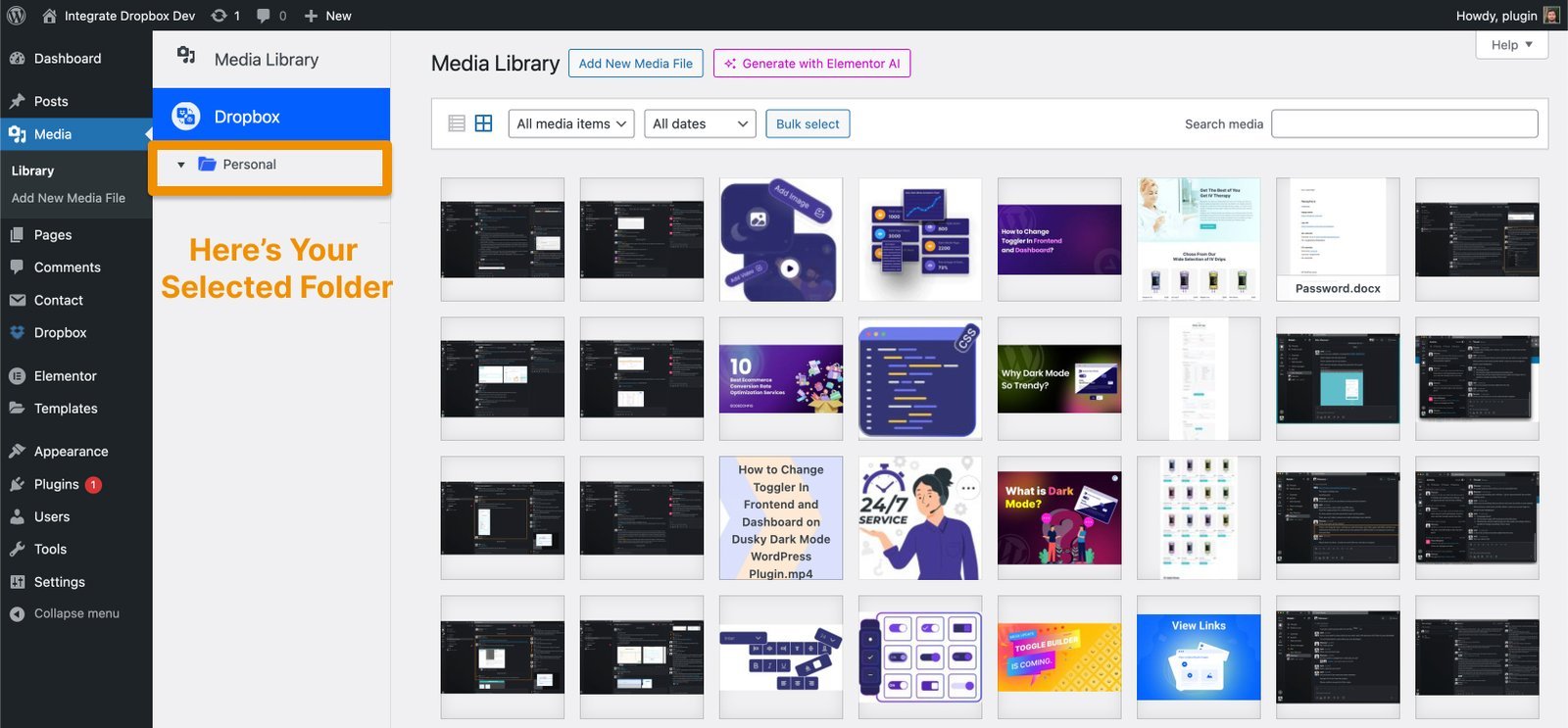
After assigning folders to users, the Integrate Dropbox plugin ensures that the selected folders are seamlessly displayed in the WordPress Media Library for each user. This allows users to manage their files directly from WordPress without any additional steps.
Efficient file sharing in an LMS is essential for smooth learning experiences and collaboration. By choosing the right file management tools, organizing files effectively, setting permissions, automating notifications, and monitoring usage, you can optimize your LMS for better performance.
If you’re looking for an easy-to-use solution for managing files in a WordPress-based LMS, the File Manager for Dropbox plugin is a great option. It seamlessly integrates with Dropbox, allowing educators and administrators to assign permissions, automate file syncing, and streamline document sharing.
Sharing files in an LMS doesn’t have to be complicated. With cloud storage solutions like Dropbox, educators and students can easily access, collaborate, and manage files without the usual hassle. Real-time updates, secure access, and seamless integration with LMS platforms make it a game-changer for online learning.
The File Manager for Dropbox plugin takes this even further by simplifying file management within WordPress-based LMS platforms. It lets educators assign user-specific folders, automate file syncing, and organize course materials effortlessly—all while saving server space.
If you’re looking for a straightforward way to manage files in your LMS, integrating Dropbox with File Manager for Dropbox is a smart move. It keeps everything organized, accessible, and stress-free for both teachers and students.
This post is by Jakir, a member of the CodeConfig team who is always working to find solutions for our users and improve our services.
Thank you for reading and for your kind words and good wishes for us. We truly appreciate your support! ❤️


Whether you're just getting started or scaling fast, we've got you covered. Access helpful guidance.

