


- Release
- WordPress
File Manager for Dropbox 1.3.17 Released – New Features and Improvements
Tanin Ahmed7 min read
Loading page…
Loading page…
Loading page…
Learn how to use Dropbox and WordPress to sell digital files securely, to reduce server load, and scale easily with EDD or WooCommerce.
If you want a simple way to sell ebooks, music, software, or other downloads, How to Use Dropbox and WordPress to Sell Digital Files is a smart place to start. By connecting Dropbox with WordPress, you can store files in the cloud and keep your website fast and secure.
It also works smoothly with tools like Easy Digital Downloads and WooCommerce, so that you can manage payments and file delivery without extra hassle. The result is simple: secure downloads for your customers and less technical stress for you.
To get started, connect Dropbox to WordPress using the File Manager for Dropbox plugin by CodeConfig. It lets you manage your Dropbox files right from your WordPress dashboard, saves server space, and keeps your workflow simple and organized.
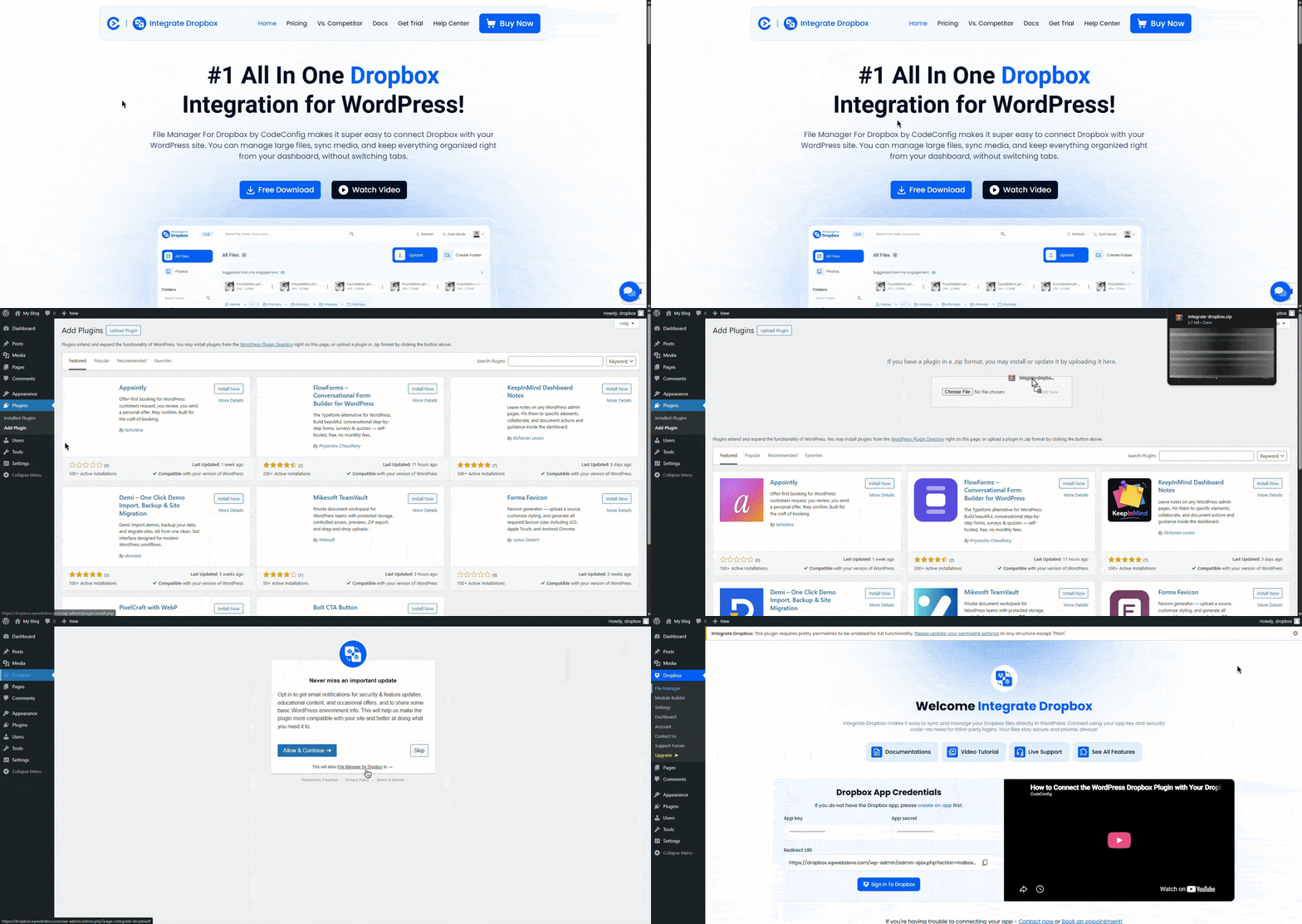
That’s it, the foundation for connecting your Dropbox account to WordPress is ready.
Download Free Plugin
If you want a more flexible store setup, WooCommerce is a solid choice for selling digital files from Dropbox. There’s no official Dropbox add-on, but you can easily use direct links or a Dropbox integration plugin to connect everything and deliver files smoothly.
Go to your WordPress Dashboard and navigate to Dropbox
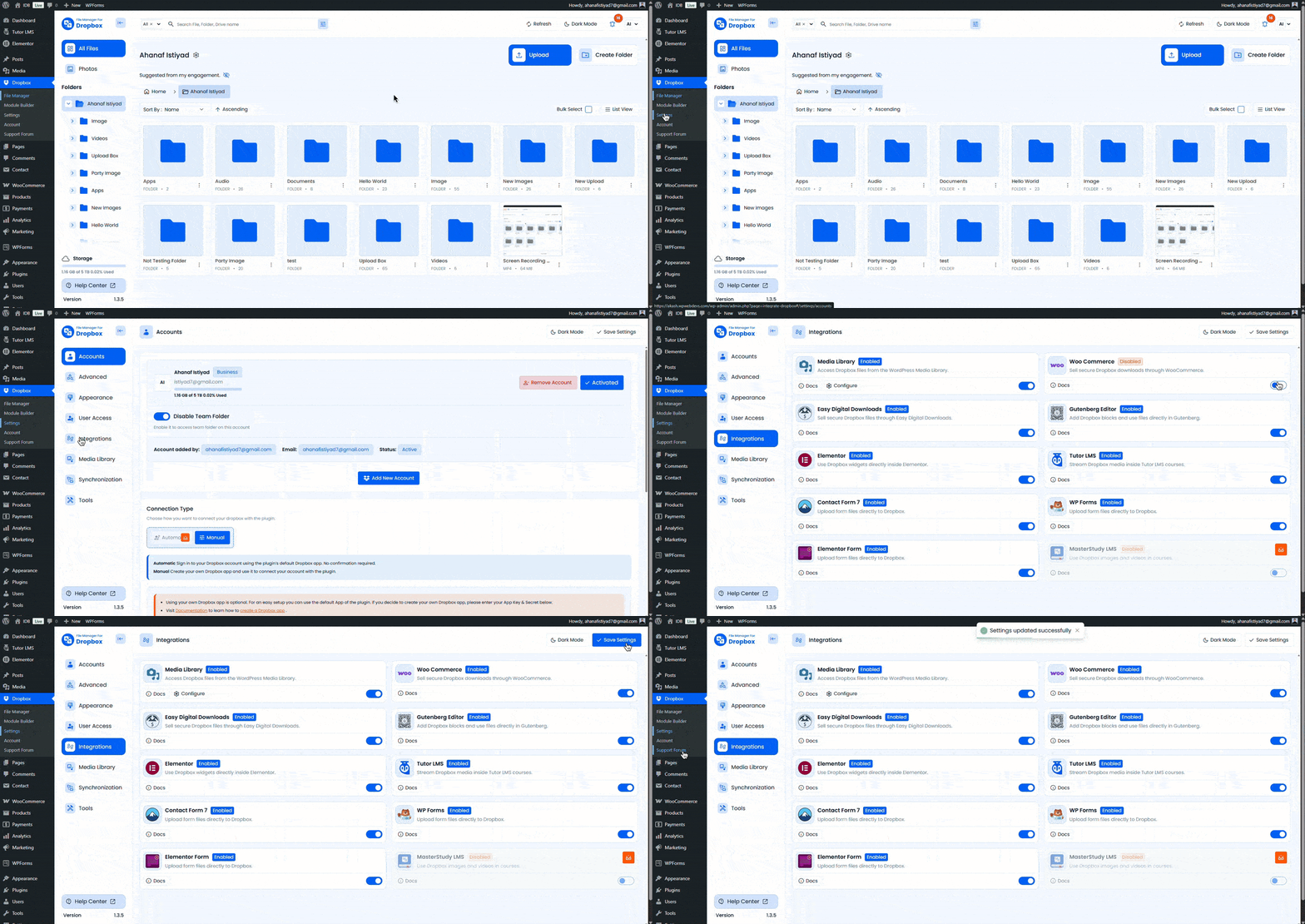
Follow these steps to use Dropbox files as downloadable products in WooCommerce:
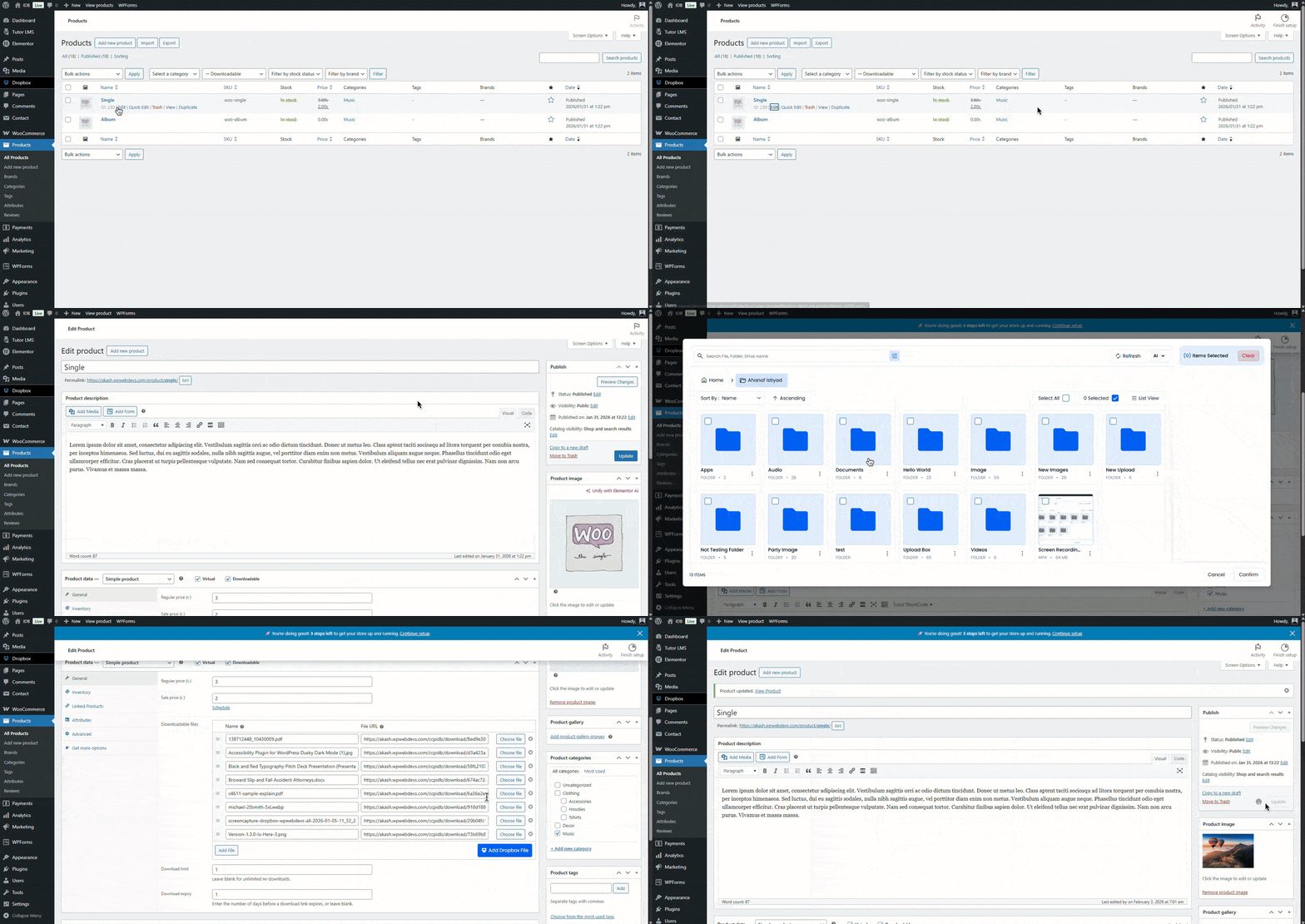
Your product is now live and connected to Dropbox. This setup keeps your WordPress site lightweight while using Dropbox for secure, reliable file delivery through WooCommerce.
For digital products, Easy Digital Downloads works great with Dropbox. Use CodeConfig’s Dropbox file manager to keep your files in Dropbox and deliver them securely through EDD.
Go to your WordPress Dashboard and navigate to Dropbox
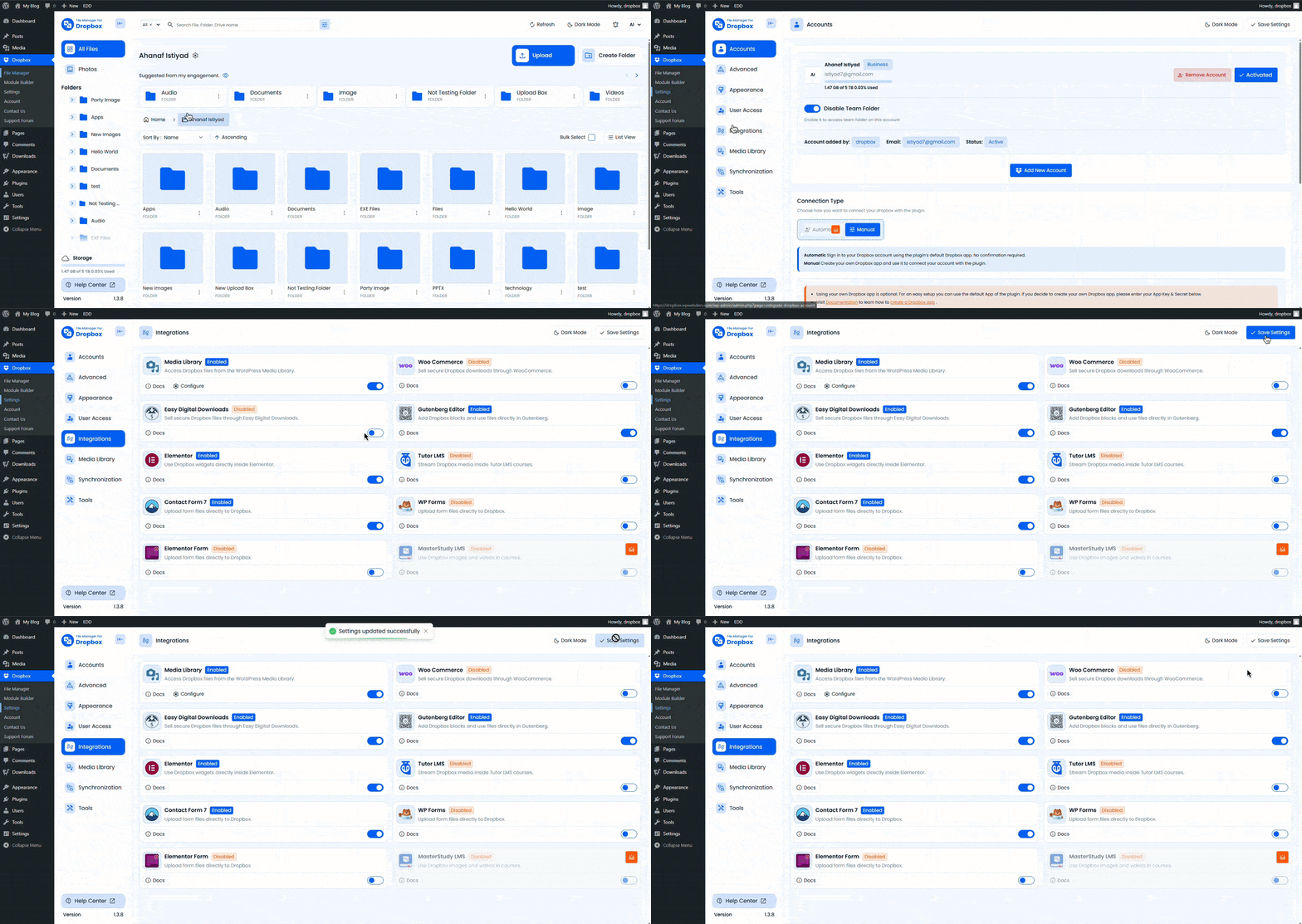
Go to your WordPress Dashboard and navigate to Dropbox
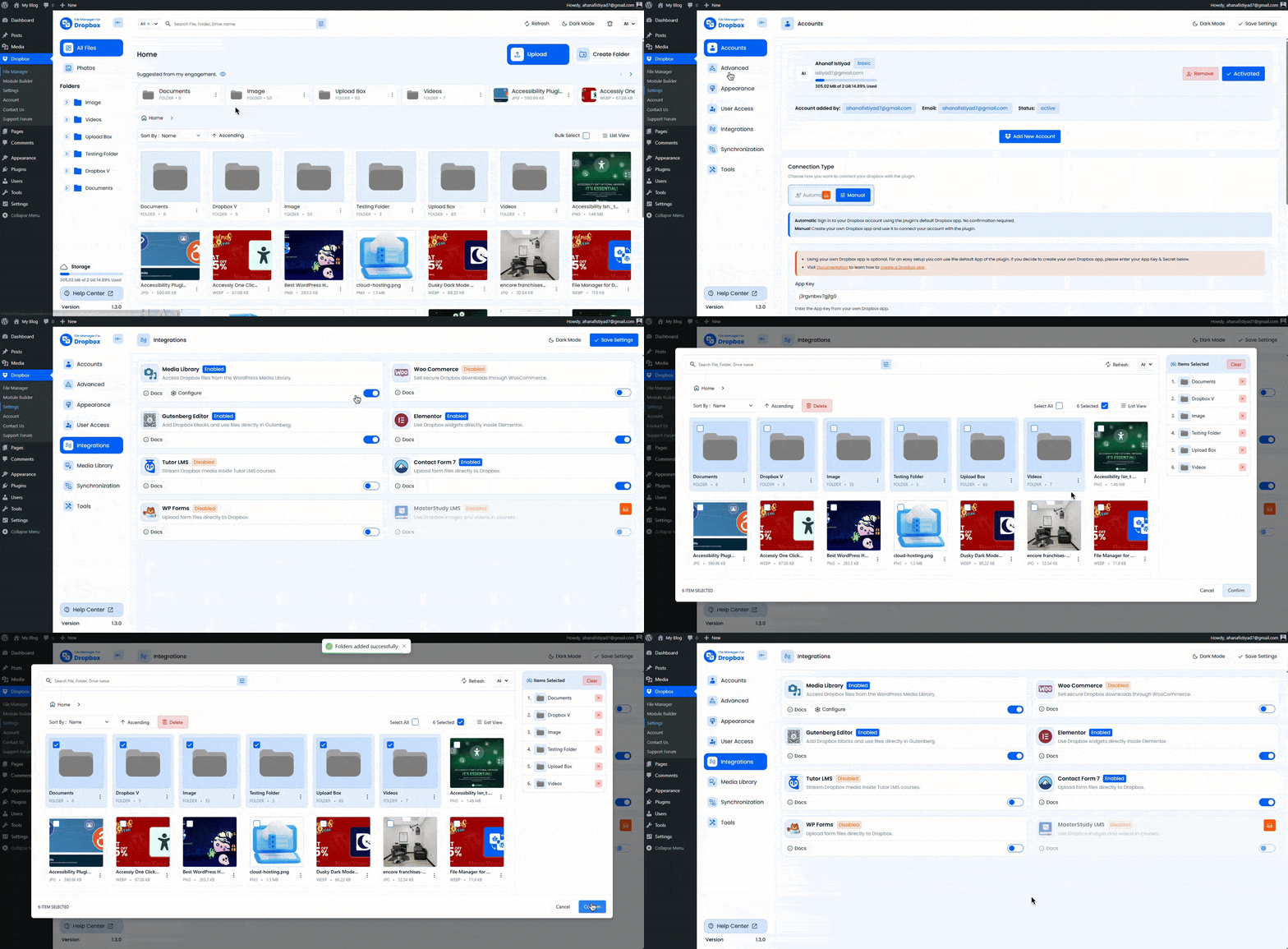
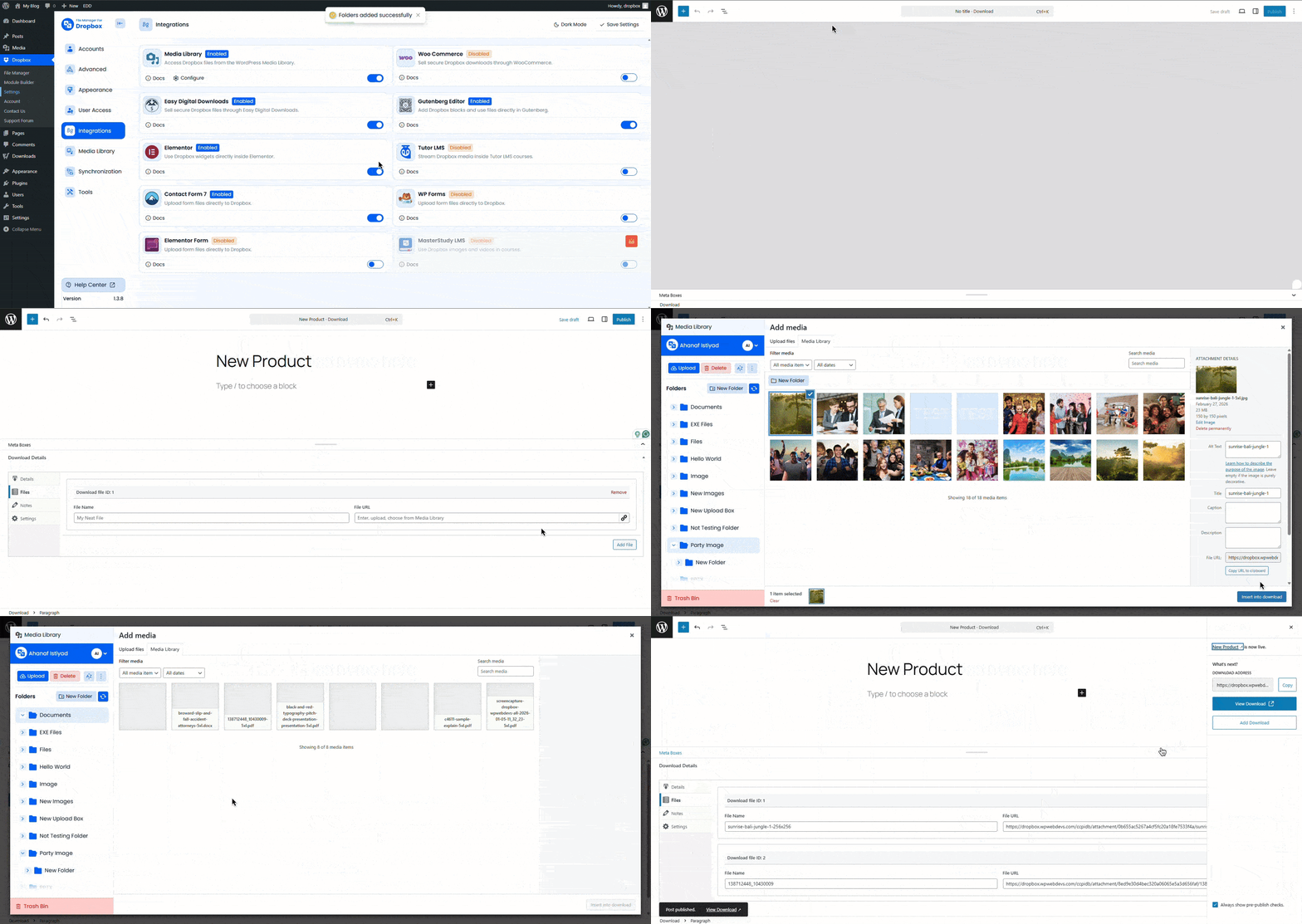
Dropbox takes the pressure off your server, delivers files faster through its global network, and adds an extra layer of security to protect your downloads.
Integrating Dropbox with WordPress offers practical advantages for selling digital files.
Start by organizing your Dropbox folders by product type so everything is easy to find. Use sales data from Easy Digital Downloads or WooCommerce to see what’s selling best and create bundles.
Keep your files backed up, test downloads regularly, and use email marketing tools to promote your products. If you need more space or team access, upgrading to Dropbox Business can help.
Mastering how to use Dropbox and WordPress to sell digital files unlocks a scalable, cost-effective way to build your online business. With secure storage, easy integrations, and tools like EDD or WooCommerce, you can deliver value to customers without technical hurdles. Set this up today to start earning from your digital creations, install the plugins, connect your accounts, and watch your sales grow. Ready to get started? Head to your WordPress dashboard and begin integrating now!
This post is by Jakir, a member of the CodeConfig team who is always working to find solutions for our users and improve our services.
Thank you for reading and for your kind words and good wishes for us. We truly appreciate your support! ❤️


Whether you're just getting started or scaling fast, we've got you covered. Access helpful guidance.

