Google Drive is one of the most popular cloud storage solutions, and almost every internet user uses it. Because of that, many people like you and me have a question: How to Integrate Google Drive With WordPress Media Library, and wish we could use Google Drive files directly inside WordPress. That would be amazing. But here’s the reality. By default, it’s not possible.
We faced the same problem, so we did our best to build a solution that connects your Google Drive to your WordPress site, giving you the superpower to use Google Drive files through the WordPress Media Library. Sounds amazing, right?
The solution is even more powerful and intuitive than you’d expect. So let’s dive in and see how easy it is to connect Google Drive with WordPress.
What is the solution, and is it secure?
Before this solution existed, there was no reliable way to use Google Drive with your WordPress Media Library. Now, let’s look at the solution for using Google Drive with your WordPress Media Library.
The solution is a WordPress plugin called Integration for Google Drive by CodeConfig. This plugin is powerful and easy to use. If you are concerned about security, there is no need to worry. The plugin uses end-to-end encryption, and files are fetched using a secure, server-side-generated code. Your actual file IDs or account details are never exposed, ensuring everything remains safe and secure.
How To Integrate Google Drive With WordPress Media Library?
So now, if you want to use any Google Drive image in WordPress, simply download the plugin from WordPress.org and connect your Google account.
Install the Plugin
Getting started is straightforward—no coding required.
- Log in to your WordPress dashboard.
- Navigate to Plugins > Add New.
- Search for “CodeConfig” or “Integration for Google Drive CodeConfig“.
- Click Install Now on the plugin by CodeConfig.
- Once installed, hit Activate.
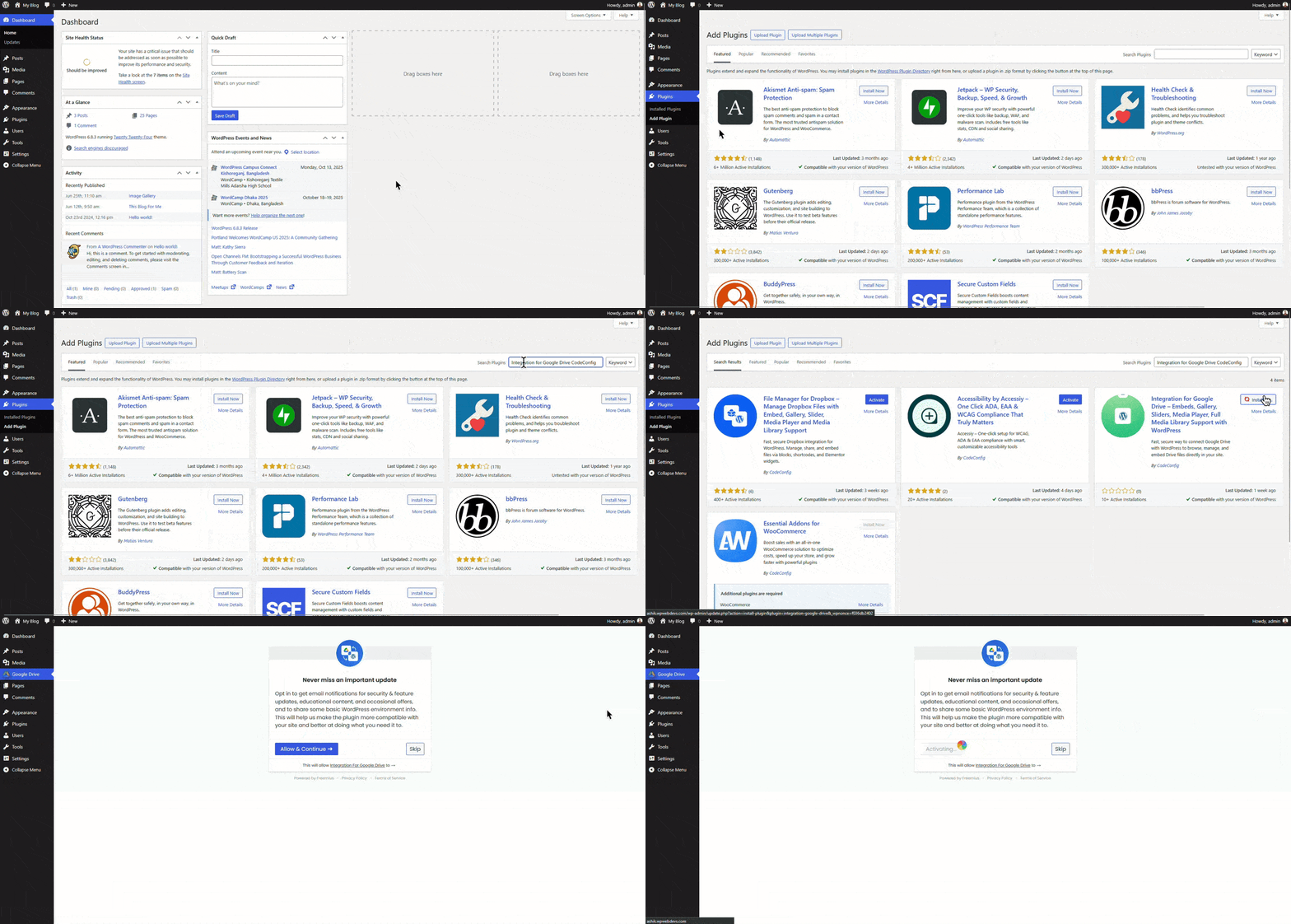
That’s it! The plugin will add a new menu item: Google Drive to your sidebar.
Also Read: Connect Google Drive to WordPress
Enable Media Library Integration
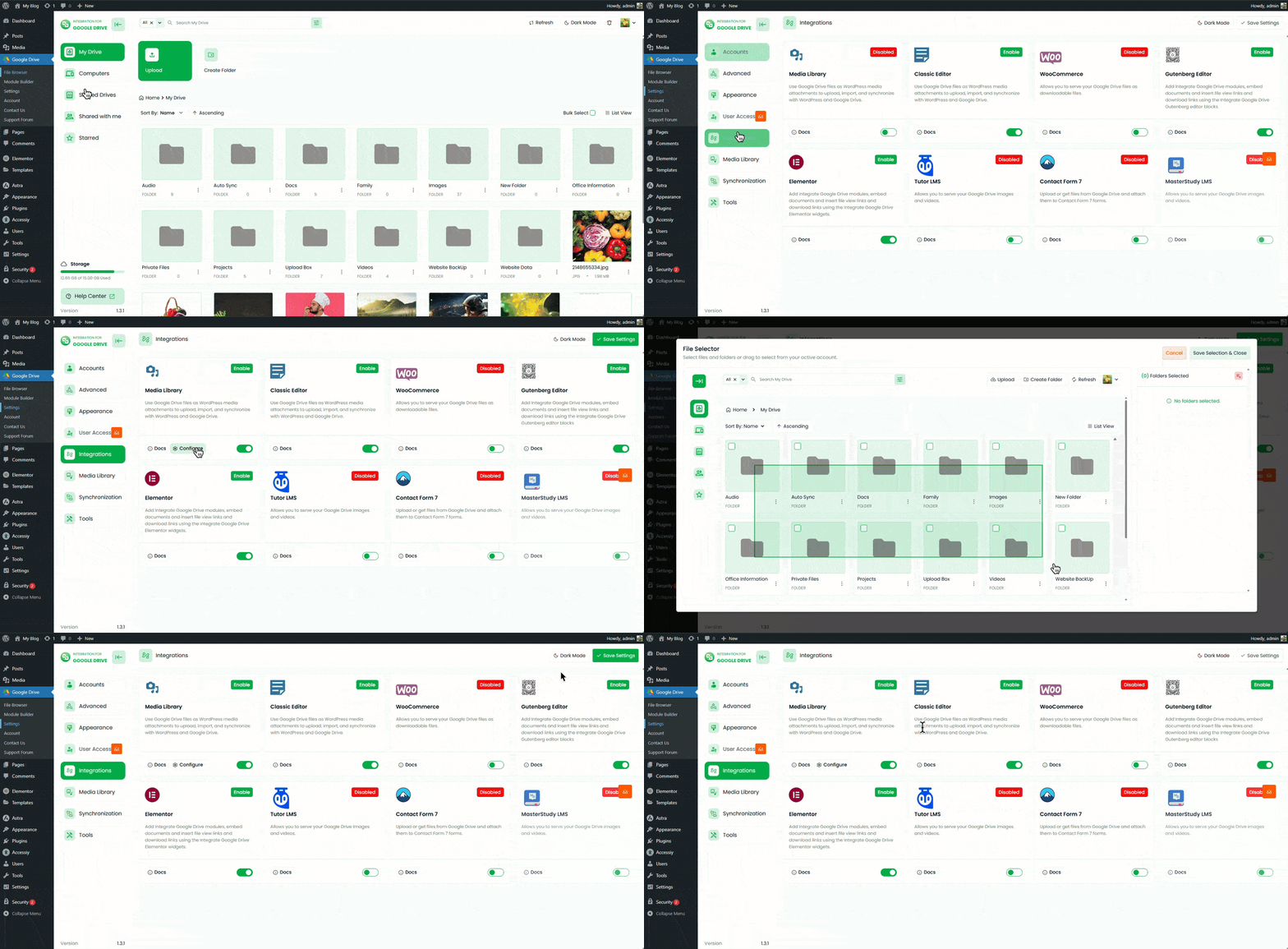
- Go to the plugin’s Settings tab.
- Open Integrations.
- Find Media Library and toggle it on.
- Click the Configure button.
- Select the folder you want to use for your images.
🎁GIFT: And here’s a gift for you. If you’re planning to buy this plugin, you can use the
EARLY20OFF coupon to
get a 20% discount.
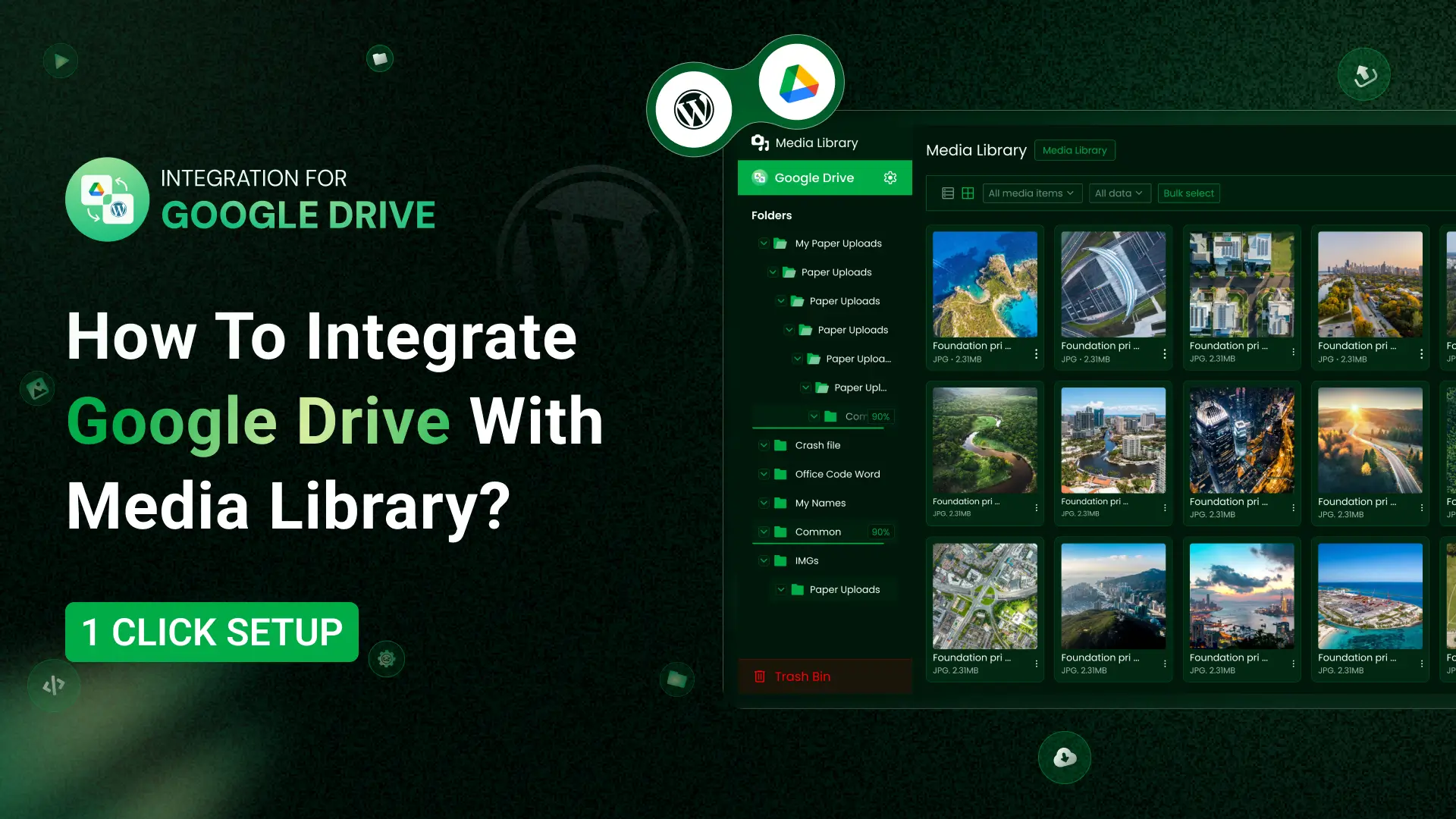
To check if all files have appeared in the Media Library, go to your Media Library—you will see all the fetched files there.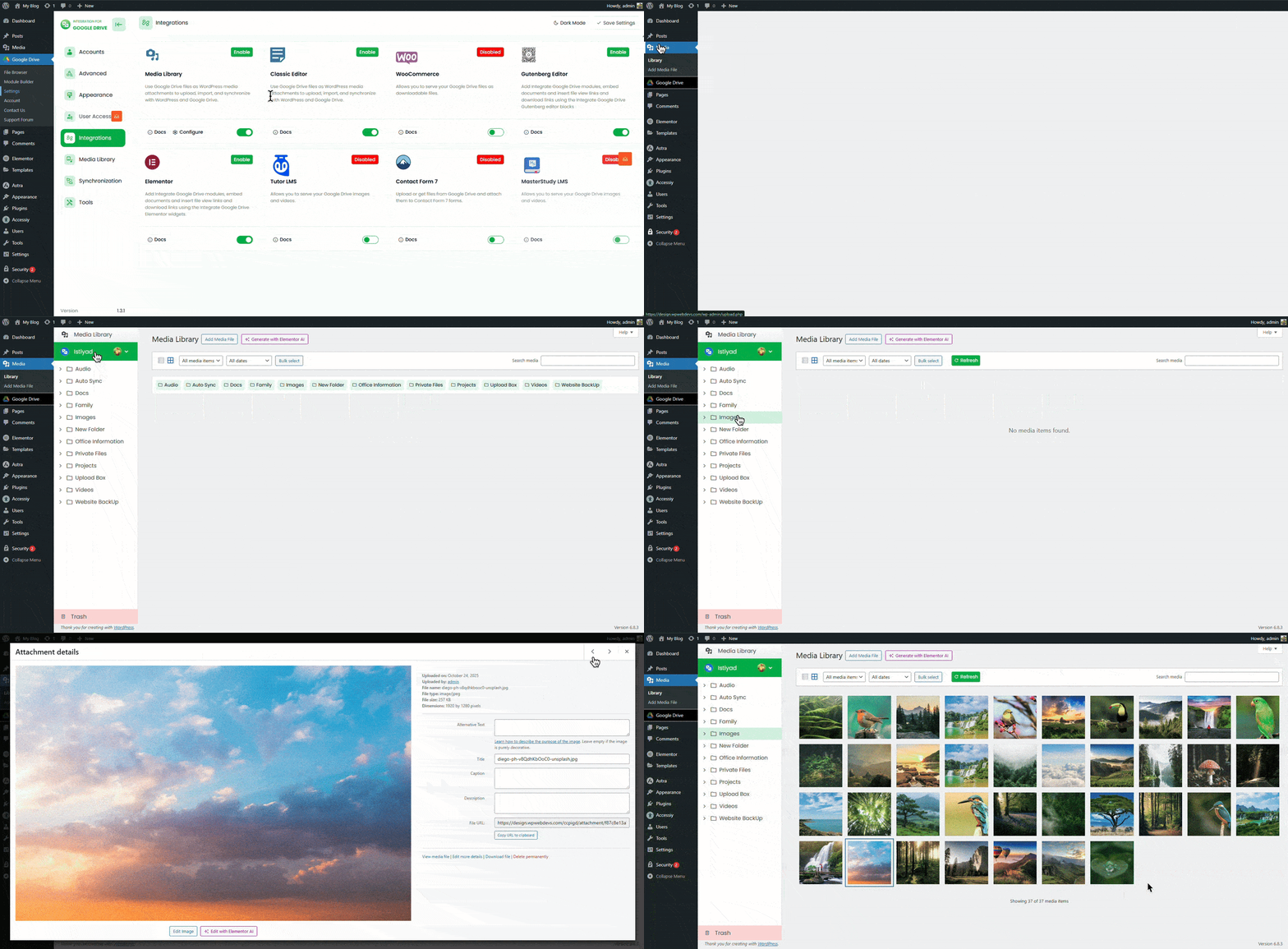
Conclusion
Now we’ve integrated Google Drive with the WordPress Media Library, and it’s pretty awesome, right? You’ll really feel it once you install and use the plugin. The integration process itself is simple and smooth.
Now let’s talk about security and speed. As we mentioned earlier, the security level is very high. When it comes to speed, there’s a big advantage. When you use images or videos through this plugin, they are served from Google Drive, not your hosting. That means your hosting storage stays free because the files are not uploaded to your server.
As a result, you save hosting space, and your website becomes lighter and faster since it’s not overloaded with media files. Another great benefit is image indexing. You can index these images properly, which is something most other solutions don’t offer.













Written By
Ahanaf Istiyad
Hey, I'm Istiyad! As a UI/UX and product designer, I’m passionate about building sleek, user-friendly experiences that make navigating digital products feel effortless and fun!
Express Your Opinion