I think every WordPress and Google Drive user dreams of connecting Google Drive with WordPress but there was never a proper solution for it until now but now there is something that not only connects your Google Drive with WordPress it also lets you use your Drive images anywhere in WordPress same for videos and the best part is you can use any file or folder from your Drive inside WordPress whenever you want sounds amazing? So let’s dive in and see what this solution actually does.
So what would be the first question here? The first question is
How To Connect Google Drive to WordPress
It seems impossible, but now there is a big player in the game, Integration for Google Drive by CodeConfig. This plugin lets you connect your Google account with WordPress and then gives you full access to your Drive files and folders right inside your website. The interesting part is that it’s free to use and free to connect
Then another question comes.
Is this Plugin Secure and GDPR compliant?
The answer is yes: this plugin is fully secure and fully GDPR-compliant. Everything is end-to-end encrypted. CodeConfig handles no data. Your files stay with Google, and only encrypted data passes through to your WordPress site. Whenever you use a Google Drive file, the plugin sends it as encrypted data and decrypts it only when needed, so your files stay protected all the time
The next expected question is this.
Can this plugin slow down my site?
Absolutely not. This plugin can actually speed up your site. When you load images, videos, and audio directly from Google Drive, your hosting server doesn’t have to store or serve those heavy files. That reduces pressure on your hosting and helps your website load faster.
Can I use Google Drive files as a CDN in WordPress
Yes, you can Integration For Google Drive by CodeConfig includes an SEO feature that lets Google index your images and videos. When you embed a Drive file, you can choose to make it indexable so it works just like a CDN.
What about if I want a new feature
If you want a new feature, just tell the CodeConfig team they will develop and deliver it quickly.
How many features does this plugin have
This plugin has many powerful features and integrations with popular plugins.
Features
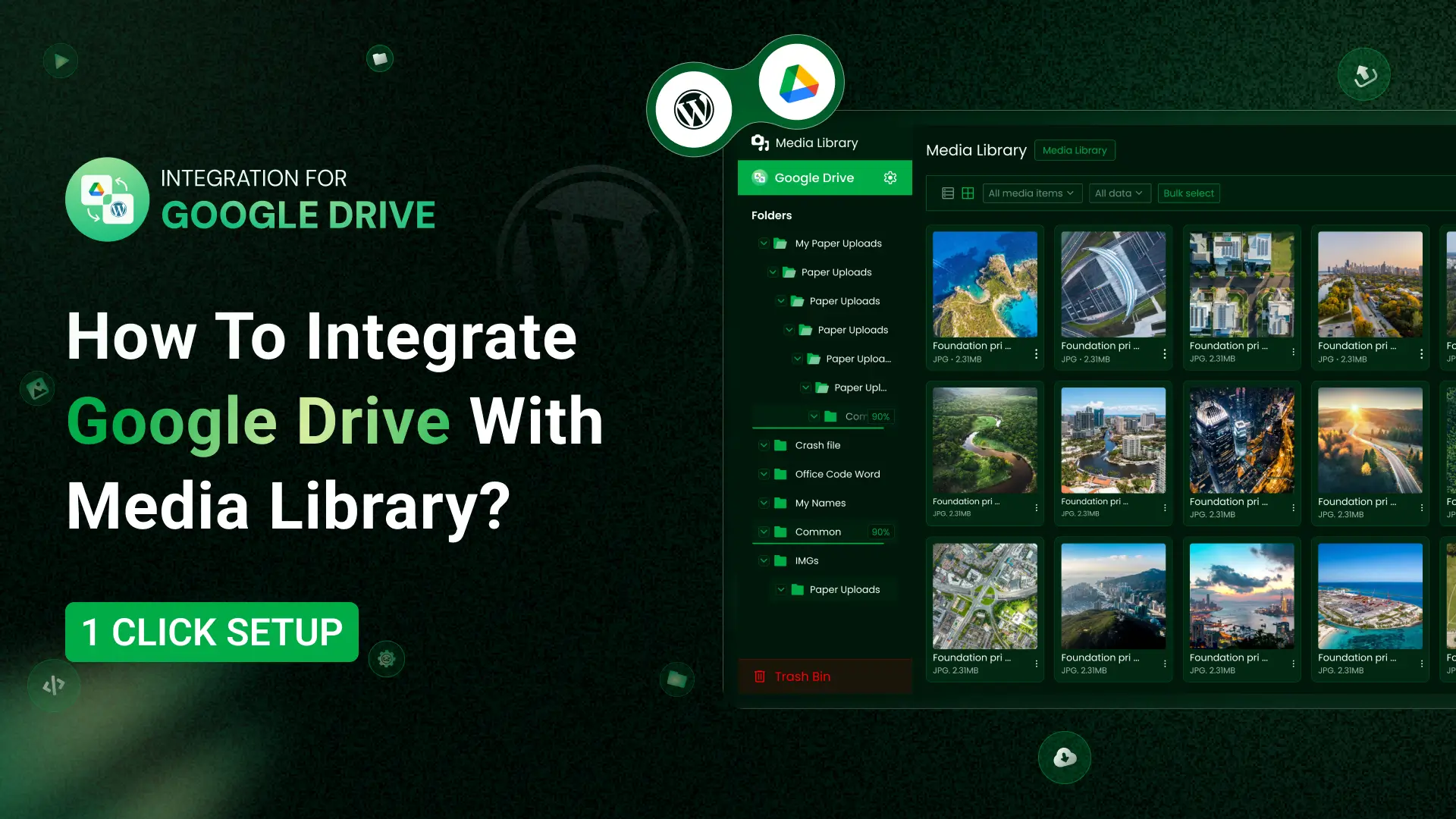
- Media Library Integration – Use Google Drive files as WordPress media attachments and sync between both platforms.
- Easy Setup – Quickly connect your Google Drive account and start managing files without complicated configurations.
- Multiple Account Support – Connect multiple Google Drive accounts and switch between them easily.
- Module Builder – Create custom display modules to show your files in list grid slider or gallery formats.
- File Browser Module – Display a customized file browser for chosen folders on your website.
- Gallery Module – Allow clients to preview select and download approved images or send selections directly to you.
- File Uploader Module – Enable site visitors or clients to upload files directly to your Google Drive account from a public or private page.
- Media Player Module – Play Google Drive audio and video files with the option to restrict downloads and create custom playlists.
- One-Click Import to Media Library – Import Google Drive files directly into your WordPress media library with a single click.
- Search Box Module – Place a search box anywhere on your site so visitors can search your Google Drive files instantly.
- Slider Carousel Module – Create interactive sliders to showcase Google Drive images videos or documents.
- Embed Anything – Embed documents PDFs images audio videos and folders directly into posts or pages using blocks Elementor widgets or shortcodes.
- Advanced Search – Easily locate files and folders within your connected Google Drive using powerful filters.
- File Download Links – Generate clean direct download links for your files.
- List Files – Display files in a structured readable list layout.
- Fully Responsive – Your file browser galleries and embeds adapt perfectly to any device.
- Full File Operations – Upload download rename move copy delete share links and create folders.
- Access Control – Restrict file and folder visibility by user role or logged-in status with password and time-based protection.
- Caching and Pagination – Speed up browsing and loading especially for large folders.
- Manage Sharing Permissions – Control Google Drive sharing settings directly from WordPress.
- Appearance Options – Customize colors layouts and styles to match your website.
- Auto Save Feature – Automatically save your settings so changes are never lost.
- Notification Emails – Get instant email alerts when files are uploaded downloaded or deleted.
Integrations
- Media Library Integration – Use Google Drive files as WordPress media attachments and sync between both platforms.
- Google Drive Integration for Gutenberg Editor – Get over 9 blocks for embedding files galleries media players and upload forms.
- Google Drive Integration for Elementor – Access over 9 widgets to add Google Drive content into any Elementor layout.
- Classic Editor Integration – Insert Google Drive files and links directly into Classic Editor content.
- Google Drive File Uploader for Contact Form 7 – Add Google Drive uploads to Contact Form 7 forms.
- Sell Downloadable Products – Sell Google Drive files through WooCommerce or Easy Digital Downloads with secure delivery.
- Google Drive File Uploader for WooCommerce – Allow customers to upload files to Google Drive during their orders.
- Google Drive Integration for Tutor LMS – Use Google Drive videos and files as LMS course materials.
- Google Drive File Uploader for WPForms – Receive Google Drive uploads from WPForms file fields.
So, How To Set It Up
It’s simple. Go to WordPress Dashboard > Plugins > Add New Plugin Search for Integration For Google Drive by CodeConfig. Install it, then activate it.
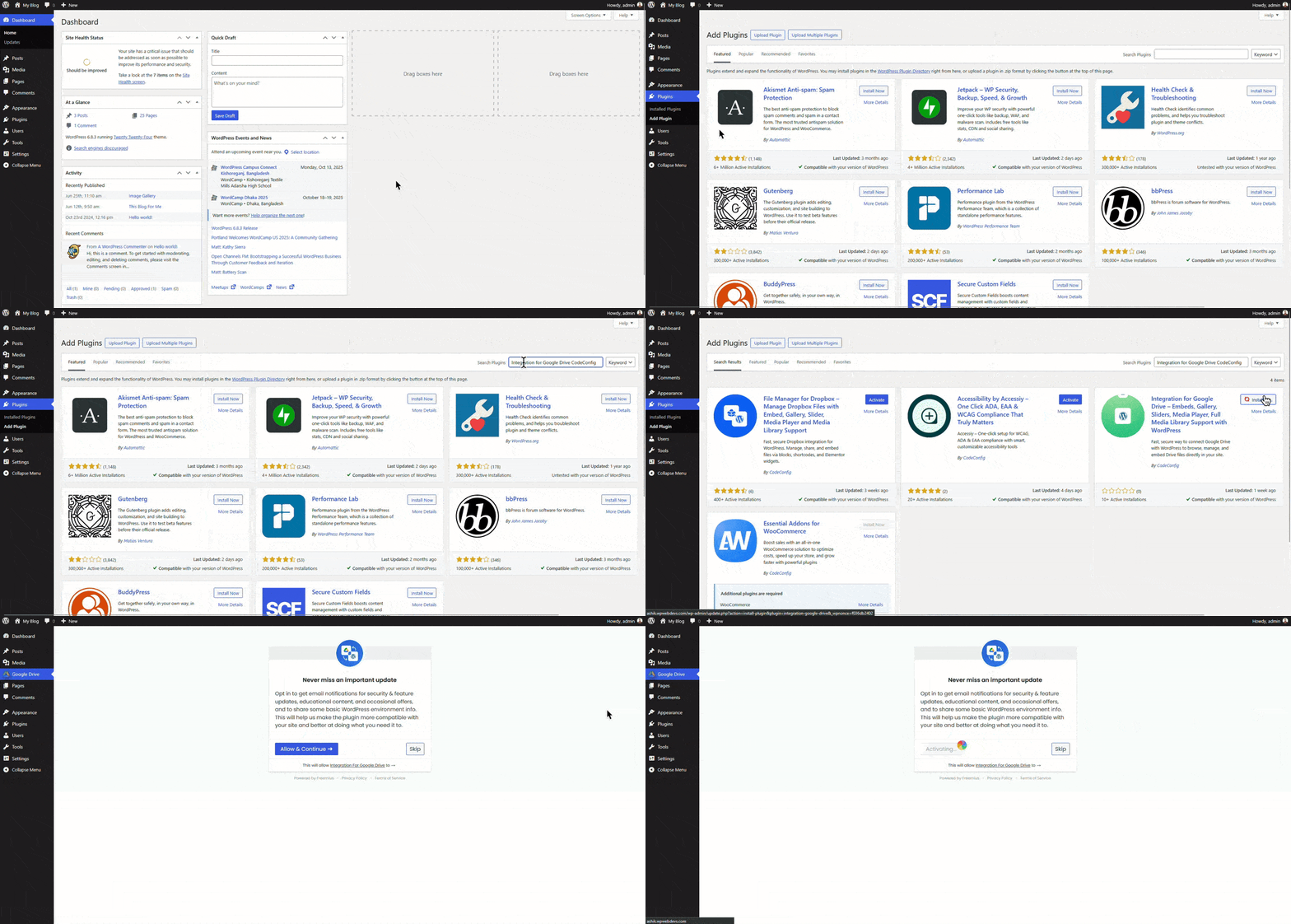
After activation, open the plugin dashboard, click Sign In, and add your Google account. It’s safe and secure. Once connected, you will see all your Drive files right in WordPress
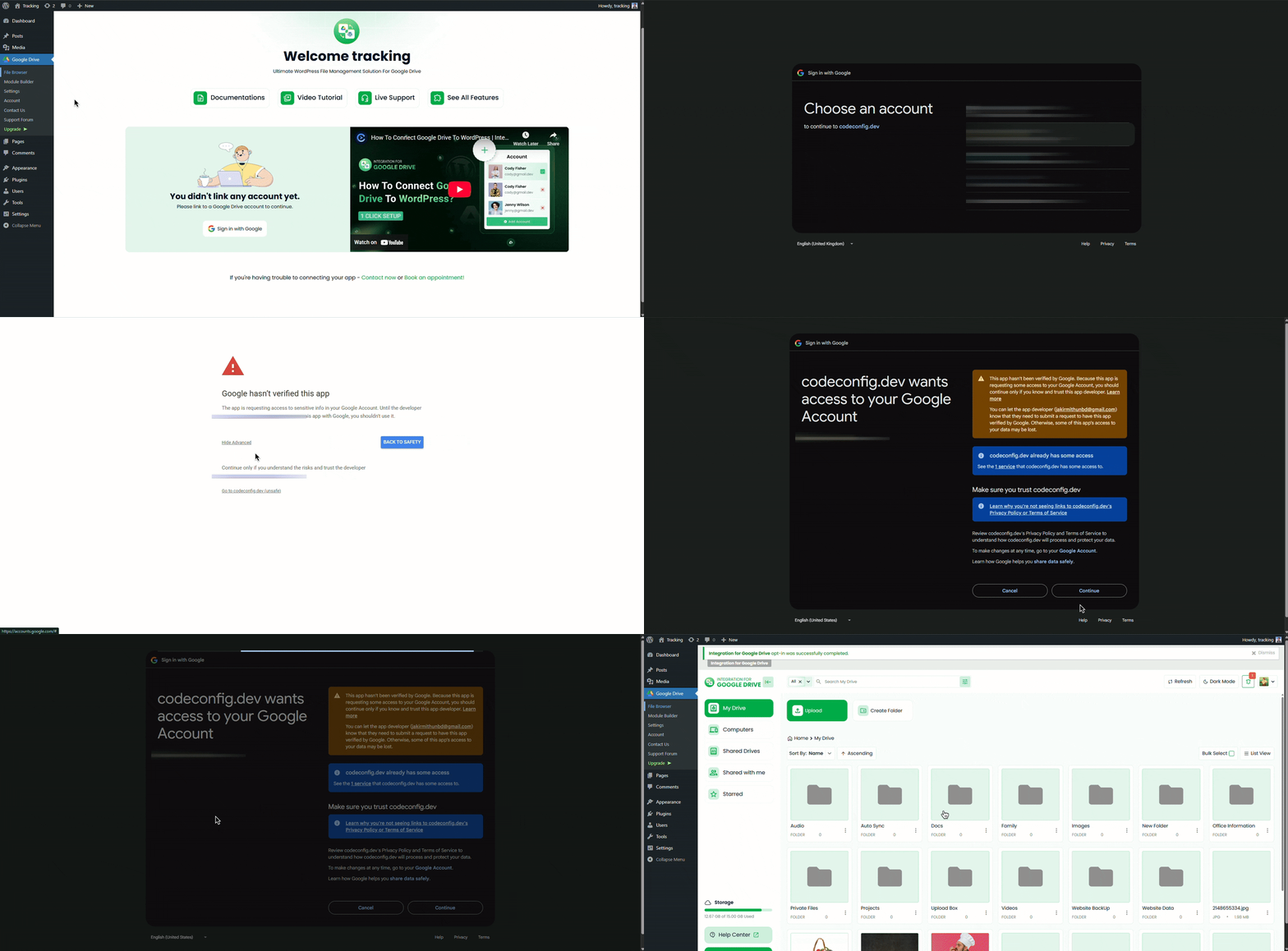
It’s that easy
Conclusion
Google Drive has always been one of the best storage platforms but using it inside WordPress was never smooth Integration For Google Drive solves that problem by giving you fast secure and direct access to your files without slowing down your website With its powerful features deep integrations and simple setup it’s one of the most complete Google Drive solutions available for WordPress If you want to work smarter save hosting space and manage files more efficiently this plugin is the easiest way to do it.










Written By
Ahanaf Istiyad
Hey, I'm Istiyad! As a UI/UX and product designer, I’m passionate about building sleek, user-friendly experiences that make navigating digital products feel effortless and fun!
Express Your Opinion